Artificial intelligence has changed the way people create digital content. In the past, producing a polished image, social-media graphic, thumbnail or visual concept often required design software, technical skills and a significant amount of time. AI-powered creative platforms have simplified many of these tasks by using text prompts, automated editing and ready-made creative tools. PixNova AI is part of this growing category of AI-driven visual platforms, with a focus on image creation, photo transformation and other forms of creative visual work.
The appeal of a platform like PixNova AI is that it can serve both beginners and experienced creators. One person may want to improve an ordinary photo, while another may need a social-media visual, marketing graphic or concept image. With a clear goal, a well-written prompt and a sensible editing workflow, AI can reduce repetitive work and make visual experimentation much faster.
PixNova AI is an AI-powered creative platform designed to help users create and edit visual content with automated, AI-assisted tools. Depending on the tools available at a given time, users may be able to work with image generation, enhancement, portrait transformation, creative effects and other visual workflows. AI platforms evolve quickly, so the exact features, limits and interface can change over time.
PixNova AI is not limited to professional designers. Students, bloggers, content creators, marketers, small businesses and casual users can all benefit from AI-assisted visual creation. However, generated content should always be reviewed for quality, originality, accuracy and appropriate usage rights before it is published or used commercially.
Text-to-image technology allows users to turn a written description into a visual concept. For example, a creator might want a futuristic city, cinematic landscape, product-style composition or fantasy scene. Instead of manually building the scene from scratch, the user can describe the desired result in a prompt and let the AI generate a visual interpretation.
Prompt quality matters. Useful prompts often describe the main subject, setting, lighting, mood, composition and visual style. A vague prompt may produce an unpredictable result, while a clear prompt gives the model more direction. Beginners can start with a simple description and then improve it through several rounds of refinement rather than trying to write an extremely detailed prompt all at once.
AI photo-enhancement tools can help improve the appearance of an existing image. Depending on the available feature, this may include sharpening details, improving lighting, reducing visual distractions or giving a portrait a more polished appearance. Enhancement can be especially useful when a photo needs a quick quality improvement before being used online.
It is important to understand that AI enhancement does not always restore the exact original details of a low-quality image. AI may reconstruct missing information based on patterns it has learned, which means some details can be estimated rather than recovered. For important documents, factual images or identity-related material, the result should therefore be checked carefully.
AI transformation tools can turn an existing photo or concept into a different visual style. This can be useful for experimenting with moods, concepts, character looks, artistic treatments and alternative compositions. Rather than spending a long time creating every variation manually, users can generate multiple visual directions and select the most useful one.
Creative transformation works best as part of an iterative process. The first result does not have to be the final result. Generating several versions, comparing them and then refining the strongest option can make the overall workflow more efficient.
AI creative tools are also expanding into video and motion-related workflows. Depending on the feature set, users may be able to create short creative clips, animate visual ideas or turn a static concept into a motion-based presentation. These possibilities can be valuable for short-form content creators who need quick visual experiments.
For better results, simple scenes and precise instructions are often easier to manage than overly complicated prompts. Final clips should be reviewed for unwanted artifacts, strange movement, text mistakes and visual consistency before publication.
A practical workflow starts with a clear objective. Decide whether you want to generate a new image, edit an existing photo, enhance quality or create a visual variation. Select the relevant tool, provide the required prompt or source image, review the result and refine it when necessary.
A useful step-by-step approach is to begin with a basic prompt, improve the composition, refine lighting or style, and apply final enhancement afterward. Changing only one or two variables at a time makes it easier to understand why a result improves or gets worse. This approach is usually more manageable than giving a single prompt with too many conflicting instructions.
Prompt writing is one of the most important skills in AI image creation. A useful prompt can include the subject, environment, mood, lighting, composition and visual style. For example: “A professional product photo of a modern smartwatch on a clean desk, soft studio lighting, realistic photography.” The description gives the AI a clear direction without becoming unnecessarily complicated.
Consistency is also important when generating a series of related images. If the same character, product or brand style appears across several visuals, repeating the core visual characteristics can help maintain a similar direction. Prompting should be treated as a process of experimentation and refinement rather than a one-time instruction.
YouTubers, Instagram creators, bloggers and other digital publishers can use AI-generated visuals for thumbnails, social posts, backgrounds and campaign concepts. This can shorten the time between an idea and a usable creative asset.
Small businesses can experiment with promotional graphics, product concepts and social-media visuals without creating every design from scratch. Even so, businesses should pay attention to brand consistency, image quality and the commercial-use terms of the service.
For professional designers, AI can work as an ideation and prototyping assistant rather than a complete replacement for design judgment. Designers can explore multiple directions quickly and then apply manual design skills to refine the selected concept.
AI-generated content is not always perfect. Problems can appear in hands, faces, typography, objects, small details or overall consistency. Generated images can also resemble real people, brands or existing artwork. Before commercial publication, creators should consider originality, trademark issues, copyright rules and the terms that apply to the specific AI service.
Privacy is another important consideration. Before uploading a personal or confidential photo to any AI service, users should review its privacy policy and data-handling practices. Images containing sensitive information should not be uploaded casually.
AI output can also be factually incorrect. If an image represents a real product, location, historical event or educational topic, the creator should verify the final result instead of assuming that an AI-generated visual is automatically accurate.
One of the most effective approaches is iterative experimentation. Instead of treating the first generated image as final, create several variations and compare them. Adjust lighting, camera angle, background, style or composition one at a time. This makes it easier to identify which instructions actually improve the result.
The final design should also match the platform where it will be published. An Instagram post, YouTube thumbnail, website banner and product graphic may require different aspect ratios and compositions. Leaving enough visual space for text, positioning the main subject carefully and preparing the correct dimensions can make the result look far more professional.
AI platforms commonly offer a mix of free access, limited credits and paid plans, and pricing or usage limits can change over time. For that reason, users should check PixNova AI’s current pricing, credits, available tools and commercial-use conditions on the official platform before making decisions. Information from older articles or videos may no longer reflect the current offer.
PixNova AI and similar AI creative platforms have made visual creation more accessible. Beginners can experiment with image generation and editing, while experienced creators can use AI to speed up ideation, prototyping and repetitive tasks. Image generation, enhancement, transformation and other AI-assisted workflows can be useful for social-media content, marketing visuals, personal projects and creative exploration.
The quality of the final result still depends on the user’s workflow. Clear prompts, multiple iterations, manual review and responsible usage are just as important as the AI tool itself. Before publishing AI-generated content, users should check quality, privacy, originality, copyright and commercial-use requirements. Used thoughtfully, PixNova AI can be a practical part of a modern digital-content workflow.
This article is for educational purposes. Features, pricing, usage limits and platform policies may change over time. Always check PixNova AI’s current official website and terms for the latest information.
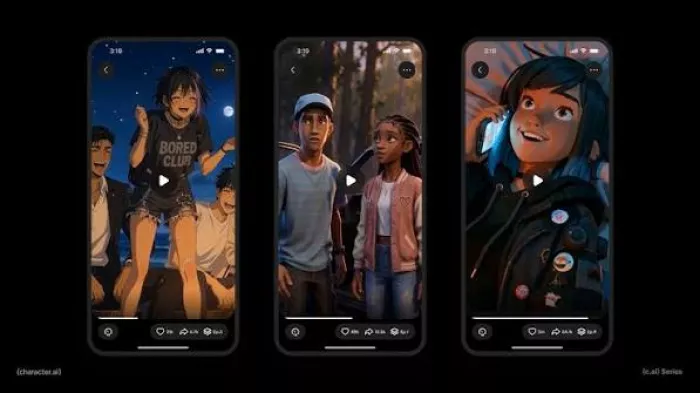
a place where users could create interactive characters, explore long...
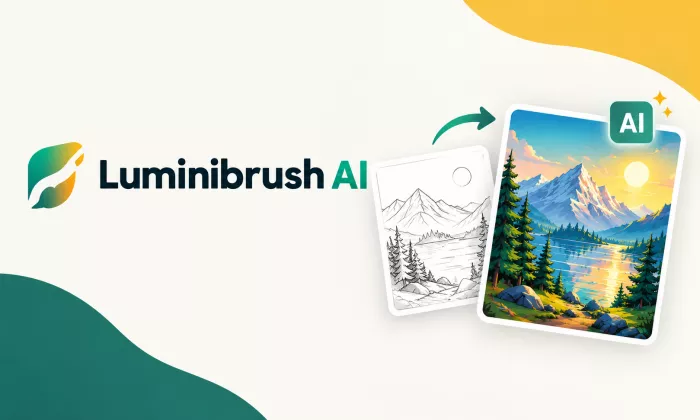
A detailed Luminarbrush.ai review based on real usage, exploring its l...
Dopple AI is not trying to be a productivity tool or a general assista...

An AI system that trades across multiple markets and generates passive...

designed specifically for hospitals, clinics, and healthcare networks...
Akool is one of the few platforms that actually bridges that gap, and...

Discussion