Short‑form video is brutal: you get a split second to hook viewers before they swipe away. For creators serious about Instagram Reels and YouTube Shorts, the right AI tools don’t just “help” they decide whether you ship daily, or burn out tweaking clips frame‑by‑frame. Here’s a tested, seven standout AI video tools that actually move the needle for vertical content.
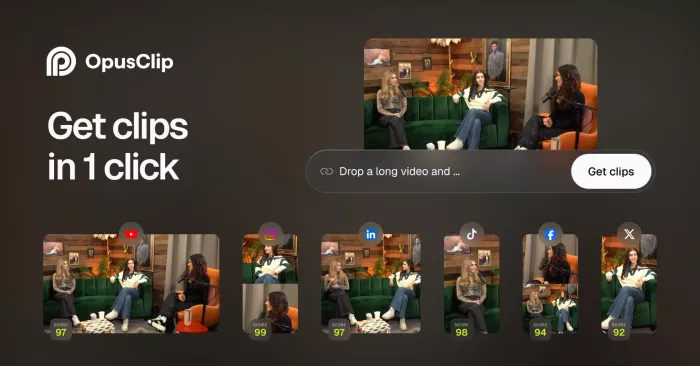
Opus Clip is built for one job: turning long videos into multiple Shorts/Reels in minutes, with minimal manual editing. You drop in a YouTube video, podcast, webinar or Zoom recording, and it auto‑detects the most “viral‑ready” segments, cuts them into 9:16 clips, and adds captions for you. It also assigns a “viral score” to each clip so you can prioritize the segments most likely to perform on TikTok, Reels or Shorts.
Opus Clip’s highlight detection scans your long‑form content and pulls out punchy hooks, quotable lines and high‑engagement moments, which is ideal if you’re repurposing talking‑head content or interviews. Its auto‑captioning engine burns subtitles into your clips with decent styling and correct line breaks, saving time in separate caption apps. The “viral score” feature combines factors like pacing, hook strength and retention patterns to rate each clip, which is surprisingly useful when you need to choose only a few shorts to publish daily.
| Opus Clip advantages | Opus Clip drawbacks |
| Extremely fast at repurposing long‑form content into multiple Shorts/Reels in one go. | Works best with talking‑head / educational content; less ideal for cinematic or heavily visual edits. |
| Built‑in “viral score” helps prioritize the most promising clips. | Limited fine‑grained timeline control compared to full editors like Premiere or CapCut. |
| Auto‑captions and templates reduce the need for extra apps. | Branding and style customization are good but not as deep as pro editors. |
| Plan | Pricing | Notes |
| Free | Typically includes a limited number of exports per month, with watermarks or lower priority processing. | Good for testing workflow before committing. |
| Paid tiers | Commonly around 19–29 USD per month depending on quota and features. | Best fit if you repurpose content weekly or more. |
Opus Clip is best when you’re a coach, educator, podcaster or YouTuber sitting on hours of back catalog and you want to flood Reels and Shorts with smart clips without hiring an editor.
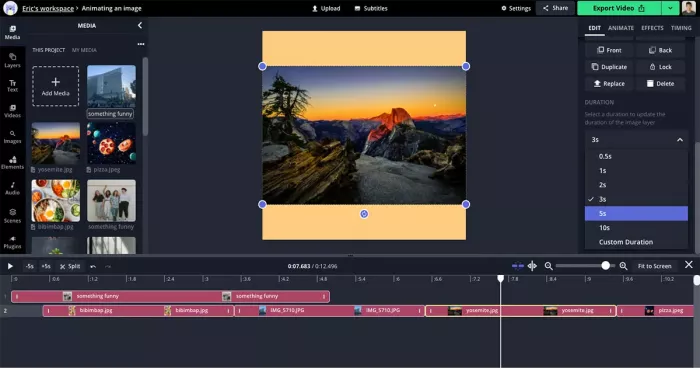
Kapwing is a browser‑based editor that has leaned heavily into AI for short‑form, including an “AI Reel Generator” specifically targeting Instagram Reels. You can start from a text prompt, an existing YouTube video or raw footage and quickly get a vertical 9:16 edit with captions, music and B‑roll.
Kapwing’s AI text‑to‑video lets you type a prompt, select duration and choose 9:16, then auto‑builds a Reel from professional stock clips plus an AI‑generated script and optional voiceover. Its Repurpose Studio feature converts longer horizontal videos into multiple vertical highlights, similar to dedicated clipping tools, while automatically resizing and reframing for 9:16. The editor itself still feels like a traditional timeline, so you keep control over cuts, overlays, emoji, progress bars and other “thumb‑stopper” elements.
| Kapwing strengths | Kapwing limitations |
| True all‑in‑one browser editor with AI generation, clipping and traditional editing in one place. | Heavy projects can feel slow on weaker laptops because everything runs in the browser. |
| AI Reel Generator and Repurpose Studio are tailored specifically for Reels/Shorts workflows. | Stock asset limits and export restrictions depend on plan, which can be tight on the free tier. |
| Easy to collaborate with teams via shared links and cloud projects. | Not as deep as Premiere/DaVinci for pro color grading or advanced audio work. |
| Plan | Pricing | Notes |
| Free | 0 USD with watermark and limited export length/resolution. | Good for testing simple Reels. |
| Pro | Around 16–24 USD/month when billed annually. | Unlocks higher quality exports, longer videos and more AI credits. |
| Teams | Custom / higher tiers for multi‑user collaboration and brand control. | Targeted at agencies and marketing teams. |
Kapwing is a great fit if you want a single browser‑based workspace to write scripts, generate clips, repurpose YouTube videos and fine‑tune edits without touching desktop software.
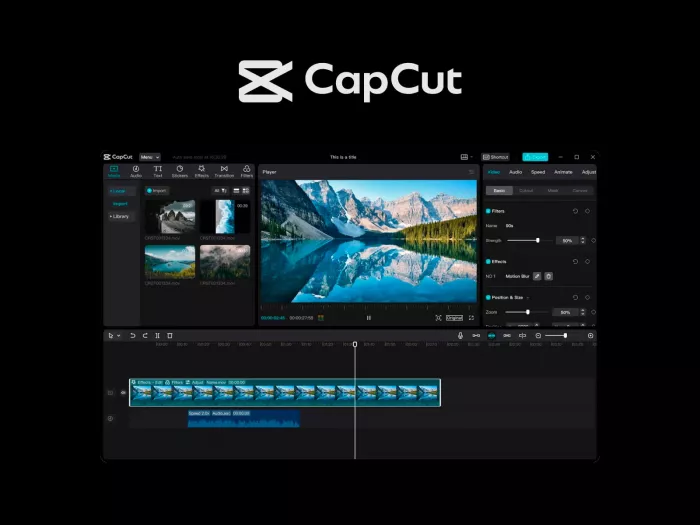
CapCut has become a default choice for many Reels and Shorts creators, especially those coming from TikTok, thanks to its free price point and surprisingly powerful AI features. It combines manual editing with smart tools for auto‑captions, templates, beat syncing and background removal.
For short‑form, auto‑captions are the star: CapCut quickly transcribes and stylizes subtitles with kinetic text effects that feel native to TikTok and Reels. Its smart templates let you drop footage into trending layouts with pre‑timed transitions and music, a huge time‑saver when you’re chasing trends. The app also includes AI features like background removal and auto‑resizing to 9:16, plus direct publishing integrations with TikTok and, increasingly, other platforms.
| CapCut upsides | CapCut downsides |
| Completely free with robust editing and AI tools that rival many paid options. | Deep branding control can be tricky; templates can make content look similar to others. |
| Excellent auto‑captions, templates and sound syncing for TikTok/Reels style videos. | Desktop version is improving but still feels less mature than long‑standing NLEs. |
| Mobile app makes vertical editing ultra‑accessible for beginners. | Owned by ByteDance, which some brands scrutinize from a data/privacy standpoint. |
| Plan | Pricing | Notes |
| Core editor | 0 USD, widely available on mobile and desktop. | Most creators never need to pay. |
| CapCut Pro / extras | Paid add‑ons and subscriptions vary by region, often under 10–15 USD/month for extra assets/effects. | Mainly for advanced effects and cloud features. |
CapCut is ideal if you want a free, mobile‑first editor that still gives you modern AI features and social‑native templates, especially if your Reels and Shorts are personality‑driven, talking‑head or lifestyle content.
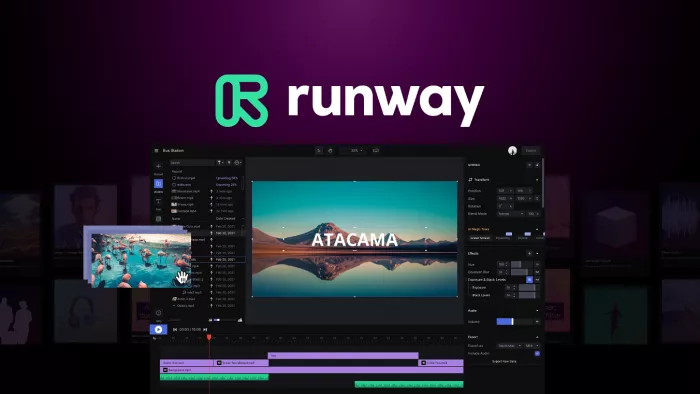
Runway is one of the most advanced AI video platforms, used heavily in creative and professional workflows. While it’s famous for video generation and effects, it’s also powerful for short‑form edits that lean on visual flair.
Runway’s AI tools can remove objects, change backgrounds, apply motion tracking and generate B‑roll or transitions that would normally require a VFX artist. For Reels and Shorts, that means you can take a simple clip and add highly stylized overlays, text treatments and background changes that instantly differentiate your content from template‑driven edits. It also supports auto‑reframing and can assist with resizing for vertical formats.
| Runway benefits | Runway trade-offs |
| Industry‑leading AI visual tools for object removal, background changes and generative B‑roll. | Overkill if you only need quick cuts and captions; learning curve is higher. |
| Great for visually experimental Shorts/Reels and brand campaigns. | Web‑based processing and credit systems can feel complex for casual creators. |
| Integrates into pro pipelines alongside tools like Premiere. | Rendering time and credit usage can be a concern for heavy users. |
| Plan | Pricing | Notes |
| Free | Limited credits and export options, mainly for testing effects. | Enough to trial key features. |
| Standard / Pro | Typically starts around 15–28 USD/month with more credits and higher resolutions. | Suited to creators using it weekly. |
| Enterprise | Custom pricing for studios and agencies. | For heavy, collaborative workflows. |
Runway is perfect when you’re creating high‑concept, visually rich Shorts/Reels, brand campaigns or music visuals where AI‑assisted VFX and unique looks matter more than quick turnaround alone.
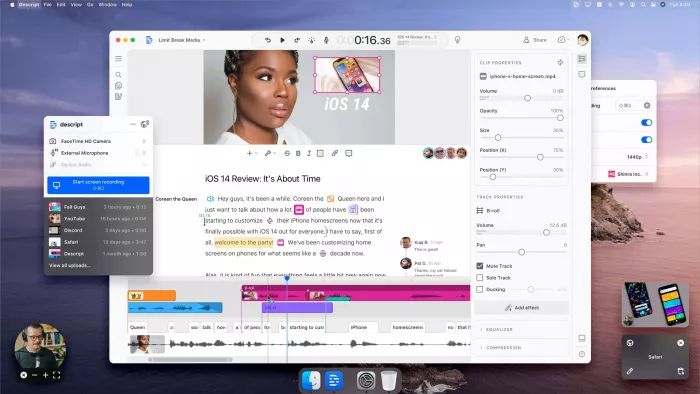
Descript is an AI‑powered audio/video editor built around transcripts, making it especially strong for talking‑head Shorts and educational Reels. You edit video by editing text, then refine with a traditional timeline if needed.
For podcasters, educators and thought‑leaders, Descript can automatically transcribe your recording, let you delete filler words with a click, and then cut that into short vertical clips. Its text‑based editing means you can quickly find key soundbites and turn them into Shorts without scrubbing through a timeline. It also includes AI features like overdub voice cloning, screen recording and basic captions.
| Descript positive points | Descript weak spots |
| Text‑based editing is extremely efficient for talking‑head and educational content. | Not primarily designed around Reels/Shorts templates or trends. |
| Strong transcription accuracy and filler word removal tools. | Limited advanced visual effects compared to Runway or CapCut. |
| Good for repurposing podcasts, webinars, and interviews into multiple clips. | Interface can feel complex for beginners who expect a simple mobile app. |
| Plan | Pricing | Notes |
| Free | 0 USD with limited transcription minutes and export options. | Fine for occasional Shorts. |
| Creator | Commonly around 12–15 USD/month billed annually. | More transcription and export flexibility. |
| Pro | Roughly 24–30 USD/month for higher limits and team features. | Better for regular content pipelines. |
Descript is ideal for educators, coaches, podcasters and B2B brands who create dialogue‑heavy content and want to spin it into clean, captioned Shorts without living in a traditional video timeline.
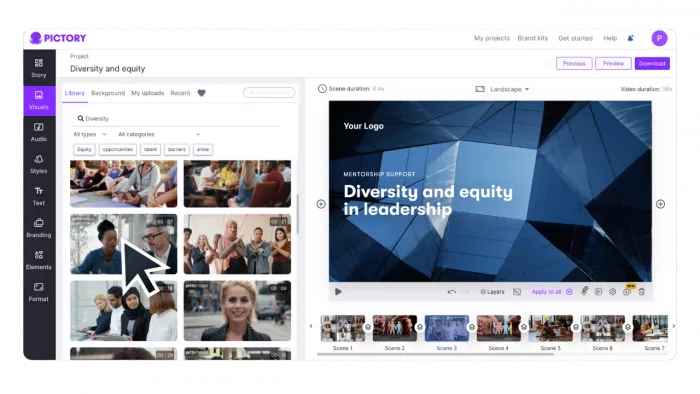
Pictory specializes in turning scripts, blog posts and long‑form videos into short, shareable clips with AI‑chosen visuals and captions. It’s particularly attractive if your content starts as text (articles, newsletters, LinkedIn posts) and you want that repackaged as Shorts/Reels.
You feed Pictory a script or URL, and it auto‑builds a storyboard with stock footage and overlays, then adds captions styled for vertical viewing. It can also summarize longer videos into short highlight reels, making it useful for repurposing webinars and explainers. While it’s not a heavy VFX editor, its strength is speed and automation for social‑ready clips.
| Pictory strengths | Pictory limitations |
| Excellent at turning text content into simple, branded Shorts/Reels. | Visuals can feel generic if you rely only on stock and default styles. |
| Automatic video summarization saves time on webinars and tutorials. | Less control over advanced editing compared to pro NLEs. |
| Cloud‑based, no heavy hardware needed. | Best suited to informational or promo content, not cinematic edits. |
| Plan | Pricing | Notes |
| Standard | Commonly in the 19–23 USD/month range billed annually. | For individual creators. |
| Premium | Around 39–47 USD/month with higher limits and more branding control. | Better for agencies/teams. |
| Free trial | Limited trial period often available. | Lets you test key workflows. |
Pictory is best if you’re a blogger, newsletter writer or SaaS marketer who wants to convert existing written content into quick, branded video snippets for Reels and Shorts.
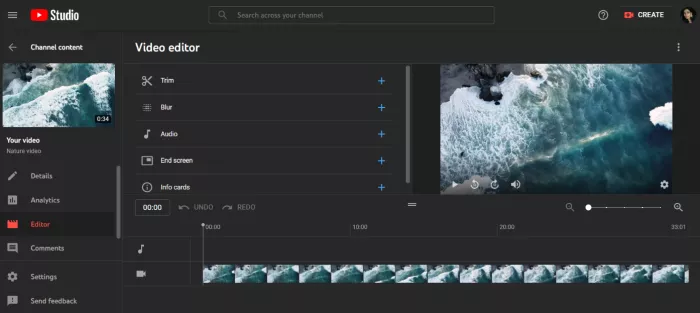
VEED is a simple, browser‑first video editor with AI tools aimed squarely at social content. It handles auto‑subtitles, templates, audio cleanup and aspect‑ratio changes in a very approachable interface.
VEED simplifies the essentials: upload your footage, auto‑generate captions, drag‑and‑drop elements like progress bars, emojis and timelines, then export in 9:16 for Reels or Shorts. It also includes AI tools like background noise reduction and some templated layouts that speed up repetitive content formats. Because it’s browser‑based, you can work from any machine, which is handy for teams.
| VEED advantages | VEED disadvantages |
| Easy learning curve, great for non‑technical marketers and founders. | Less suited for complex multi‑layer edits and heavy VFX. |
| Strong auto‑captioning and social‑media‑ready overlays. | Free plan comes with watermarks and export constraints. |
| Fully online with simple sharing and collaboration. | Can get pricey if you need multiple seats and higher limits. |
| Plan | Pricing | Notes |
| Free | 0 USD with watermark and basic limits. | Enough for testing and occasional clips. |
| Basic / Pro | Typically 12–38 USD/month depending on tier and billing. | Unlocks watermark removal and higher limits. |
| Business | Higher pricing for teams and more brand control. | Suitable for agencies and social teams. |
VEED is a strong choice for solo creators, small businesses and social media managers who want clean, branded Reels and Shorts from a browser without dealing with heavyweight desktop software.
AI video tools have quietly become the backbone of serious Reels and Shorts workflows, and the seven platforms in this roundup show there’s no longer a single “best” choice – only the best fit for how you create. Opus Clip and Pictory are powerhouses if your content starts as long‑form video or text and you want to flood social feeds with repurposed clips. Kapwing, VEED and Descript shine when you care about creative control and scripting inside a browser, balancing AI shortcuts with an editor you still steer.
CapCut proves you don’t need a big budget to get slick, trend‑ready edits, while Runway stands out when you want visually ambitious, AI‑driven effects that actually look different from everyone else’s content.
If you’re just getting started, pairing a repurposing tool (like Opus Clip or Pictory) with a lightweight editor (such as CapCut, VEED or Kapwing) will cover 90% of real‑world Reels and Shorts needs without overwhelming you. As your production level rises, adding Descript for script‑led clips or Runway for advanced visuals can turn your short‑form into something that feels more like a polished series than random posts.
The bottom line: pick tools that collapse your bottlenecks clipping, captioning, resizing or styling and let AI handle the grind so you can focus on hooks, storytelling and consistency, which still matter more than any single feature.
PixNova AI is an AI-powered creative platform designed to help users c...

PolyBuzz is an AI character chat and roleplay platform.

LensGo AI is a browser-based creative studio that bundles a stack of t...


Discussion