AI is quietly eating half the video editing workflow: rough cuts, captions, resizing, repurposing, even colour and noise cleanup. The good news is you don’t need to rebuild your stack from scratch but you do need the right tools for what you’re actually editing: talking‑head content, YouTube videos, podcasts, TikToks, or cinematic footage.
Here are eight of the best AI tools for video editing right now, what they’re good at, how they’re priced, and how real users rate them.
You’ve got a blog post, script, or Zoom recording and you want it to become a video with visuals, captions and structure. That’s Pictory’s lane.
Instead of dragging clips around a timeline, you paste a script or drop in a long video. Pictory analyses it, pulls key points, stitches together stock footage and B‑roll, adds captions, and hands you a draft video that you can tweak. For social and content marketing teams, this turns “we should repurpose that webinar” from a three‑hour job into something much closer to 20–30 minutes of refinement.
Pictory is strongest when:
● The source material is long and verbal (webinars, podcasts, written articles).
● You need lots of short social clips or summary videos.
● You care more about throughput and consistency than frame‑perfect editing.
It’s weaker as a finishing tool for cinematic or narrative edits; it wants to assemble and summarise, not handle complex multi‑camera storylines.
| Plan | Approx. price (USD/month) | Typical scope |
| Starter | 19–23 | Smaller monthly minute allowance, core tools |
| Professional | 39–49 | More minutes, better branding options |
| Teams | 99+ | Multi‑user access, higher limits, support |
Best fit: content marketers and solo creators repurposing long‑form into snackable videos.
User score: around 3.7/5 on Trustpilot, with many reviews focused on time saved and ease of use for non‑editors.
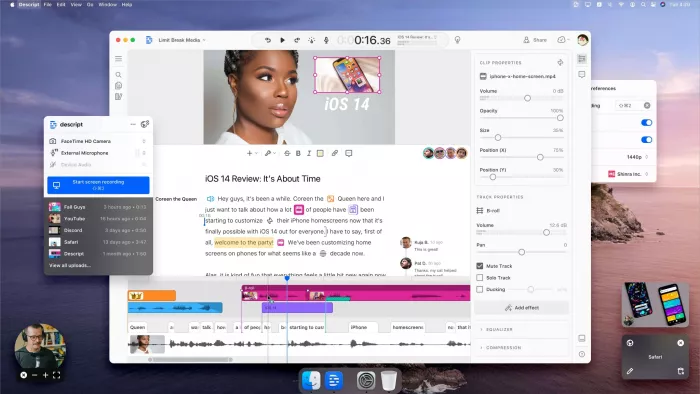
If most of your editing revolves around people talking, Descript feels like cheating.
You import a video or record directly in the app; Descript transcribes it and gives you a script. Editing the script edits the video. Delete a sentence, and the corresponding video/audio disappears. Move a paragraph, and the sequence shuffles. On top of that, AI handles filler‑word removal, basic audio cleanup, and even voice re‑recordings via its cloning feature when you want to “fix” a line without going back to the mic.
It’s ideal for:
● Podcasts.
● Talking‑head YouTube essays.
● Course content and explainer videos.
Once you step into heavy VFX, multi‑cam live events, or intricate B‑roll timelines, you’ll want a traditional NLE but by then, Descript can already have done most of the structural work.
| Plan | Approx. price (USD/month per user) | Typical scope |
| Free | 0 | Limited transcription and exports |
| Creator | ~15 | More hours, basic AI, decent export quality |
| Pro | 24 | Higher limits, full AI feature set |
Best fit: podcasters, educators, and talking‑head creators who think in paragraphs more than keyframes.
User score: roughly 4.6/5 on G2, with users repeatedly calling out text‑based editing as a “why didn’t this exist earlier?” experience.
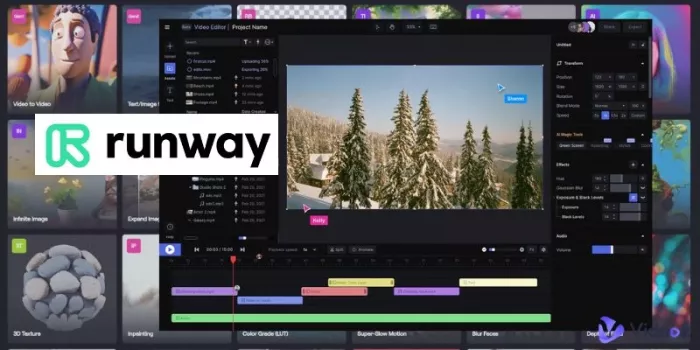
Runway is where “video editor” crosses into “AI playground”. It doesn’t just help you cut footage; it can generate shots from text, change environments, remove objects, and create stylised sequences that never existed in the original shoot.
You might use it to:
● Generate cinematic B‑roll for explainer videos.
● Remove people or objects from a shot.
● Turn a mundane scene into something surreal via style transfer.
● Experiment with AI‑generated sequences for music videos or concept pieces.
The built‑in editor is enough for light assembly and social content, but big projects will still end up in Premiere, Resolve or another full NLE. Think of Runway as a very smart VFX and generative department attached to your main edit.
| Plan | Approx. price (USD/month) | Typical scope |
| Free | 0 | Watermarked tests with limited credits |
| Standard | ~15 | Unwatermarked HD, modest monthly usage |
| Pro | 35–45 | Higher limits, faster modes, better quality |
Best fit: editors and creators who actively want AI footage and advanced effects in their projects.
User score: community and review write‑ups commonly peg it around 4.5/5, praising its creative power while warning about credit consumption on heavy use.
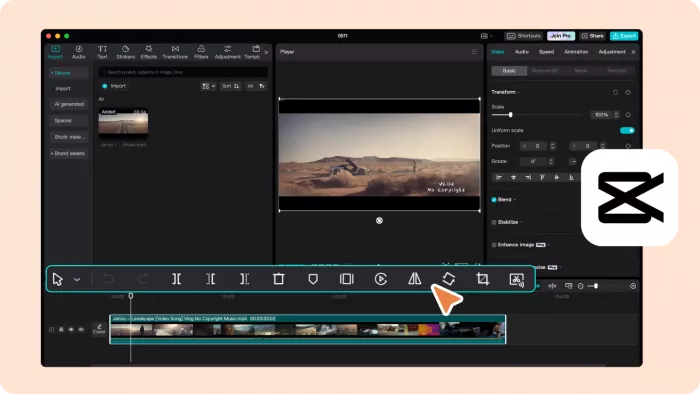
CapCut is effectively TikTok’s editing engine, pulled out into its own app. It’s free, fast, and unapologetically optimised for vertical, short‑form content.
AI shows up as:
● Auto‑captions that follow speech accurately.
● Smart cutouts and background removal for green‑screen‑style effects.
● Beat sync and template‑driven edits where you just drop in clips.
● Auto‑reframing for different aspect ratios.
You still have a traditional timeline, but the combination of templates and AI helpers means you can go from raw clip to on‑trend edit very quickly. For cinematic work it’s not enough; for Reels, Shorts and TikToks, it’s often more than you need.
| Plan | Approx. price (USD/month) | Typical scope |
| Free | 0 | Full core editor and most AI tools |
| CapCut Pro* | ~7–12 (region‑dependent) | Extra cloud, assets, premium effects |
*Paid tier availability and pricing vary by country.
Best fit: creators whose primary job is to publish vertical short‑form content fast.
User score: about 4.7/5 on Google Play, with millions of reviews praising ease of use, templates and built‑in effects for social videos.

PowerDirector feels comfortable if you come from traditional editing. You get tracks, keyframes, transitions and all the usual knobs and AI is layered in as an assistant, not the star of the show.
Those assists include:
● AI sky replacement and background removal.
● Motion tracking and object selection.
● AI noise reduction and sharpening.
● Style effects that mimic certain looks.
The result is a tool that can handle full YouTube videos, corporate promos and even simpler short films, while AI shaves time off repetitive or technically finicky tasks. It’s less glamorous than some web tools but more complete as an editor.
| Plan | Approx. price | Typical scope |
| PowerDirector 365 (yearly) | ~54.99 USD/year | Full editor + AI tools + add‑on packs |
| Director Suite (bundle) | Higher tier | Adds dedicated colour, audio, photo tools |
Best fit: Windows‑centric creators and teams who want a full NLE with meaningful AI shortcuts.
User score: around 4.3/5 on Capterra, with users highlighting the balance of power/features vs. price, and noting the UI can feel busy.
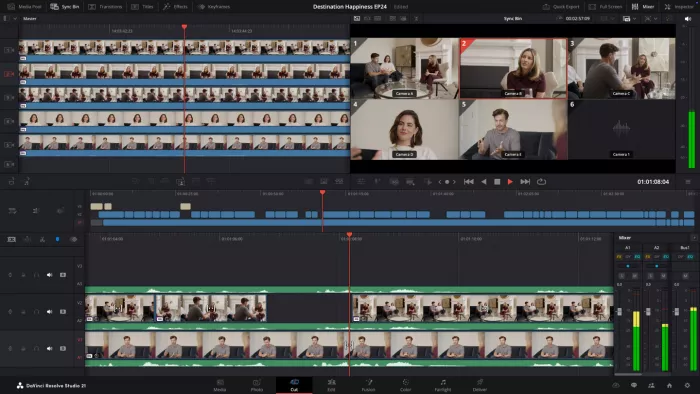
DaVinci Resolve is overkill for many casual creators and exactly what serious editors want. The free version alone is more capable than a lot of “AI editors”, and the Studio version unlocks its full AI arsenal.
Here, AI shows up in ways that feel very production‑oriented:
● Magic Mask for fast, accurate subject isolation.
● Smart reframing and tracking for different aspect ratios.
● High‑quality denoising, upscaling and face refinement.
● Audio cleanup inside Fairlight to fix dialogue quickly.
Rather than editing for you, Resolve’s AI makes professional‑grade tasks less painful. You still need to know what you’re doing; the reward is broadcast‑ and film‑ready control.
| Plan | Price (USD) | Typical scope |
| Resolve (Free) | 0 | Full suite with some AI and format limits |
| Resolve Studio | 295 (one‑time) | Lifetime license, all AI tools and updates |
Best fit: editors and colourists who care about quality as much as speed and want AI to accelerate expert workflows rather than replace them.
User score: about 4.7/5 on G2, with reviewers repeatedly calling it “insane value” given the free version and one‑time Studio pricing.
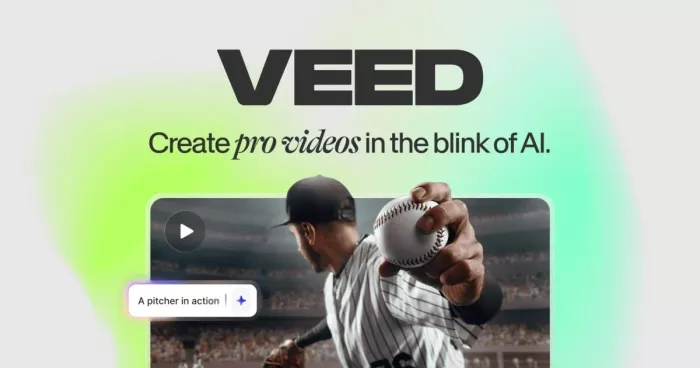
VEED sits in the “modern web app” camp squarely aimed at marketers, teams and creators who prefer doing everything in a browser instead of installing heavy software.
AI powers:
● Auto‑subtitles and translations.
● Background removal for talking heads.
● Simple auto‑cut and cleanup tools.
● Template‑based brand layouts for quick, consistent outputs.
You can record, edit, subtitle and export without leaving the site. It can’t replace a pro NLE for complex storytelling, but it’s more than enough for social posts, internal comms, explainers and product clips.
| Plan | Approx. price (USD/month) | Typical scope |
| Free | 0 | Watermarked exports, basic tools |
| Basic | ~12 | No watermark, higher export limits |
| Pro | 24 | More storage, higher quality, team features |
Best fit: marketing teams and small businesses creating lots of branded, captioned videos in a browser.
User score: about 4.1/5 on Trustpilot, with many small companies emphasising how quickly non‑editors can produce polished clips.

Vizard doesn’t try to be a full editor. It specialises in one painful job: finding the shareable moments in long videos and turning them into vertical clips.
You upload a podcast episode, webinar, interview or livestream; Vizard analyses it, surfaces highlight segments, reframes them for vertical, adds captions, and suggests titles and descriptions. You still get to pick and tweak, but the heavy lifting of “where are the good bits?” is handled for you.
This is particularly valuable for B2B marketers, educators and podcasters whose calendars are full of hour‑long recordings that never make it to social feeds.
| Plan | Approx. price (USD/month) | Typical scope |
| Free | 0 | A handful of clips per month, with limits |
| Pro | ~15–29 | Regular repurposing, unwatermarked exports |
| Business | Higher | Teams, more hours, priority support |
Best fit: anyone repurposing long‑form video into a steady stream of short‑form clips.
User score: around 4.7/5 on product review platforms, with consistent praise for cutting repurposing time from hours to minutes.
Rather than memorising eight names, map them to the work you actually do:
● “I mostly turn long content into clips.” - Pictory and Vizard should be your first stops.
● “I mostly edit talking heads and podcasts.” - Descript (for text‑driven editing) and VEED (for browser‑based, branded clips) make that fast and painless.
● “I’m all‑in on short‑form social.” - CapCut gives you the highest leverage for vertical content, with templates tuned to what’s trending.
● “I need a real editor, but I want AI help.” - PowerDirector offers a gentler learning curve; DaVinci Resolve Studio gives you pro‑level finishing with serious AI acceleration.
● “I want AI‑generated visuals and VFX.” - Runway is the right place to explore generative video and creative effects.
Once you frame the decision as “Which job am I trying to automate or accelerate?”, the best AI video editing tool becomes obvious and the rest of the list turns into a roadmap for where to go next as your content and clients grow.
PixNova AI is an AI-powered creative platform designed to help users c...

PolyBuzz is an AI character chat and roleplay platform.
LensGo AI is a browser-based creative studio that bundles a stack of t...



Discussion