Kling AI and Runway sit at the top of the current AI‑video landscape, but they aren’t built for the same working style. One leans toward realism and longer, continuous clips; the other toward speed, experimentation and in‑browser production. Treating them as interchangeable is exactly how projects drift, budgets bloat and test time explodes.
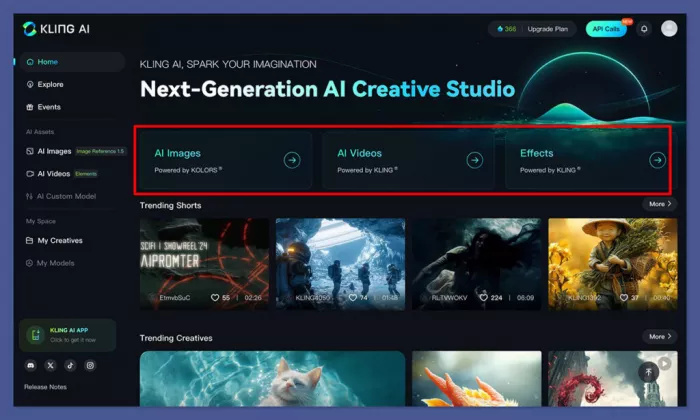
Kling is best understood as a realism‑focused AI camera. It specialises in natural‑looking motion, believable physics and longer sequences that can stand up to repeated viewing on large screens. It expects to live alongside a traditional editing and sound workflow, not replace it.
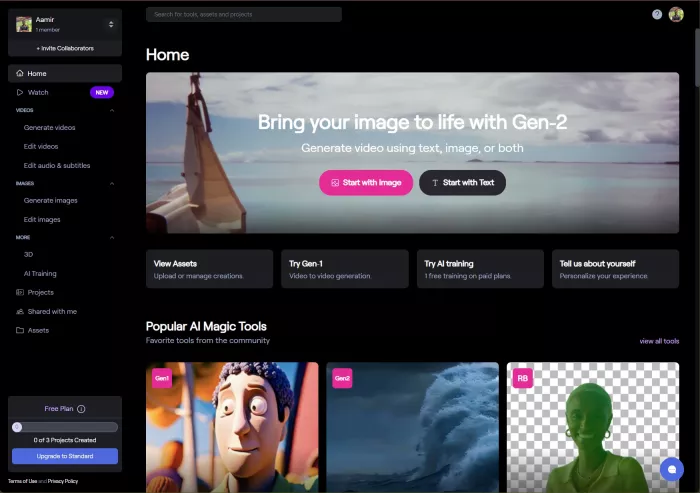
Runway is closer to a browser‑based studio. It combines strong video models with generation, light editing, restyling and project management inside one interface. It is designed for teams and creators who work in short cycles, generating and refining many clips for social feeds, campaigns and experiments.
| Aspect | Kling AI | Runway |
| Core role | Realism engine for motion and characters | Web‑based creative studio with AI video at its core |
| Typical projects | Explainers, narrative scenes, AI presenters, hero shots | Social clips, ads, teasers, concept sequences |
| Main strength | Physics, facial nuance, longer continuous clips | Speed, iteration, in‑tool organisation and editing |
| Main weakness | Slower renders, little built‑in editing | Shorter clips, external audio workflow |
The rest of the comparison is really about how that difference plays out in real work.
Kling’s interface is centred on generation. You spend your time writing prompts, feeding reference images or frames, choosing motion and quality options, and then exporting clips into your editing software. It feels like a specialised capture stage: precise, focused, and aimed at producing a smaller number of high‑value shots.
Runway is structured like a small online edit suite. Inside a single project, you can generate multiple clips, trim them, restyle them and organise them into rough sequences. Variants and experiments live alongside each other, and it becomes natural to look at a group of shots and decide what to keep or discard. For campaign‑style or content‑calendar work, that “everything in one place” feeling is a big part of the appeal.
If a project already revolves around a proper NLE and sound tools, Kling drops in as a new source of footage. If a project relies on quick collaboration and browser‑based tools, Runway feels like the more natural environment.
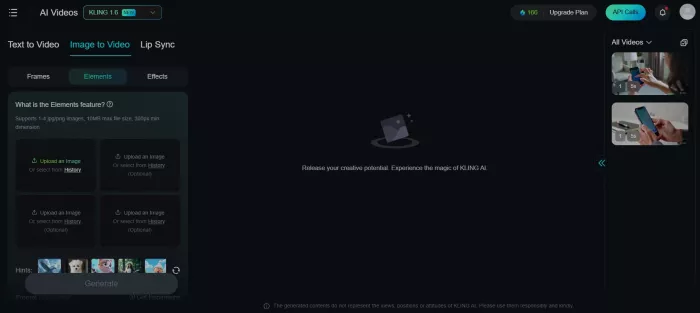
Animating stills is a core use case for both: products, portraits, key visuals, concept art.
Kling’s priority is to preserve the identity of the original image while bringing it to life. When a single frame is fed in, Kling tends to keep brand elements, facial structure and proportions stable while adding motion that feels physically plausible. Hair, fabric, reflections and environment behave in ways that resemble real footage. This is particularly valuable when the resulting clip will sit at the top of a landing page, in a high‑budget campaign, or anywhere audiences might pause and rewatch.
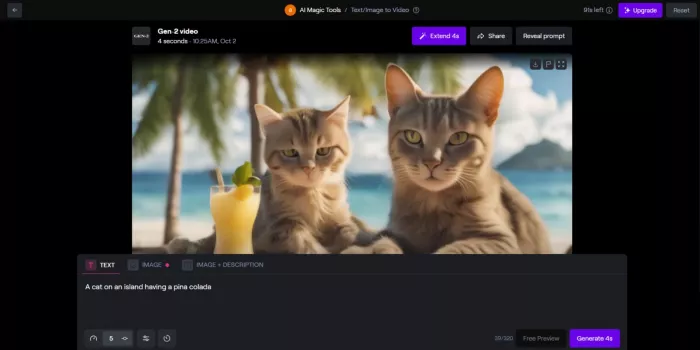
Runway, by contrast, leans into creative breadth and speed. From the same still, it is easy to test different camera moves, lighting setups and styles, and to do so quickly.
● On a phone screen in a fast‑scrolling feed, the slight loss of physical perfection is usually invisible compared to the impact of a strong style or composition.
● For workflows that measure success in terms of “how many variations we can test this week”, that responsiveness matters more than perfect frame‑by‑frame stability.
Subtle motion is where an AI‑generated video either fools the eye or gives itself away.
Kling’s models are tuned for physical realism.
● Characters walk, turn and gesture in ways that respect gravity and inertia.
● Faces remain stable over time, and small movements in eyes, mouth and shoulders contribute to a sense of presence.
● Secondary motion, like clothing and hair reacting to movement or environmental forces such as rain and wind, is handled with care.
That combination makes Kling particularly strong for talking‑head explainers, story‑driven clips and anything where a human figure is held on screen for more than a few seconds.
Runway produces motion that is coherent and often visually striking, but its priority is the overall cinematic impression rather than strict physical accuracy. It excels at well‑framed, stylish shots that look great in context, especially when cut quickly or used as part of a montage. If realism is pushed to the limit, careful viewing sometimes reveals more small anomalies in motion and anatomy than with Kling. In many real‑world edits, however, those differences are masked by music, pacing and the brevity of each shot.
The practical takeaway is simple: the longer and more human‑centred a shot is, the more Kling’s motion model pays off. The shorter and more stylised a clip is, the less that gap matters and the more Runway’s speed and control become the headline.
No team has infinite time. Clip length and render speed determine what kind of projects a tool is comfortable with.
Kling is built to handle longer continuous clips. On higher plans, it can generate sequences which run into tens of seconds or beyond, with consistent motion. The cost is time: detailed HD clips can take several minutes to render. That rhythm favours projects where shots are planned carefully and each generation is expected to be close to final.
Runway is tuned for shorter shots and faster output. Generations commonly clock in at up to 10–20 seconds, and the system is designed to return results quickly enough that multiple attempts can be made in a single sitting. The rhythm becomes exploratory: ask for a shot, judge it, adjust, try again.
| Dimension | Kling AI | Runway |
| Comfortable length | Longer continuous clips | Shorter clips chained into edits |
| Typical render time | Several minutes for complex HD clips | Often under 1–2 minutes per clip |
| Working pattern | Plan → generate → edit elsewhere | Generate → tweak → assemble in web project |
Explainers, course content and narrative scenes fit naturally into Kling’s timing. Ads, teasers and social content align more closely with Runway’s.
Sound can make or break whether a clip feels professional, especially for spoken content.
Kling’s newer models lean heavily into synchronized audio and video. For talking presenters, it can generate or align speech so that lip movements and facial expressions feel connected to the voice. This makes it well suited for on‑screen hosts, AI presenters and dialogue‑driven scenes where audio and video need to work as one.
Runway generally assumes audio will be handled elsewhere. Voice‑overs, dubbing and music are created or recorded in other tools and then combined with the visuals in an editor. This separation is familiar to agencies and studios that already have dedicated audio pipelines, but it adds extra steps for individuals and smaller teams who favour an all‑in‑one route.
Anywhere a person talking to camera is central, Kling’s integrated approach reduces friction. In projects dominated by visual storytelling and music, the difference in audio handling fades.
As soon as a second person touches a project, the environment around the model matters as much as the model itself.
Runway provides a project‑based structure. Shots, versions and experiments live together in one place. It is easy to preview clips side by side, arrange them into rough sequences, and share the project with others for feedback or further work. Light editing tools make it possible to get surprisingly far before opening a full NLE.
Kling, by design, does not try to be an editor. It generates assets. Collaboration naturally centres on shared prompts, reference libraries and exported clips which then move into an established editing workflow. For teams already living in Premiere, Resolve or similar, this is a natural extension. For teams that prefer to keep more of the process in the browser, it means juggling more tools.
Both tools can stretch across different formats, but they stretch in different ways.
Kling is at its best across realism‑heavy scenarios. Whether the scene is a studio presenter, outdoor street view or a speculative sci‑fi environment, it maintains a grounded feel so long as prompts and references are handled carefully. It feels particularly comfortable when projects share a broadly realistic tone, even if the subject matter shifts.
Runway shines when projects vary a lot. It can jump from a vertical TikTok video to a widescreen YouTube intro to a concept sequence for a pitch deck on the same day. Aspect ratio, style and pacing can all be changed quickly inside the UI. That versatility is valuable for creators and teams managing multiple formats and platforms at once.
| Flexibility Aspect | Kling AI | Runway |
| Style exploration | Driven by prompts and references | Driven by presets, sliders and quick re‑renders |
| Format switching | Strong for “hero” and narrative formats | Strong for social, ads and multi‑platform campaigns |
| Project variety | Best when tone stays broadly realistic | Best when tone and style vary widely between projects |
Consistency is crucial for recurring characters, brand worlds and long‑running series.
Once a good configuration is found, Kling tends to keep characters and worlds stable. Faces remain recognisable from clip to clip, and a specific “look” can be maintained over longer periods. That makes it well suited to AI presenters that reappear across episodes, ongoing narrative arcs, or brand universes that need to feel coherent.
Runway can also deliver consistency, particularly within a single project where the same settings are reused. Visual drift becomes more likely when prompts, styles or parameters are adjusted on the fly or when different people work on the same concept independently. For campaigns meant to look different season to season, this fluidity can even be desirable; for long‑term continuity, it requires more discipline.
How quickly a team becomes effective with a tool depends a lot on the material and community around it.
Kling’s community leans toward advanced, cinematic use. Many shared examples focus on high‑end realism, complex shots and filmic sequences. Prompt strategies, reference techniques and breakdowns exist, but they often assume some familiarity with both AI tools and production workflows.
Runway benefits from a wide base of tutorials, templates and shared workflows, ranging from beginner introductions to specialised techniques. There is ample material on going from first login to a finished social clip, as well as more advanced guidance on building recurring formats or client‑ready assets. For newcomers, that density of guidance reduces the time from “trying” to “shipping”.
In practical terms, Kling rewards users who like to experiment and reverse‑engineer great outputs; Runway makes it easier to learn by copying and adapting existing recipes.
Pricing moves, but the relative positioning is consistent: Kling generally gives more video minutes per dollar, while Runway charges more but offers a broader studio‑style environment and faster iteration.
Kling AI
● Free: roughly 100–200 credits per day, enough for a handful of short 1080p tests.
● Basic: around 15–20 USD per month, with approximately 500–700 credits.
● Pro: around 39–49 USD per month, with 2,000+ credits and support for longer clips and higher priority.
Runway
● Free: limited number of watermarked generations, suitable mainly for trials.
● Standard: about 15 USD per month, with a modest compute credit pool.
● Pro: roughly 35–45 USD per month, with significantly more credits, faster modes and higher quality/resolution options.
| Plan level | Kling AI | Runway |
| Free | ~100–200 daily credits; a few short HD clips/day | Limited free generations; watermarked |
| Entry paid | ~15–20 USD/month; ~500–700 credits | ~15 USD/month; base credit pool |
| Pro tier | ~39–49 USD/month; 2,000+ credits, longer clips | ~35–45 USD/month; more credits, faster & higher quality |
Kling provides more total clip time for the same spend, which suits fewer, longer, higher‑stakes pieces. Runway gives more chances to try, refine and discard, which suits environments where quantity and variation drive results.
In Kling, a 20‑second segment with an AI presenter in a studio can be refined over a small number of iterations. Once the prompt, reference and voice are aligned, the resulting clip feels close to recorded video: believable lip‑sync, stable facial features, and micro‑expressions that match the speech. Render times are noticeable, so each attempt is a considered move, not a throwaway.
In Runway, the same idea can be explored faster. Different framings and studio looks appear quickly, and multiple candidates can be compared in one project. Matching voice and lip‑sync with the same level of subtlety takes more manual work, and on a large screen the best result can still feel slightly more artificial than Kling’s strongest output. For vertical clips in a feed, this is rarely a problem; for a main homepage explainer, the difference stands out more.
With Kling, a premium smartphone render turned into a rotating hero shot yields a refined, weighty motion after a few attempts. Reflections, shadows and movement have the feel of a traditional 3D render. Each generation takes time, but the final image is strong enough to anchor a campaign.
With Runway, multiple hero shots can be generated in a single session. Varying backgrounds, lighting schemes and movement curves is quick. Minor edge artifacts may appear if examined frame by frame, but in a compressed, vertical ad they vanish. For workflows where many ads and variations are needed, the ability to produce a batch of good options quickly is a real advantage.
In Runway, an establishing shot, a tracking shot and a close‑up in a neon‑lit alley can be generated and organised together inside one project. Camera moves and compositions are easy to refine. Ensuring character consistency requires attention, but previewing how the three shots cut together is straightforward. This makes Runway effective as a concept tool and for short, stylish sequences.
In Kling, more care goes into setting up references and prompts so that the character and environment remain consistent. Once this is done, the resulting shots carry a physicality that feels closer to lens‑captured footage: rain behaves naturally, clothing reacts convincingly, and light interacts with the scene in a cohesive way. Render times are longer, but the final shots are strong enough to serve as core visuals in a pitch deck or long‑term project.
Taken together, the picture is clear.
● Put human figures and faces at the centre.
● Rely on longer takes, explainers or narrative scenes.
● Already use a full editing and sound stack, treating AI as one more camera.
● Live mainly in short‑form social and ad formats.
● Depend on fast cycles of testing and revision.
● Benefit from a browser‑based hub where generation, light editing and collaboration come together.
In many serious workflows, the two coexist. Runway serves as the fast sketchbook and production surface for day‑to‑day content; Kling is brought in for the hero shots, presenters and narrative moments where realism and continuity matter most. Used that way, each tool plays to its strengths and the constant time sink of trying to force one to behave like the other disappears.

PixNova AI is an AI-powered creative platform designed to help users c...

PolyBuzz is an AI character chat and roleplay platform.

LensGo AI is a browser-based creative studio that bundles a stack of t...



Discussion