Leonardo AI has become a go‑to platform for creators, marketers and game studios who want more than just “prompt in, image out”. It offers custom models, batch generation and a browser‑based canvas that makes it feel like a visual production studio rather than a simple AI toy.
At the same time, many users look for alternatives: some want stronger artistic flair, some need deeper enterprise integrations, some prefer self‑hosting and maximum control, and others simply want AI image tools embedded inside their existing design or video workflow.
Here we will walk through eight of the best Leonardo AI alternatives in 2026, compares what they do better (and worse), and helps you decide which one actually fits your work.
When evaluating alternatives, there are six dimensions that really matter:
● Capabilities: Whether the tool covers text‑to‑image only, or also image‑to‑image, in‑painting, out‑painting, upscaling, and video.
● Customization: Whether it offers a strong model library, fine‑tuning, LoRAs, and reusable style presets.
● Workflow & UX: Whether it gives a structured dashboard, project management, batch generation and integrations into your existing toolchain.
● Pricing: How generous the free tier is, how predictable paid pricing feels and what the cost per usable asset looks like over time.
● Output quality: Whether it leans more toward artistic expression or clean, commercial realism, and how consistent series of images are.
● Privacy & rights: How your data is used, whether generations are public or private by default, and what the commercial licensing actually allows.
| Dimension | What to look for in an alternative |
| Capabilities | Text‑to‑image, editing tools, batch, and possibly video |
| Customization | Model choice, fine‑tuning, LoRAs, style presets |
| Workflow & UX | Dashboard, projects, collaboration, integrations |
| Pricing | Free tier, per‑asset cost, scalability for heavy users |
| Output quality | Artistic vs realistic, consistency across many assets |
| Privacy & rights | Data use, visibility defaults, commercial licensing clarity |
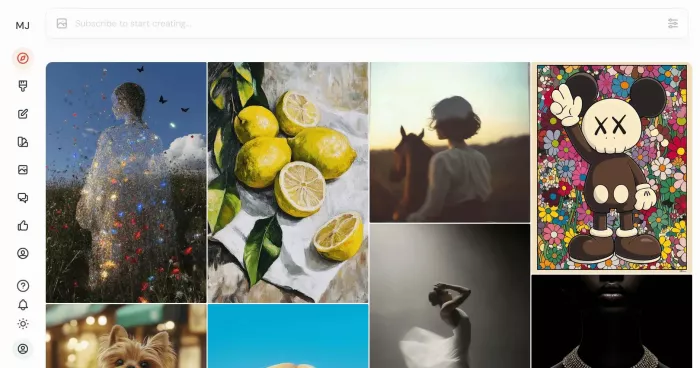
Midjourney is one of the strongest alternatives for anyone who values pure visual impact more than structured pipelines. It is known for producing images that look like high‑end concept art or cinematic stills, with dramatic lighting, rich textures and a very polished feel even from simple prompts.
You interact with Midjourney primarily through Discord commands, although a web interface now exists for managing and viewing your work. The creative experience is extremely community‑driven: you see other users’ prompts, remix them and learn techniques by osmosis. This is inspiring, but it also makes the learning environment noisy and can be intimidating for clients or non‑technical team members who are not used to Discord.
Midjourney uses a subscription model instead of a credit‑based free tier. Plans give you fast GPU time and, on higher tiers, an “unlimited” relax mode where generations are slower but effectively uncapped. There is less emphasis on custom model training and explicit workflow automation than in Leonardo; the focus is on getting stunning, individual images that push the boundaries of style and mood.
| Area | Midjourney | Leonardo AI |
| UX | Discord chat + web gallery | Structured web dashboard |
| Output style | Highly stylized, artistic, cinematic | More controlled, asset‑oriented |
| Custom models | Limited direct control | Dedicated custom model training |
| Best for | Thumbnails, concept art, moodboards, editorial visuals | Full asset sets, product shots, game art |
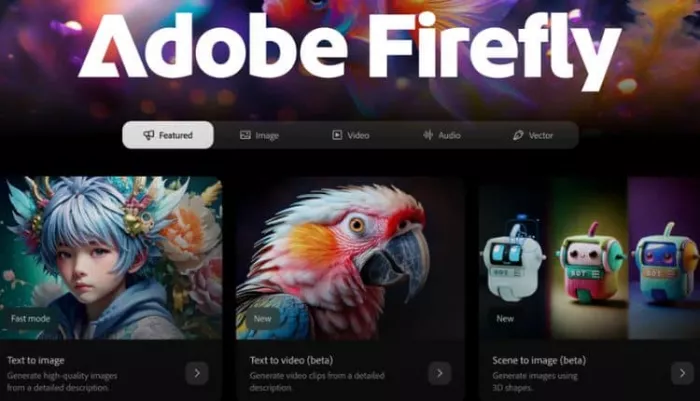
Adobe Firefly is a strong Leonardo AI alternative for organizations already living inside the Adobe ecosystem. It plugs directly into tools like Photoshop, Illustrator and Express, letting designers generate and refine images without leaving their standard workflow. Firefly emphasizes “commercially safer” training data and includes features like content credentials to track how an image was created.
For agencies and brand teams, this combination of familiar tools, governance features and enterprise licensing can be more important than maximum experimentation. Firefly’s text‑to‑image quality is strong, particularly for commercial‑style visuals, though its model customization options are less open than some platforms built on generic diffusion models. It is clearly positioned as a professional tool, not a playground.
Pricing is typically tied into Adobe Creative Cloud plans, which can be efficient if the team is already subscribed, but less attractive for individual users who only want AI generation. The tight integration with Photoshop and Illustrator makes Firefly excellent at “last mile” workflows: generate a base image with AI, then polish and composite using industry‑standard tools.
| Area | Adobe Firefly | Leonardo AI |
| Ecosystem | Deeply integrated into Adobe Creative Cloud | Standalone platform |
| Safety | Strong brand‑safe messaging and content credentials | General pro safety stance |
| Workflow | Embedded in PS/Illustrator/Express | Separate dashboard and canvas |
| Ideal users | Agencies and brand teams using Adobe tools | Mixed audience of indie creators and small studios |
Stable Diffusion‑based platforms form a whole category of Leonardo alternatives. These include managed cloud services, no‑code frontends and local UIs that wrap Stable Diffusion and its variants. The common thread is flexibility: you can switch between many models, load LoRAs, fine‑tune your own checkpoints and, in some setups, run everything on your own hardware.
For power users and developers, this is extremely attractive. You gain deep control over image generation parameters, can build custom workflows, and are not tied to a single vendor’s model roadmap. Self‑hosting or on‑prem deployments also address strict privacy requirements that some enterprises have. The trade‑off is that the experience is often more technical: interfaces can be dense, configuration heavy and less “plug‑and‑play” than Leonardo’s guided dashboard.
Pricing varies widely across hosted Stable Diffusion platforms, from generous free tiers to pay‑per‑GPU‑minute models. When run locally, the main costs are hardware and maintenance time rather than per‑image fees. This makes Stable Diffusion platforms appealing for teams with technical capacity who want long‑term control, not just a polished out‑of‑the‑box service.
| Area | SD Platforms | Leonardo AI |
| Control | Very high, including self‑hosting and full tuning | High within a managed SaaS environment |
| UX | Often more technical and configuration‑heavy | More guided and friendly |
| Privacy | Can be fully local or on‑prem | Cloud‑hosted with typical SaaS controls |
| Best for | Dev teams, power users, enterprises needing control | Creators wanting power without heavy setup |
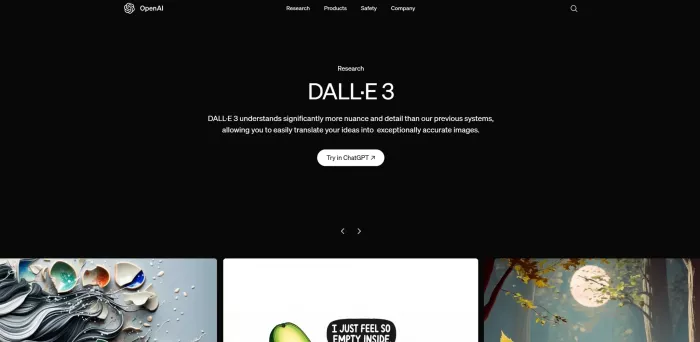
DALL·E, offered as part of a broader AI platform, is a compelling alternative when you need solid quality, an extremely simple UX and strong API support rather than a full visual studio. It provides high‑quality text‑to‑image generation, often with very clean compositions and good prompt interpretation for everyday use cases.
In a typical setup, DALL·E is accessible through a web interface, integrated chat assistants and a well‑documented API. That makes it particularly attractive for product teams and developers who want to add image generation to their apps, internal tools or workflows, without adopting a separate creativity‑focused SaaS. The model itself is powerful but not as customizable at the model‑training level as platforms built around open diffusion checkpoints.
Compared with Leonardo, DALL·E feels lighter but more ubiquitous: you can generate images from the same interface where you handle chat, text processing or code, and then pipe them into your own systems via API. For teams where image generation is one feature among many, this is a major advantage.
| Area | DALL·E | Leonardo AI |
| Ease of use | Very straightforward, minimal controls | Richer UI with more knobs and options |
| API integration | First‑class, part of a broader AI ecosystem | Available via platform‑specific integrations |
| Custom models | Limited, mostly prompt‑engineering | Explicit custom model training |
| Ideal scenario | Product features, prototyping, internal tools | Dedicated visual asset pipelines |
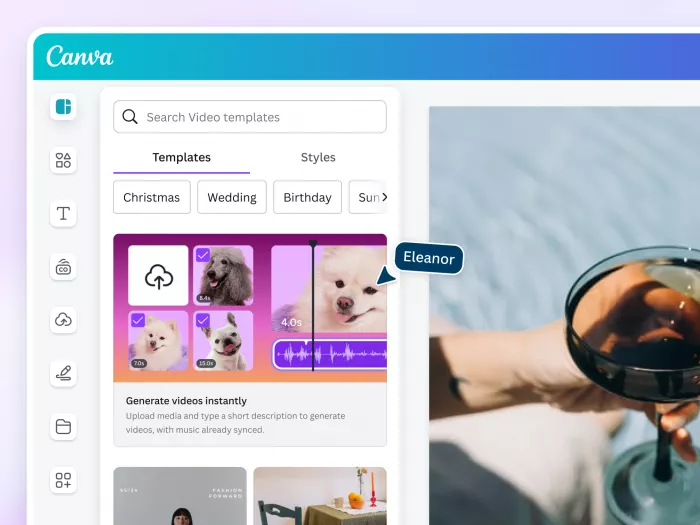
Canva’s AI image tools, often branded under Magic Media and related features, are a natural Leonardo alternative for marketers, solo creators and small businesses. Rather than being a pure model playground, Canva wraps AI generation inside a full design suite: templates, brand kits, drag‑and‑drop layouts, social schedulers and more.
The key advantage is that images do not exist in isolation. You can generate an illustration for a blog header, drop it straight into a pre‑built layout, add copy, and export for web or social in minutes. The interface is designed for non‑designers, so there is less parameter tweaking and more guided use through templates and presets.
Compared with Leonardo, Canva AI is less focused on custom models or advanced control but far more complete as an all‑in‑one marketing and content design environment. If your primary job is shipping social posts, presentations and simple ad creatives with consistent branding, having AI inside Canva can cover 80–90% of your needs without touching a separate image platform.
| Area | Canva AI | Leonardo AI |
| Focus | Design suite with AI features | AI image suite with workflow tools |
| Learning curve | Very gentle, built for non‑designers | Slightly more technical, with more parameters |
| Strength | Social posts, presentations, quick campaigns | Deep control over image generation and assets |
| Weakness | Less deep model customization | Not a full design/layout suite on its own |
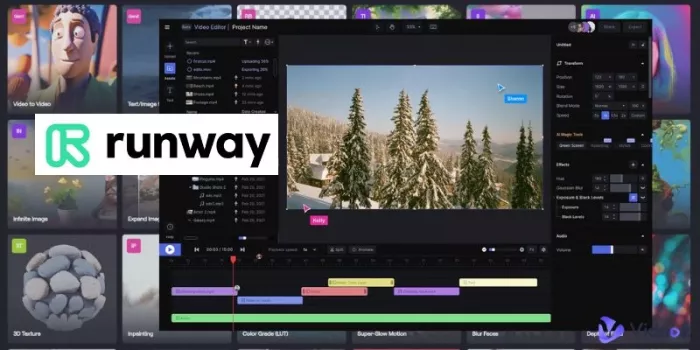
Runway is a video‑first generative platform that becomes a strong Leonardo alternative when your primary focus is motion rather than still images. It offers text‑to‑video, video editing with AI assists, green‑screen‑style background removal, and experimental tools for turning static images into moving sequences.
For creators who produce short‑form content, music videos, experimental films or social clips, Runway acts as a creative hub. You can mix generated clips with real footage, apply AI‑powered effects, and finish projects in one environment. Still images generated by Runway or other tools are often just inputs to a broader motion design workflow.
Compared with Leonardo, which is primarily image‑centric with some video features, Runway is built around timelines, layers and editing. It does not try to replace Leonardo as a bulk still‑image generator, but it can easily become the main tool in a stack for teams whose campaigns are dominated by video.
| Area | Runway | Leonardo AI |
| Medium focus | Video‑first with strong motion tools | Image‑first with some video features |
| Tools | Timeline, compositor, AI video models | Canvas, batch image tools, custom models |
| Best for | Video creators, editors, motion‑heavy campaigns | Still asset pipelines, game art, marketing images |
| Trade‑off | Less efficient for large numbers of stills | Not as deep for complex video editing |
Ideogram (and similar typography‑focused generators) stands out as an alternative when your Leonardo use case is heavily text‑driven: posters, banners, ads and social graphics where the text inside the image must look clean and readable. Many AI generators still struggle with spelling, spacing and logo‑style shapes; Ideogram’s models are explicitly tuned to handle lettering better.
This type of tool can generate bold poster designs, logo‑like icons and marketing visuals that incorporate text in a way closer to what a human designer would produce. For brand‑focused work where the line between “image” and “graphic design” is blurred, this can be a major advantage. You can produce ad mockups, campaign key visuals and typography‑heavy assets much faster than with generic generators.
Leonardo can handle simple text in images, but it is not specialized around typography. If a large portion of your work involves words baked into the image—event flyers, YouTube title cards, social promos—then incorporating Ideogram alongside or instead of Leonardo can produce more reliable results.
| Area | Ideogram | Leonardo AI |
| Text quality | Strong handling of letters, logos, poster text | Reasonable but more variable in complex layouts |
| Use cases | Posters, logos, social ads with text | General visuals, product shots, game assets |
| Advantage | Brand‑ready text inside images | Broader image workflows and model training |
| Limitation | Narrower focus on text‑centric graphics | Less specialized for typography‑driven designs |
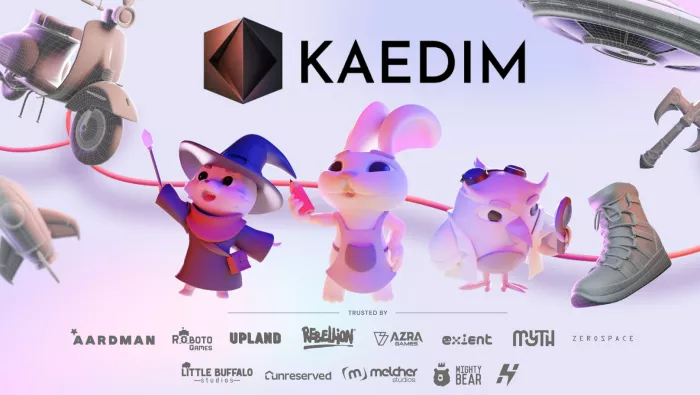
Kaedim represents a class of Leonardo alternatives focused on 3D asset workflows. Rather than being another general image generator, it specializes in turning 2D references into usable 3D models for games, VR and interactive applications. This makes it particularly appealing to studios and developers who need to speed up asset creation beyond simple concept art.
By feeding Kaedim concept images, sketches or reference sheets, teams can obtain 3D meshes that serve as a starting point for production. Some pipelines combine tools: Leonardo or similar platforms generate concept art, while Kaedim converts selected designs into 3D models that artists then refine in traditional 3D software. This significantly compresses the concept‑to‑asset timeline.
Compared with Leonardo, Kaedim is narrower but deeper in a specific vertical. It does not replace Leonardo for 2D marketing visuals or illustrations, but for studios whose main bottleneck is 3D asset creation, it addresses a different and very important part of the pipeline.
| Area | Kaedim | Leonardo AI |
| Focus | 2D‑to‑3D asset generation | 2D images and some video |
| Workflow | Integrated with 3D pipelines and game engines | Integrated with 2D art and content workflows |
| Strength | Turning concept art into usable 3D meshes | Generating high‑quality 2D concepts and assets |
| Weakness | Not for general image generation | No native 3D asset output |
Beyond features and price, serious users need to think about privacy, licensing and safety. Leonardo AI is positioned as a professional tool with private dashboards and commercial‑friendly terms on paid plans, but each alternative has its own approach.
A quick cross‑tool view helps clarify these differences:
| Tool / Category | Default visibility | Commercial rights focus | Safety / brand‑safe emphasis |
| Leonardo AI | Private in dashboard | Pro/commercial‑oriented on paid plans | General pro safety stance |
| Midjourney | Public‑leaning initially | Paid plans allow commercial use | Moderated, but very large public community |
| Adobe Firefly | Project‑bound, account‑based | Strong enterprise‑grade positioning | High focus on training provenance |
| SD Platforms | Configurable (incl. local) | Depends on host or self‑hosting | Varies; governance often user‑controlled |
| DALL·E | Account‑private | Clear commercial use on paid tiers | Mainstream, platform‑level safety tools |
| Canva AI | Private within Canva | Governed by Canva’s content terms | Brand‑friendly, marketing‑oriented |
| Runway | Project workspaces | Suited to creator and commercial projects | Safety considerations extended to video |
| Ideogram | Account‑centric with sharing options | Commercial use varies by plan | Focus on safe text and branding use |
| Kaedim | Project‑private | Aimed at game and 3D asset production | Industry‑oriented, vendor‑specific policies |
Anyone using these tools professionally should always read the current terms of service and, in enterprise contexts, involve legal and IT teams before committing.
There’s no single best Leonardo AI alternative. The right pick depends on what you actually need.
Midjourney stands out for striking, high-style visuals. Adobe Firefly is a better fit for brands and teams already working inside Adobe. Stable Diffusion tools are strongest when you want control, customization, or self-hosting. DALL·E works well for simple, high-quality image generation with solid API access. Canva AI suits marketers who want fast design work in one place. Runway is the better option for video workflows, while Ideogram is especially useful for text-heavy graphics and logos. Kaedim is more niche, but valuable for game and 3D teams turning concept art into 3D assets.
For a lot of teams, the best setup is not one tool but a mix: one for concepting, one for production, and one for finishing. The best Leonardo alternative is the one that fits your workflow without adding extra steps.
PixNova AI is an AI-powered creative platform designed to help users c...

PolyBuzz is an AI character chat and roleplay platform.

LensGo AI is a browser-based creative studio that bundles a stack of t...



Discussion