Most AI image generator reviews talk about the interface, the pricing, or how easy the tool is to use.
This one does not.
Dezgo AI is unusual because almost everything that defines it happens behind the scenes. The models, sampling algorithms, parameter exposure, and rendering pipeline influence its results far more than the visible interface.
To understand what Dezgo actually is, it helps to look at how the system interprets prompts, how its models behave under different parameters, and how the platform exposes the mechanics of diffusion image generation.
This review examines Dezgo as a technical system built on modern diffusion models rather than as a consumer product. The goal is to understand what the tool actually does, how it works, and what tradeoffs exist inside its design.
No speculation. No marketing language. Only the mechanics of how the system functions.
Before examining the underlying architecture, it helps to identify the platform’s core capabilities. These features shape how users interact with the system and how much control they have over image generation.
| Feature | Description |
| Text-to-Image Generation | Creates images from natural language prompts using diffusion models |
| Image-to-Image (Img2Img) | Allows modification of an existing image while preserving its structure |
| Inpainting | Regenerates selected regions of an image while keeping the rest intact |
| Negative Prompting | Allows users to explicitly exclude unwanted visual elements |
| Adjustable Sampling Parameters | Users can modify steps, samplers, and guidance scale |
| Model Selection | Multiple diffusion models available including SD variants and higher fidelity pipelines |
| Resolution Controls | Allows different output resolutions and canvas ratios |
| API Access | Developers can integrate generation pipelines directly into software |
| Deterministic Seeds | Reproduces identical images when parameters and seeds remain unchanged |
The presence of these features is important because Dezgo exposes many controls that other consumer AI tools intentionally hide.
Rather than simplifying the generation process, the platform allows users to manipulate the mechanics of diffusion models directly.
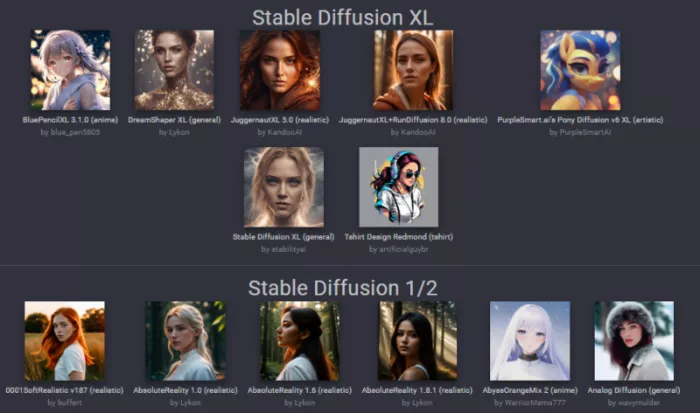
At its core, Dezgo uses Stable Diffusion and several specialized model variants. These models generate images through a process known as diffusion.
Diffusion models begin with random noise and gradually convert that noise into a structured image. Each step removes a portion of the noise while guiding the image toward visual features associated with the prompt.
The behavior of the model depends heavily on several parameters exposed in the interface.
The most influential controls include:
Guidance Scale
This determines how strongly the image follows the text prompt. Higher values force closer alignment with the prompt but can reduce visual diversity.
Sampling Steps
These represent the number of denoising iterations performed during generation. More steps typically increase detail but also increase computation time.
Sampling Method
The sampler controls how noise removal stabilizes during diffusion. Different samplers can affect texture quality, color gradients, and structural consistency.
Negative Prompts
These specify visual elements that the model should avoid generating. Negative prompts help reduce common artifacts such as distorted hands or unwanted objects.
Model Selection
Different models prioritize different visual styles. Some are tuned for photorealism, others for stylized artwork.
The presence of these controls means the user can influence the behavior of the generation pipeline rather than relying entirely on automated defaults.
When a user enters a prompt, the text is converted into numerical embeddings. These embeddings represent visual concepts within the diffusion model’s latent space.
The system then guides the denoising process toward those embeddings.
The flexibility of this process depends on how the platform handles prompts.
Dezgo differs from some consumer tools in a few ways.
It allows longer prompts without truncation.
It supports complex prompt structures involving style, lighting, and camera descriptions.
It allows unrestricted negative prompts that reshape the output distribution.
This flexibility allows prompts that describe very specific visual conditions such as lens type, lighting direction, material properties, or environmental effects.
Diffusion models respond strongly to these attributes because they influence the statistical patterns learned during training.
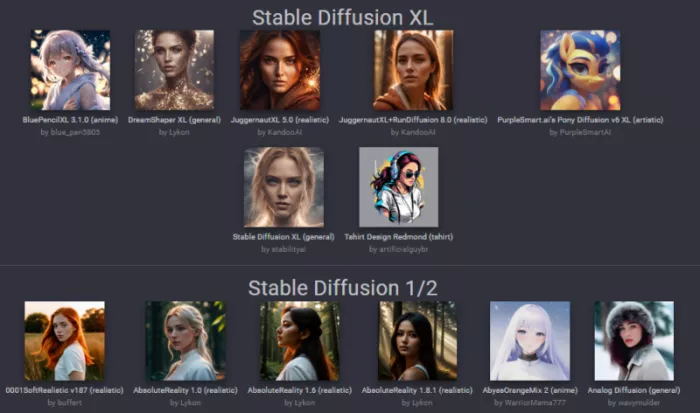
Dezgo separates generation pipelines into two general categories.
Standard diffusion models and higher fidelity pipelines.
The higher fidelity models focus on improved structural consistency and higher resolution rendering. They tend to produce:
However these models require more computation and therefore cost more credits per generation.
Parameter sensitivity also increases with higher resolution models. Changes in sampling steps or guidance scale can significantly alter the output.
Because Dezgo exposes these parameters rather than hiding them, image quality depends heavily on how well the user understands the system.
Beyond generating new images, Dezgo includes tools that reconstruct existing images using diffusion techniques.
Two editing methods define this process.
The image-to-image pipeline blends an uploaded image with a new prompt.
A strength parameter determines how much the original image influences the final result.
Low strength values preserve structure while adjusting small visual details.
High strength values allow the model to reinterpret the image almost entirely.
This method is useful for style transformation, lighting adjustments, and conceptual variations.
Inpainting allows users to regenerate only selected areas of an image.
The user masks a specific region, and the diffusion model reconstructs that section while considering surrounding context.
This approach enables edits such as:
Unlike simple overlay editing, inpainting regenerates the masked region using diffusion reconstruction. This means the edited section blends more naturally with the rest of the image.
Dezgo also exposes its generation tools through an API.
This API allows developers to automate image generation workflows inside applications, dashboards, or content pipelines.
Supported operations include:
Because the system uses deterministic seeds, developers can reproduce identical images by repeating the same parameters.
This reproducibility makes the platform useful in workflows that require predictable outputs.
These limitations are not unique to Dezgo. They arise from the behavior of the diffusion models themselves.
Dezgo does not attempt to behave like a simplified AI art tool.
Instead it functions more like a public interface for diffusion models.
Its design philosophy favors transparency and user control rather than automation.
The platform does not hide model parameters or restrict prompt behavior. It exposes the mechanics of image generation directly to the user.
For beginners seeking effortless results, this level of control may feel unnecessary.
For users who want to experiment with diffusion models and prompt engineering, the exposed parameters create a more flexible environment.
Viewed purely as a technical system, Dezgo represents a different approach to AI image generation.
Rather than hiding the engine behind polished design and automation, it places the underlying controls directly in the hands of the user.

a place where users could create interactive characters, explore long...

A detailed Luminarbrush.ai review based on real usage, exploring its l...

Dopple AI is not trying to be a productivity tool or a general assista...

An AI system that trades across multiple markets and generates passive...

designed specifically for hospitals, clinics, and healthcare networks...

Akool is one of the few platforms that actually bridges that gap, and...

Discussion