The interest in AI writing tools did not emerge because writers stopped caring about quality. It emerged because the volume of content demanded by modern platforms has grown faster than human capacity.
Blogs that once published twice a month are now expected to publish weekly or daily. Marketing teams are asked to support SEO, email campaigns, social media captions, landing pages, and ad copy at the same time. According to multiple industry surveys conducted between 2022 and 2025, more than 60 percent of digital marketers report publishing at least twice as much content as they did five years ago, while budgets and timelines have not grown proportionally.
This creates a structural gap. Speed is rewarded by algorithms. Quality is rewarded by users. Human writers are asked to deliver both, repeatedly, and often under tight deadlines.
AI writing tools enter this gap promising relief. They offer faster drafts, automated structure, and the ability to scale content production without scaling headcount. But the gap between generating words and producing useful, trustworthy content is large. Most tools struggle to cross it consistently.
Gravity Write AI sits inside this tension. To evaluate it properly, the question is not whether it can generate text. Almost all AI tools can. The question is whether the text it generates meaningfully reduces human effort without introducing new risks or hidden costs.
| Quick Overview | Summary |
|---|---|
| Best For | Bloggers, freelancers, and marketers |
| Main Strength | Fast AI content generation |
| Ease of Use | Beginner-friendly |
| SEO Optimization | Moderate |
| Long-Form Content Quality | Mixed |
| Human Editing Required | Yes |
| Free Plan Availability | Available |
| Overall Value | Good for quick drafting workflows |
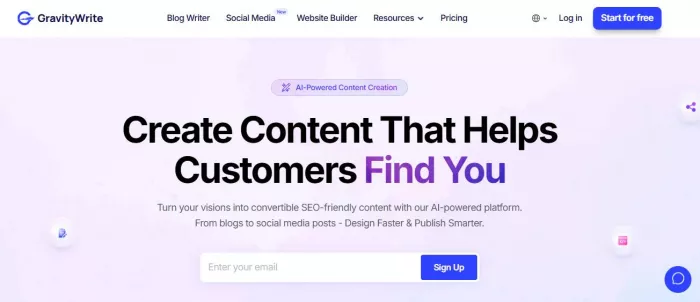
GravityWrite positions itself as a multi-purpose AI writing assistant designed to help users create marketing and content assets faster. It does not claim to be a research engine or a fact authority. Its core promise is productivity.
Rather than replacing writers, the platform frames itself as a draft generator and idea expander. This positioning matters because it sets the ceiling for what the tool can realistically deliver.
Rating: 7.3/10
Best for: Bloggers, marketers, freelancers, and small teams that need fast, structured first drafts and high-volume content output
Not ideal for: Expert-level, research-heavy, or authority-driven content that requires depth, accuracy, and originality from the start
What it does well: Reduces blank-page effort, generates structured drafts quickly, and supports multiple content formats in one workflow
Where it falls short: Limited depth, no fact verification, noticeable repetition in long-form content, and requires editing before publishing
Instead of listing features as marketing bullets, it is more useful to group them by output type and practical use.
| Category | Typical outputs | Practical intent |
| Long-form content | Blog drafts, articles, outlines | Speed up first drafts |
| Short-form marketing | Ad copy, social posts, taglines | Generate variations quickly |
| Email writing | Newsletters, outreach emails | Structure and tone assistance |
| SEO support | Meta titles, descriptions, FAQs | Reduce repetitive SEO tasks |
| Website copy | Landing page sections | Template-based drafting |
| Script formats | Video or reel scripts | Idea scaffolding |
The tool focuses on breadth rather than depth. It attempts to cover many content types with a shared underlying workflow rather than specializing deeply in one domain.
Publicly available documentation suggests that Gravity Write uses large language models with prompt templates layered on top. The intelligence does not come from proprietary research capabilities but from how prompts, tone settings, and output constraints are combined.
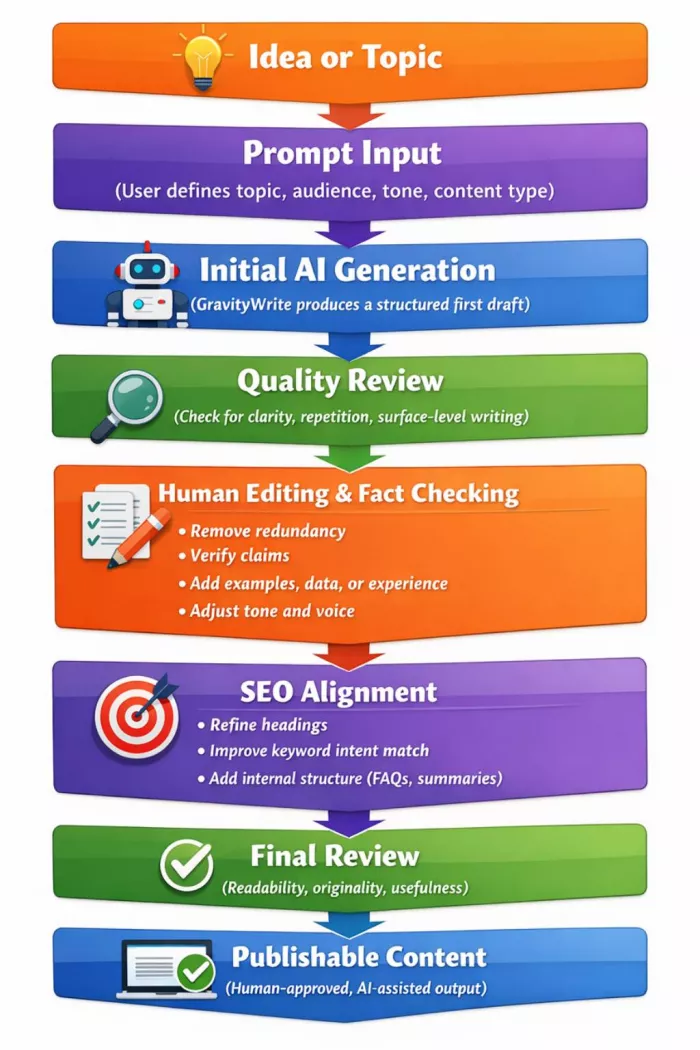
To understand GravityWrite’s real usefulness, it helps to walk through a practical workflow rather than evaluate isolated outputs.
Step 1: Prompt input
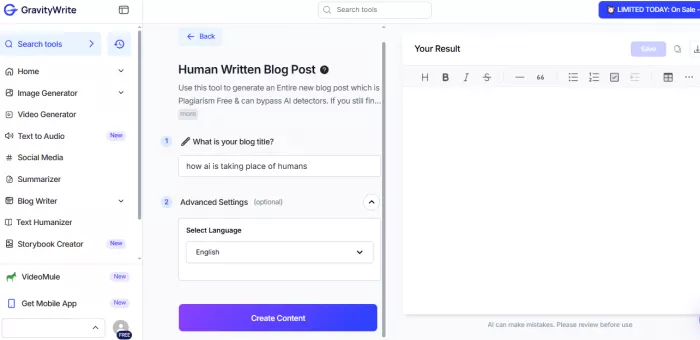
Users typically start by choosing a content type and entering a short prompt. For example, a blog topic, target audience, and tone.
At this stage, Gravity Write performs well. The interface guides users to provide enough context to avoid extremely generic output. This reduces blank-page friction, which is one of the tool’s strongest advantages.
Step 2: Initial generation
The first draft usually appears quickly. For long-form content, the output tends to follow a predictable structure:
This structure is not wrong, but it is standardized. Without human intervention, multiple articles generated on similar topics will share noticeable similarities.
Step 3: Editing and refinement
This is where the real cost becomes visible.
In practice, users typically need to:
Step 4: SEO alignment
Gravity Write can assist with meta elements and keyword placement, but it does not understand search intent in a nuanced way. Human judgment is still required to align content with what users are actually searching for.
Step 5: Final output
After editing, the content can become publishable. But it rarely arrives that way without intervention.
To better understand how useful GravityWrite AI actually is in real-world content workflows, we tested the platform across multiple use cases including blog writing, SEO article generation, social media captions, and marketing copy creation. The goal was not just to evaluate speed, but also content quality, originality, readability, and how much manual editing was still required after generation.
We also compared the outputs with other popular AI writing tools to see where GravityWrite performs well and where it starts feeling limited, especially for competitive SEO-focused content.
| Testing Area | What We Evaluated |
|---|---|
| Blog Generation | Structure, readability, and depth |
| SEO Content | Keyword usage and optimization quality |
| Content Originality | Repetitive phrasing and uniqueness |
| Ease of Use | User interface and workflow simplicity |
| Speed | Time taken to generate usable drafts |
| Editing Requirements | Amount of manual refinement needed |
| Competitor Comparison | Output quality vs other AI writers |
| Real-World Usability | Practical value for creators and marketers |
Evaluating AI writing quality requires separating fluency from substance. Gravity Write produces fluent text. The deeper question is whether that text carries reliable information and meaningful insight.
Factual accuracy
Like most general-purpose AI writing tools, Gravity Write does not verify facts. It predicts plausible statements based on patterns. This creates a consistent risk of:
For non-technical marketing copy, this risk is low. For informational or educational content, it is significant.
Repetition patterns
Across longer outputs, certain patterns emerge:
These patterns are not obvious in short outputs but become clearer in articles over 1,000 words.
Depth versus surface coverage
GravityWrite is effective at introducing topics, not exploring them deeply. It excels at summarizing what is commonly known, but struggles with:
Tone consistency
The tool generally maintains a consistent tone within a single output, which is useful. However, the tone tends to remain neutral and generic unless heavily guided by prompts.
| Aspect | Raw output | Human-edited |
| Clarity | High | High |
| Accuracy | Variable | Improved |
| Depth | Shallow | Medium to high |
| Trustworthiness | Moderate | Higher |
| Brand alignment | Low | High |
GravityWrite produces acceptable drafts, not finished authority content.
Gravity Write positions itself as an affordable entry into AI-assisted content generation, but the pricing needs to be evaluated in terms of output value, not just subscription cost.
Current Pricing Structure
| Plan Type | Price | What You Get |
|---|---|---|
| Free Plan | $0 | Limited generations, restricted templates, basic access |
| Starter Plan | ~$19–$29/month | Higher usage limits, access to more templates, faster generation |
| Pro Plan | ~$49/month (varies) | Extended usage, priority access, broader content types |
Pricing may vary slightly depending on region, promotions, or feature bundling, but this range reflects the typical positioning of the tool.
Understanding how Gravity Write performs in real workflows requires looking at aggregated user feedback rather than isolated opinions. Public review platforms provide a useful signal, especially when patterns repeat across hundreds of users.
| Platform | Rating | Number of Reviews | Key Signal |
|---|---|---|---|
| G2 | 4.5 / 5 | 649+ reviews | Strong satisfaction among business users |
| Trustpilot | 4.2 / 5 | 570+ reviews | Positive usability and value perception |
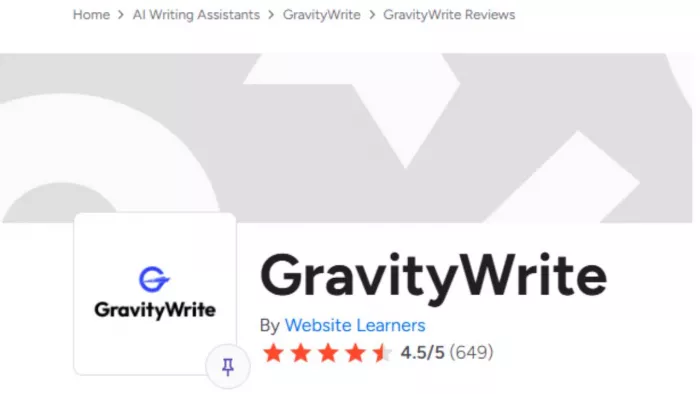
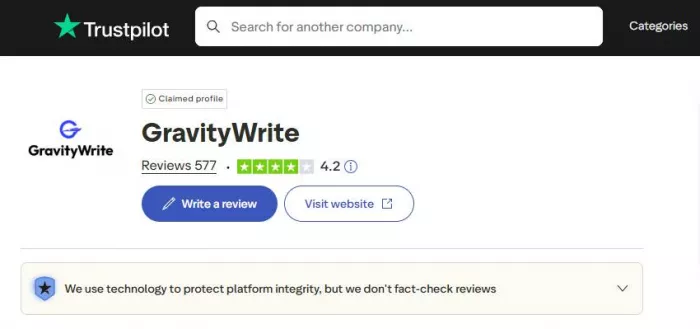
These ratings place Gravity Write in the mid-to-high satisfaction tier among AI writing tools, especially in the productivity-focused segment.
Pros
Cons
GravityWrite operates in the category of AI writing assistants designed to help with content drafting, marketing copy, and blog generation. Several tools in this tier offer similar functionality with small differences in workflow, templates, and SEO assistance.
| Tool | What It Does Best | SEO Capability | Editing Effort | Best For |
|---|---|---|---|---|
| GravityWrite | Generates structured blog drafts, marketing copy, and website content using guided templates | Basic SEO assistance such as meta titles, descriptions, and keyword placement | Moderate editing needed to add depth, facts, and brand voice | Bloggers, marketers, and content creators who want fast first drafts |
| Rytr | Quick AI text generation for short marketing content like captions, emails, and ad copy | Basic keyword usage but limited SEO research tools | Moderate editing needed for longer content | Freelancers and small businesses creating short marketing content |
| Simplified AI Writer | Integrated marketing content creation with support for captions, ads, and blog snippets | Limited SEO optimization tools | Moderate editing needed for longer articles | Social media marketers and teams producing multi-platform content |
| Scalenut | AI-assisted SEO blog writing with keyword research and content optimization suggestions | Strong SEO tools including keyword clusters and optimization guidance | Moderate editing but better SEO structure from the start | SEO professionals and bloggers focused on ranking content |
| Peppertype AI | AI-generated marketing copy such as headlines, product descriptions, and campaign messaging | Basic SEO support mainly for content structuring | Moderate editing needed to add originality and examples | Marketing teams producing campaign and brand messaging |
| Hypotenuse AI | High-volume product description and ecommerce content generation | Moderate SEO support for product pages and ecommerce listings | Low to moderate editing depending on product complexity | Ecommerce businesses generating large catalogs of product content |
Gravity Write is most useful when the goal is to speed up content production, not replace human thinking or expertise.
Ideal for:
Not ideal for:
The value of GravityWrite depends entirely on how it is used.
If the goal is to speed up content production and reduce the effort of starting from scratch, the tool delivers clear value. It helps generate structured drafts quickly, supports multiple content formats, and enables faster iteration. For bloggers, marketers, freelancers, and small teams handling high content volume, this can translate into meaningful time savings.
However, if the expectation is to generate polished, publish-ready content without intervention, the tool will not meet that standard. GravityWrite does not replace research, editorial thinking, or expertise. It shifts effort from writing to refining.
In practical terms, it is worth it when used as part of a human-led workflow with editing in place. It is not worth it if treated as a complete writing replacement.
The tool works best as a starting engine, not a finishing system.
GravityWrite AI is not a shortcut to authoritative content. It is a productivity tool designed to reduce early-stage writing effort.
Its real value lies in speeding up the beginning, not finishing the work. Used thoughtfully, it can save time. Used carelessly, it can produce large volumes of shallow content.
In 2026, Gravity Write makes sense as part of a controlled, human-led workflow. It does not eliminate the need for writers. It changes how they spend their time.
That distinction defines whether it is worth using.
PixNova AI is an AI-powered creative platform designed to help users c...


PolyBuzz is an AI character chat and roleplay platform.

LensGo AI is a browser-based creative studio that bundles a stack of t...



Discussion