Unlucid AI feels like the kind of tool you experiment with at 1 a.m., exciting, a bit chaotic, and definitely not something you’d hand a client without a second thought. After actually trying it, the platform delivered some surprisingly fun clips and images, but the trust gap and quality swings kept me from treating it as anything more than a side‑sandbox.

Unlucid AI is a browser‑based creative suite that lets you turn images and text prompts into short animated clips, stylized pictures, and quick visual edits. The platform brands itself as “uncensored AI tools for dreamers,” positioning freedom of expression and fewer filters as its standout edge against more tightly moderated tools.
Functionally, it sits alongside other generative‑AI platforms: you describe what you want, upload or pick an image, choose an effect or style, and the model generates a result in the cloud. Everything runs in the browser with a simple, template‑driven interface and no local hardware requirements.
The Video AI section is built around named motion effects like Fly, Squish, Dance, Zoom, Smash, and similar presets that turn still images into short, animated clips. Upload a portrait, select an effect, and you can quickly produce something ready for TikTok, Reels, or story‑style sharing.
Speed is the highlight: it takes very little time or expertise to go from a static photo to a moving visual. The drawback is control, because the animation logic is baked into templates, leaving you without deep tools for timing, camera moves, or detailed scene direction.
On the image‑generation side, Unlucid supports text‑to‑image with multiple styles such as realistic, artistic, and anime‑inspired modes, along with options like seed control and upscaling. This makes it easy to spin up surreal scenes or stylized portraits suitable for social posts with just a few prompt variations.
Quality, however, is uneven: users and reviewers describe a mix of solid results and failures, including distorted anatomy and “melting” details. That inconsistency means anyone aiming for polished outcomes may need to regenerate multiple times, burning through credits in the process.
Unlucid’s image editing tools cover object removal, replacements, and outfit or appearance changes. Simple compositions with clean backgrounds often produce decent, near‑instant results that are fine for casual use.
Complex images with overlapping elements or busy scenes tend to expose the system’s limits, with visible artifacts and unnatural transitions. That keeps the editing experience firmly in the realm of “fun, fast fixes,” rather than full‑fledged retouching suited to brand or client work.
Unlucid runs on a gem‑based credit model layered over daily free allocations. New or logged‑in users receive a limited amount of free gems each day, enough for a few images or short animations.

For heavier usage, you need to buy gem packs, and community feedback suggests each video costs roughly 10 gems, with one reported pack around $29.99 covering close to 45 videos. This suits occasional creators experimenting with ideas, but it becomes expensive for people iterating often or producing content at scale, especially given the quality swings.
In practical testing, getting started with Unlucid was quick: the dashboard is minimal, and the Video AI and image tools are only a click away. Animating character images using effects like Dance and Fly produced shareable clips fast, and the low friction made it easy to try a series of playful ideas.

The limitations appeared just as quickly: some outputs looked smooth, while others suffered from warped faces or awkward motion, and there was little scope to refine those sequences. Trying to push it toward more serious use, busier scenes, on‑brand visuals, or client‑style quality highlighted how often regenerations were needed and how little structural control was available. As a result, it felt like an enjoyable experimental lab, not a tool to rely on for paid deliverables.
Unlucid’s most serious concerns appear around trust, security, and transparency rather than core functionality. External reputation and scam‑checking tools assign very low trust scores to the unlucid.ai domain, pointing to factors like hidden ownership, limited verifiable background, and a relatively new web presence.
While such assessments stop short of labeling it a scam, they consistently advise caution, particularly when sharing sensitive data or payment information. Combined with its focus on uncensored content, this puts Unlucid in a higher‑risk category than more established creative platforms.
Unclear data‑handling practices and a lack of visible corporate details leave users guessing about how uploads are stored, processed, and protected.
For low‑stakes, non‑sensitive experiments, many users accept this trade‑off in exchange for freedom and speed. For client projects, identity‑linked footage, or anything with legal or reputational risk, the combination of anonymity and permissive content makes Unlucid a problematic choice.
| Aspect | Unlucid AI | HitPaw Online Generator | Runway / Pika‑style tools |
| Core purpose | Uncensored image and image‑to‑video effects for playful, experimental clips. | Sharper, more polished AI images and videos with a focus on quality. | Professional‑grade AI video creation and editing aimed at creators and teams. |
| Control | Template‑centric, with limited fine‑grained control over motion and composition. | Greater parameter control, more predictable outputs. | Full timelines, layers, and detailed editing for complex productions. |
| Reliability | Suitable for social content; inconsistent for corporate or brand‑critical assets. | Stronger consistency across runs and projects. | Designed for repeatable, production workflows and collaboration. |
| Safety | Minimal filtering and moderation; supports content others block. | Mainstream guardrails and documented policies. | Stricter safety controls with clearer governance. |
| Trust | Low external trust scores and limited public company information. | Vendor with public footprint and third‑party ratings. | Widely recognized brands with clearer compliance commitments. |
This makes Unlucid relevant for queries around “uncensored AI tools,” “Unlucid AI alternatives,” and “AI video generators for TikTok,” while HitPaw and professional suites better answer “best AI video editor,” “safe AI content tools,” and “production‑ready AI video platforms.”
The unlucid.ai interface is intentionally streamlined, directing users toward core tools like Video AI, Effects AI, Create Image, Edit Image, Gems, Creations, and an “Earn With Us” affiliate section. The homepage leans on taglines such as “Turn imagination into reality” and “Dream it. Create it. Animate it.” alongside sign‑in‑gated “Trending videos.”
However, the site does not foreground company details, founders, or a deep product blog, leaving little in the way of visible governance or technical roadmap. Most in‑depth explanations and critiques instead come from external reviewers on sites like FirmSuggest, HitPaw’s learning hub etc.
Publicly, Unlucid provides standard legal links for Terms and Conditions and Privacy Policy in the footer. What it lacks is a prominent “Contact Us” page listing a physical address, legal entity, or clearly advertised support channels on the main marketing surface.
There is also no visible “About the team” or named author presence, which means visitors cannot easily see who runs the platform or who is accountable for its decisions. Independent reviewers repeatedly highlight this opacity, noting that it undermines confidence for payments and long‑term use.
Taken together, Unlucid AI appears operationally legitimate in that it delivers on its promise of image and video generation, but it carries a high‑risk profile due to weak transparency and low external trust scores. Users have used it to create content and purchase gems, yet security scanners and reputation tools advise caution, especially around sensitive data and payments.
In practice, it fits best as a side‑sandbox: a place for late‑night experiments, edgy social ideas, and non‑sensitive visuals that do not demand long‑term safety or governance. For client work, brand assets, or anything requiring strong compliance and trust, more established platforms like HitPaw, Runway, or other vetted AI suites are safer choices.

AI-powered image editing has moved far beyond simple filters. Today’s...

AI chat platforms built around fictional characters and roleplay conve...
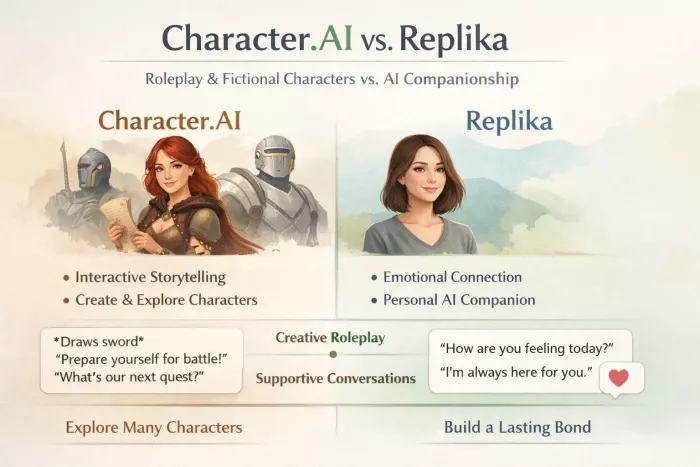
AI chat platforms have evolved far beyond simple question-and-answer b...
Platform OverviewCutout.pro is an AI-powered image editing platform de...

AI chat platforms designed for roleplay and interactive conversations...
Goth AI is a character-based AI chat platform designed for dark, gothi...

Discussion