Animation used to require expensive software, powerful computers, and years of practice. In 2026, AI has changed that completely.
Now, you can:
● Turn text into animated videos
● Animate characters without complex rigs
● Convert images into moving scenes
● Create professional explainer videos in minutes
Instead of looking at tools one by one, let’s explore how AI animation actually fits into real-world workflows.
Tools like Runway (https://runwayml.com) are leading this shift.
What problem Runway solves
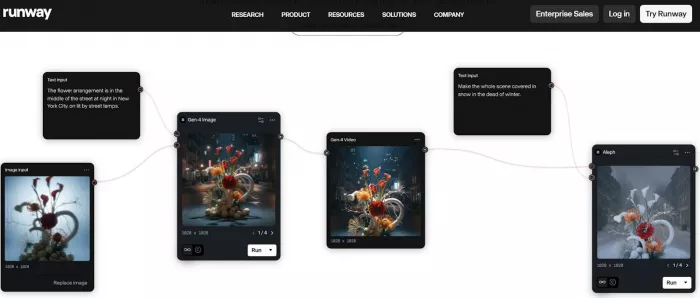
Runway allows creators to generate and edit video using AI instead of traditional frame-by-frame animation.
How it fits into the process
1. Turn text prompts into short animated video clips
2. Remove backgrounds automatically
3. Add motion to still images
4. Edit video using AI tools instead of manual effects
Key capabilities
1. Text-to-video generation
2. Image-to-video animation
3. AI motion tools
4. Smart video editing
Pricing
● Free plan available
● Standard Plan: $15 per month
● Pro Plan: $35 per month
For creators, this means less time editing and more time focusing on storytelling.
Many people want to create animated content for YouTube, Instagram, or school projects—but they don’t know how to animate.
That’s where tools like Animaker (https://www.animaker.com) come in.
The problem it solves
You don’t need drawing skills or animation knowledge.
How it fits into your workflow
1. Choose a template
2. Pick a character
3. Add text
4. Generate voice
5. Export video
Key features
1. Drag-and-drop animation builder
2. Pre-made animated characters
3. Lip-sync voice animation
4. Scene transitions and effects
Pricing
● Free basic plan
● Basic: $12.50 per month
● Pro: $39 per month
Another beginner-friendly option is Canva (https://www.canva.com).
Canva now includes AI-powered animation tools inside its editor.
It helps with:
● Turning presentations into animated videos
● Adding motion effects automatically
● Creating simple social media animations
Pricing:
● Free plan
● Canva Pro: $14.99 per month
These tools remove technical barriers completely.
Professional animators and studios don’t want to replace their workflow. They want to make it faster.
This is where Adobe tools like Adobe Character Animator (https://www.adobe.com/products/character-animator.html) shine.
The problem it solves
Animating characters manually takes hours. AI automates facial expressions and lip movement.
How it fits into production
● Import a character design
● Record your voice
● AI syncs facial expressions in real time
Key capabilities
● Real-time facial tracking
● Automatic lip sync
● Motion triggers
● Integration with Premiere Pro
Pricing
● Included in Adobe Creative Cloud
● Creative Cloud All Apps: $59.99 per month
For 3D animation workflows, Reallusion iClone (https://www.reallusion.com/iclone/) helps speed up motion creation.
It allows:
● AI motion capture
● Realistic body movements
● Fast scene building
Pricing:
● iClone license starts at $599 (one-time purchase)
For studios, AI means fewer repetitive tasks and faster turnaround times.
Different types of animation need different tools.
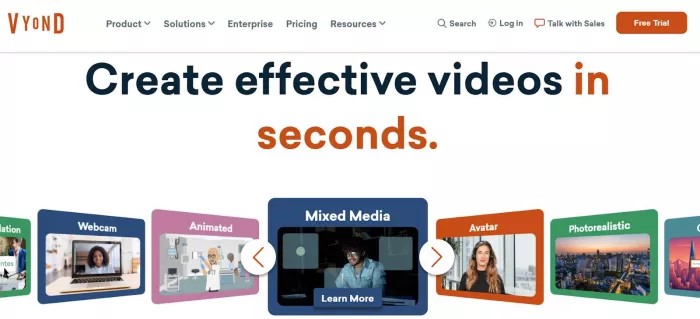
For explainer videos and business content, Vyond (https://www.vyond.com) is popular.
What it solves
Businesses need professional animated videos quickly.
How it fits in
● Choose business template
● Add script
● Customize character
● Auto-generate voice
Key features
● Professional character builder
● Scene templates
● AI voiceover integration
● Business-style animation
Pricing
● Essential Plan: $49 per month
● Premium Plan: $89 per month
For motion graphics and dynamic visuals, Runway and Adobe tools combine well with traditional editors.
For animated AI avatars in video format, Synthesia (https://www.synthesia.io) is powerful.
It helps:
● Turn text into talking avatar videos
● Generate multilingual AI presenters
● Create training and marketing videos
Pricing:
● Personal Plan: $30 per month
● Enterprise: Custom pricing
This removes the need for cameras and actors.
One of the biggest breakthroughs in 2026 is turning text into animation.
With Runway:
● You type: “A futuristic city with flying cars”
● AI generates a short animated clip
With image-to-animation:
● Upload a still image
● AI adds movement like wind, lighting, or camera motion
These tools solve a major problem:
You no longer need to animate frame by frame.
They are perfect for:
● Social media creators
● Indie filmmakers
● Marketing teams
● Storyboard visualization
A creator today might:
1. Write a script using AI
2. Create animated scenes in Animaker
3. Generate character voice with Synthesia
4. Enhance scenes in Runway
5. Edit final video in Adobe
A business might:
1. Use Vyond for explainer videos
2. Use Synthesia for training modules
3. Use Canva for social media animation
A professional studio might:
1. Animate characters in Adobe Character Animator
2. Use iClone for motion capture
3. Enhance footage with Runway
AI animation tools are not replacing creativity. They are removing technical barriers, saving time, and helping more people bring their ideas to life.
Whether you are a beginner, content creator, educator, or studio professional, AI now makes animation faster, easier, and more accessible than ever before.
AI-powered image editing has moved far beyond simple filters. Today’s...
AI chat platforms built around fictional characters and roleplay conve...
AI chat platforms have evolved far beyond simple question-and-answer b...
Platform OverviewCutout.pro is an AI-powered image editing platform de...
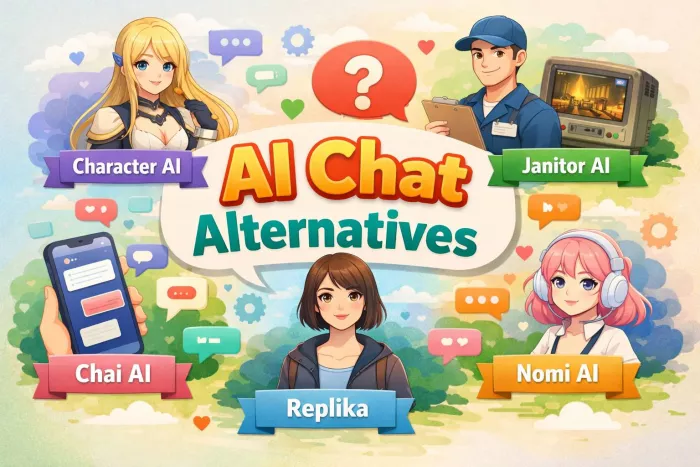
AI chat platforms designed for roleplay and interactive conversations...
Goth AI is a character-based AI chat platform designed for dark, gothi...

Discussion