A mid-sized ecommerce company has everything it is supposed to have. Sales dashboards are live. Marketing reports update daily. Finance has weekly summaries. Yet when a pricing decision or campaign shift is needed, the team still waits. Someone exports data, someone cleans it, someone interprets it, and by the time insight arrives, the moment has passed.
This gap between data availability and usable insight is where AI-driven analytics tools are gaining ground. Instead of just showing charts, these tools explain trends, surface anomalies, and in some cases suggest actions. The shift is not about more dashboards. It is about reducing the time between question and answer.
In practice, most teams evaluating AI analytics tools end up comparing a similar group.
Microsoft Power BI tends to be the entry point because of pricing and integration with Excel. Tableau is still seen as the benchmark for visual exploration. Looker is chosen when data modeling and governance matter more than visuals. Zoho Analytics attracts cost-sensitive teams that still want automation. Amazon QuickSight fits companies already deep in AWS. Metabase shows up when teams want control without licensing costs.
They all claim AI capabilities, but how that actually shows up in day-to-day work is where the real differences appear.
| Tool | Starting Price | Free Plan | AI Capability Level | Ideal Use Case | G2 Rating | Capterra Rating | Trustpilot |
| Power BI | $10/user/month | Yes | Medium to High (Copilot, insights) | SMB to mid-market reporting | 4.5 | 4.6 | 4.4 |
| Tableau | $70/user/month | No | Medium (Einstein AI integration) | Deep visual analytics | 4.4 | 4.6 | 1.9 |
| Looker | Custom (~$30+/user/month est.) | No | High (ML modeling + semantic layer) | Data-heavy companies | 4.4 | 4.5 | — |
| Zoho Analytics | $24/month (2 users) | Yes | Medium (Zia AI insights) | Budget-conscious teams | 4.3 | 4.4 | 4.0 |
| Amazon QuickSight | $12/user/month | No | Medium (ML insights, anomaly detection) | AWS-based companies | 4.2 | 4.3 | 4.3 |
| Metabase | Free (open-source) / $85/month cloud | Yes | Low to Medium (basic AI queries) | Internal dashboards, startups | 4.5 | 4.6 | 3.7 |
Power BI and Tableau often get compared first, but the difference shows up quickly once teams start using them daily. Power BI is easier to adopt if your team already works in Excel or Microsoft tools. The AI layer, especially Copilot, helps generate summaries and quick insights without deep setup. Tableau is stronger when exploration matters more than reporting. It handles complex visual analysis better, but it takes longer to learn and configure.
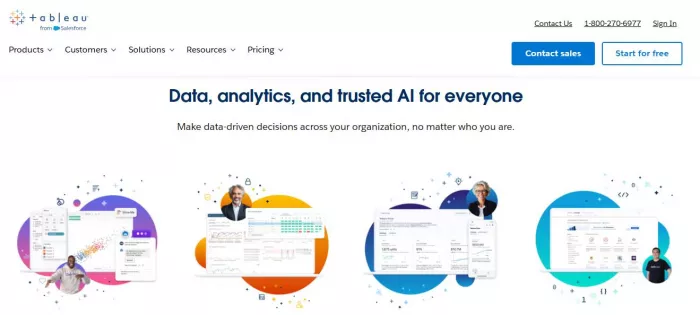
Looker enters the picture when dashboards are not the main problem. If the issue is inconsistent data definitions across teams, Looker’s semantic layer becomes valuable. Its AI capabilities are tied to structured data modeling rather than quick insights. This makes it powerful but slower to deploy.
Zoho Analytics sits on the opposite side of the spectrum. It is not as advanced in modeling or visualization, but it solves a very practical problem. It gives smaller teams automated insights and reporting without high costs. The AI assistant Zia can generate summaries and detect patterns, but it is less reliable with complex datasets.
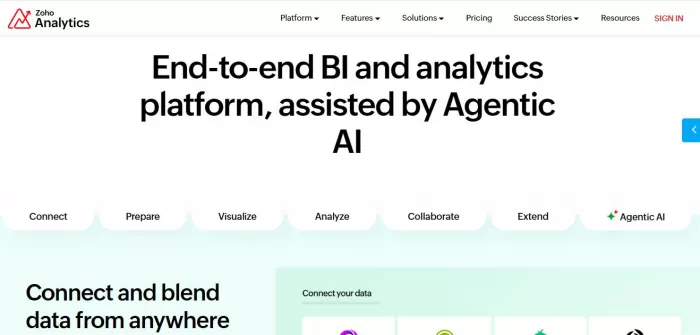
Amazon QuickSight feels efficient rather than flexible. It works well when your data is already inside AWS. Its anomaly detection and forecasting features are useful, but customization is limited compared to Tableau or Power BI.
Metabase stands out for a different reason. It removes cost and complexity, but that comes with trade-offs. Its AI features are basic, and it relies more on query-based exploration than automated insights.
After working across Power BI, Tableau, Looker, Zoho Analytics, QuickSight, and Metabase in actual workflows rather than demos, a few patterns become very obvious.
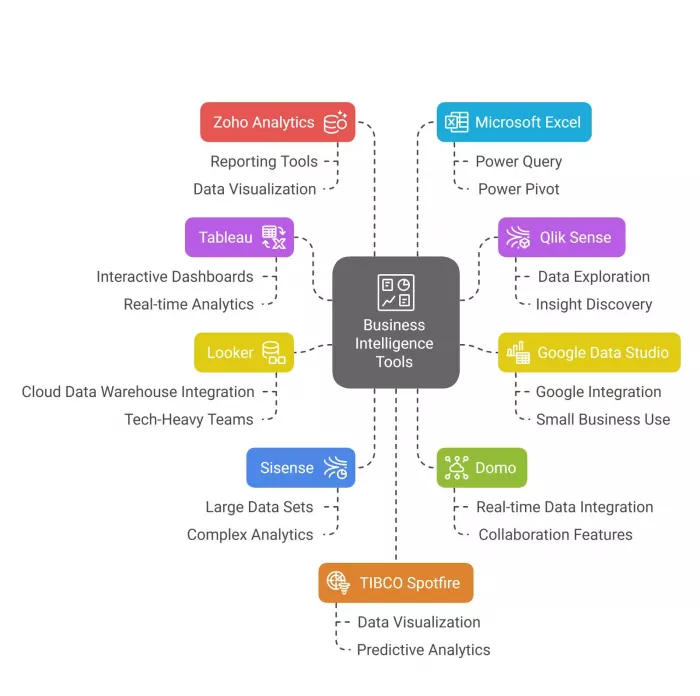
Power BI consistently delivers the best balance between cost and capability. It is one of the few tools that scales from small teams to mid-sized organizations without forcing a major pricing jump or requiring heavy technical setup. Tableau still stands out when it comes to visual depth. If the job involves exploring data from multiple angles and building highly interactive dashboards, it remains ahead of most alternatives.
Looker operates differently from both. It is not built for quick insights or fast onboarding. Instead, it is designed for structured data environments where consistency and governance matter more than speed. This makes it powerful in the right context, but slower to adopt for teams that just want answers quickly.
At the same time, some limitations become clear once usage increases. Tableau becomes expensive quickly as more users and dashboards are added. Looker requires technical setup and data modeling, which can delay adoption for non-technical teams. Metabase, while flexible and cost-effective, lacks advanced AI automation, meaning more manual effort is required to extract insights.
When all six tools are compared together, Zoho Analytics stands out as the most cost-efficient option for small to mid-sized teams. It provides a reasonable level of automation and AI-driven insights without pushing pricing too high. QuickSight proves to be the fastest to deploy, especially for companies already operating within AWS, where integration is almost immediate. Metabase becomes the preferred choice when cost is the primary concern, particularly for teams willing to trade automation for control.
However, each of these comes with trade-offs that show up quickly in real use. Zoho Analytics starts to struggle when datasets become large or more complex. QuickSight lacks deeper customization compared to tools like Tableau or Power BI. Metabase requires more manual querying and involvement from users, which can slow down teams that expect automated insights.

Artificial intelligence has rapidly moved beyond productivity tools an...

AI website builders have shifted from simple template tools to systems...

April 4, 2026Elon Musk has asked banks involved in SpaceX’s anticipate...
Alternatives Based on What You Want to FixIf You Want Better Pipeline...

Canberra, April 1, 2026- The Australian government has entered into a...

Oracle Cuts Jobs as It Doubles Down on AI Infrastructure and Cloud Exp...

Discussion