Cutout.pro is an AI-powered image editing platform designed to automate time-consuming visual editing tasks. Traditionally, editing images required manual work in professional software such as Photoshop. Tasks like background removal, image enhancement, and object isolation often require careful selection tools and layer editing. Cutout.pro addresses this challenge by using machine learning algorithms that automatically detect objects within an image and process them in seconds.
The platform focuses on simplifying repetitive editing workflows. Instead of manually tracing objects or refining masks, users upload an image and allow the AI system to identify the foreground subject. The platform then separates it from the background and produces an editable image with a transparent or replacement background.
Cutout.pro is widely used in areas such as e-commerce product photography, marketing visuals, content creation, and automated design workflows. In addition to background removal, the platform offers several other tools, including image upscaling, video background editing, passport photo creation, object removal, and batch image processing.
| Category | Details |
| Tool Type | AI image editing platform |
| Core Function | Automatic background removal |
| Platform | Web based |
| Additional Tools | Image upscaling, object removal, video background editing |
| Target Users | Designers, marketers, ecommerce sellers |
This overview table highlights the primary role of the platform. Cutout.pro is designed primarily as an automation tool rather than a full design suite. Its strength lies in performing repetitive visual editing tasks quickly. Because it operates as a web based system, users do not need to install software or manage hardware intensive editing tools.
Cutout.pro offers a collection of AI powered editing tools that automate common visual processing tasks. These features focus on efficiency rather than complex manual editing capabilities. Each tool addresses a specific type of image editing problem.
The main capabilities of the platform include the following:
1. AI background removal that isolates subjects from images automatically
2. Photo enhancer that increases image clarity and resolution
3. Video background removal for editing short video clips
4. Passport photo generator that formats images according to official standards
5. Batch processing that allows editing multiple images simultaneously
6. API integration for developers who want to automate image processing within applications
These tools allow individuals and businesses to automate editing workflows that would normally require manual graphic design work.
| Feature | Purpose | Typical Use Case |
| AI Background Removal | Automatically remove image backgrounds | Product photography |
| Photo Enhancer | Improve resolution and image clarity | Restoring low quality photos |
| Video Background Removal | Remove background from video clips | Social media videos |
| Passport Photo Generator | Create passport compliant photos | ID documentation |
| Batch Processing | Edit multiple images simultaneously | Ecommerce catalogs |
| API Integration | Automate editing through software integration | App development |
The table demonstrates that Cutout.pro focuses on automation rather than artistic editing. Each feature targets a practical use case such as ecommerce image processing or social media content preparation. This specialization helps the platform serve users who need quick results rather than complex design tools.
To understand how Cutout.pro works in practice, consider a simple example. Imagine an ecommerce seller who wants to remove the background from a product photo so it can be used on an online store like Amazon or Shopify.
Instead of manually editing the image in professional software, the seller can use Cutout.pro to complete the process automatically. The following step by step workflow demonstrates how this works.
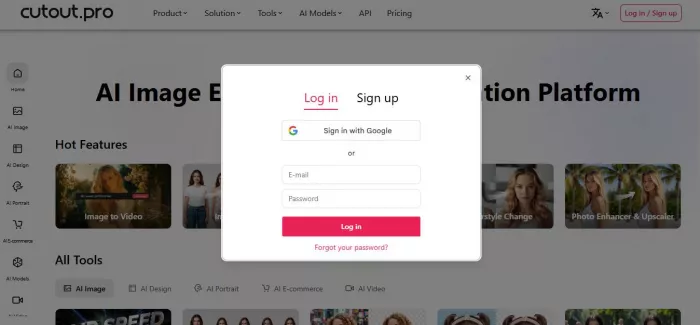
Step 1: Create an Account on Cutout.pro
The first step is to visit the Cutout.pro website and create an account.
Users can sign up using an email address or sign in using a Google account. Once logged in, the dashboard displays several AI tools including background removal, image enhancer, and object removal.
Step 2: Upload an Image
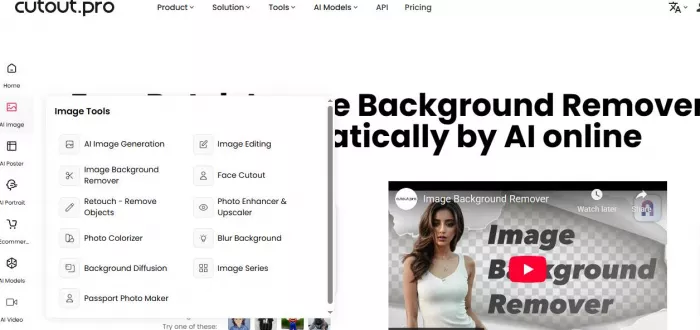
After entering the background removal tool, the user uploads the image they want to edit.
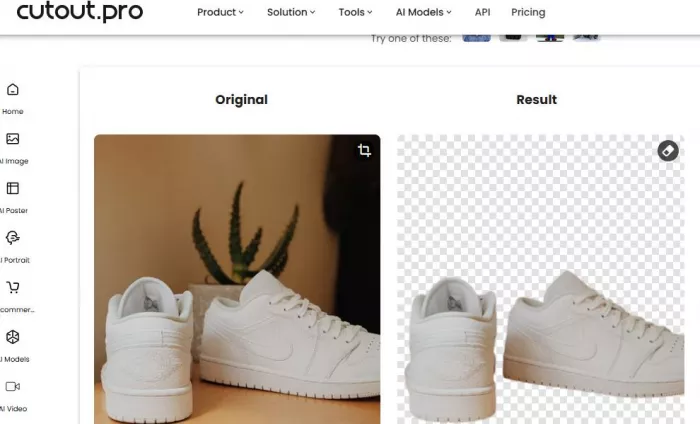
For example, imagine uploading a photo of a white sneaker placed on a wooden table. The goal is to remove the table background so the shoe appears on a clean white background suitable for ecommerce listings.
Users can upload images by:
● Dragging the file into the upload area
● Selecting a file from their device
Step 3: AI Automatically Detects the Main Subject
Once the image is uploaded, the AI system begins analyzing the image.
The platform uses computer vision algorithms to detect the main subject of the image. In this example, the system identifies the sneaker as the foreground object and separates it from the wooden table background.
This process usually takes only a few seconds.
Step 4: Edit or Replace the Background
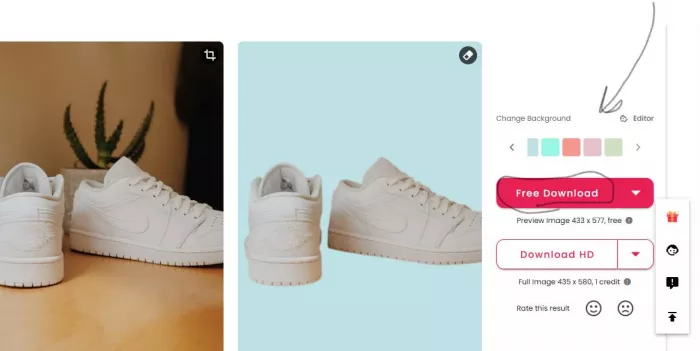
After the background is removed, users can choose how they want the final image to appear.
Several editing options are available:
1. Keep a transparent background
2. Add a plain white background
3. Replace the background with a custom image
4. Apply color backgrounds or simple scenes
For ecommerce product photos, a plain white background is usually preferred because many marketplaces require it.
Step 5: Export the Final Image
Once the editing is complete, the final step is exporting the image.
Users can download the processed image in different formats depending on their needs.
Common export formats include:
● PNG (transparent background)
● JPG (solid background)
In the sneaker example, the final exported image shows the product isolated on a clean white background, ready for use in an e-commerce listing.
Cutout.pro uses a credit based pricing model rather than unlimited usage plans. Each image processing task consumes a certain number of credits depending on the type of operation.
| Plan | Monthly Price | Credits | Cost per Credit |
| Free | $0 | Limited credits | Free trial usage |
| Starter | $9.90 | 400 credits | Lower cost per credit |
| Standard | $29 | 1500 credits | Moderate pricing |
| Pay as you go | Variable | Custom credits | Flexible pricing |
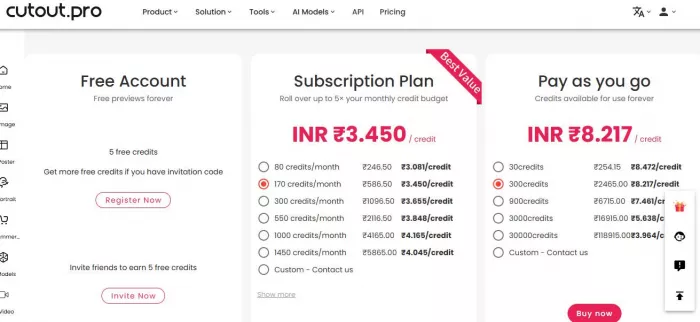
The pricing table shows that costs scale based on usage volume. Small users can rely on free credits or lower tier plans. Businesses processing large numbers of images benefit from subscription plans where the cost per credit decreases as usage increases.
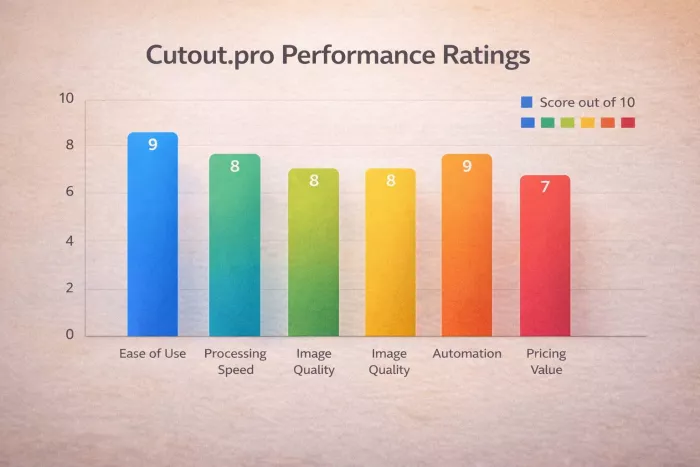
The chart visually confirms that automation and ease of use are the strongest aspects of the platform. Pricing value receives a slightly lower score because credit based systems can become expensive for heavy usage.
Several other tools provide similar AI powered editing capabilities. These platforms focus on automated background removal and simplified image editing workflows.
| Tool | Main Strength | Pricing | Best For |
| Remove.bg | Fast background removal | Credit based | Product photos |
| PhotoRoom | Mobile friendly editing | Subscription | Social media |
| Canva | Integrated design tools | Free + paid | Marketing graphics |
| Fotor | AI editing suite | Subscription | Photo editing |
| Pixlr | Browser editing tools | Free + paid | Casual editing |
Each alternative targets a slightly different use case. Remove.bg focuses heavily on background removal accuracy. PhotoRoom is optimized for mobile editing workflows. Canva integrates background removal into a larger design ecosystem.
These differences demonstrate how the AI editing market includes both specialized tools and broader design platforms.
AI powered editing platforms represent a broader shift toward automated creative workflows. Tools like Cutout.pro demonstrate how machine learning can reduce the time required for repetitive design tasks. Instead of replacing professional design software entirely, these platforms often serve as complementary tools that accelerate production.
In industries such as ecommerce, marketing, and digital content creation, automation plays a critical role in scaling visual production. Businesses often need to generate hundreds or thousands of images for product catalogs, advertisements, and social media campaigns. AI editing platforms reduce the time required for these tasks and allow teams to focus on strategy rather than manual editing.
Future developments in AI image editing are likely to focus on improving accuracy and expanding automation capabilities. Improvements in computer vision models may allow systems to better understand complex scenes, recognize multiple objects, and handle difficult visual details such as hair, reflections, and transparent surfaces.
At the same time, integration with APIs and automation workflows will continue to grow. Developers increasingly incorporate AI image editing capabilities directly into applications, marketplaces, and content management systems.
Platforms like Cutout.pro illustrate how AI driven automation is reshaping visual editing workflows. As these technologies continue to evolve, the distinction between manual editing tools and automated AI systems will gradually become less pronounced, leading to more efficient and scalable creative processes.
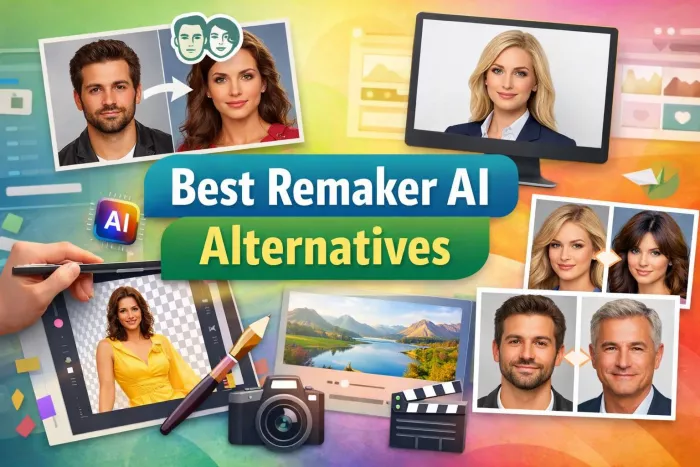
AI-powered image editing has moved far beyond simple filters. Today’s...
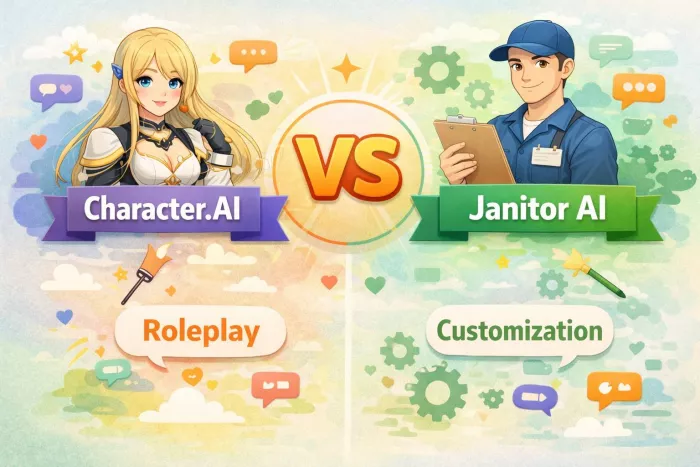
AI chat platforms built around fictional characters and roleplay conve...

AI chat platforms have evolved far beyond simple question-and-answer b...

AI chat platforms designed for roleplay and interactive conversations...
Goth AI is a character-based AI chat platform designed for dark, gothi...

Artificial Intelligence (AI) is increasingly taking a front seat in sh...

Discussion