Encryption software has quietly become one of the most important layers of modern cybersecurity, sitting between your most valuable data and an ever‑growing landscape of breaches, leaks, and device thefts. Whether you are a solo creator syncing files through Dropbox, an IT admin rolling out Windows laptops at scale, or a privacy‑focused power user, choosing the right encryption tool can mean the difference between a minor incident and a full‑blown crisis. The seven tools in this roundup i.e. VeraCrypt, BitLocker, AxCrypt, NordLocker, Cryptomator, Boxcryptor, and 7‑Zip cover the full spectrum from full‑disk protection and cloud‑folder vaults to simple encrypted archives, so you can match the solution to your actual risk profile and workflows.
VeraCrypt is a free, open‑source tool for encrypting entire drives, system partitions, or containers, widely regarded as a powerful successor to the discontinued TrueCrypt. It supports strong algorithms like AES, Serpent, and Twofish with on‑the‑fly encryption and hidden volumes for extra privacy.
Main features: Full‑disk and partition encryption, encrypted containers, multiple algorithms (AES/Twofish/Serpent), hidden volumes, multi‑platform.
Pros:
● Free and open‑source, with community security scrutiny.
● Very strong encryption and flexible volume/container model.
● Works on Windows, macOS, and Linux.
Cons:
● Interface and setup are less friendly for beginners.
● No official enterprise‑grade centralized management.
Best for: Power users, privacy enthusiasts, and security‑conscious SMBs that need free, advanced disk/container encryption across platforms.
BitLocker is Microsoft’s built‑in full‑disk encryption solution for Windows Pro and Enterprise editions, tightly integrated with the OS and Active Directory. It leverages the TPM chip to protect keys and supports BitLocker To Go for USB drives and external media.
Main features: OS drive and data drive encryption, TPM integration, BitLocker To Go, group policy management, recovery keys.
Pros:
● Native to Windows, no extra agent or install on supported editions.
● Minimal performance overhead on modern hardware.
● Central management via Group Policy, Intune, and other Microsoft tools.
Cons:
● Limited to Windows; no macOS/Linux clients.
● Less granular control than specialized enterprise encryption suites.
Best for: Organizations and individuals already standardizing on Windows who want seamless full‑disk encryption with minimal user friction.
AxCrypt focuses on simple, file‑level encryption with a clean interface, strong AES‑256, and tight integration with cloud storage providers. It is popular among individuals and small businesses who need quick right‑click encryption rather than full‑disk setups.
Main features: AES‑256 file/folder encryption, right‑click integration, password‑protected sharing, cloud‑storage support (e.g., OneDrive, Dropbox, Google Drive).
Pros:
● Very easy to use, with minimal learning curve.
● Great for encrypting single files for email or cloud sharing.
● Cross‑platform clients (Windows, macOS, plus mobile).
Cons:
● Not designed for full‑disk or system encryption.
● Some advanced collaboration features sit behind paid plans.
Best for: Solo professionals and small teams that want quick, user‑friendly file encryption and secure sharing across devices and cloud drives.
NordLocker, from the team behind NordVPN, combines encryption software with optional zero‑knowledge cloud storage for files and folders. It offers a polished UI, automatic backup of encrypted “lockers,” and team management options for business plans.
Main features: File‑level encryption, end‑to‑end encrypted cloud storage (up to multi‑TB), cross‑device sync, sharing of encrypted items, admin dashboard on business tiers.
Pros:
● Simple, modern interface suitable for non‑technical users.
● Integrated storage plus encryption reduces reliance on separate cloud and key‑management tools.
● Good option for remote teams needing encrypted collaboration.
Cons:
● Subscription pricing versus one‑time or free open‑source tools.
● Ties you to NordLocker’s cloud for many of the best features.
Best for: Freelancers and businesses that want an end‑to‑end encrypted Dropbox‑style experience, rather than DIY encryption plus storage.
Cryptomator is an open‑source tool focused on encrypting files stored in cloud folders like Dropbox, Google Drive, and OneDrive via virtual “vaults.” It encrypts data client‑side using AES and never requires an account or stores personal information.
Main features: Client‑side AES encryption for cloud folders, virtual drive/vault model, password‑based access, cross‑platform including mobile.
Pros:
● Free and open‑source, with no vendor lock‑in or registration.
● Keeps existing cloud providers while adding robust encryption.
● Designed to resist brute‑force attempts with secure key handling.
Cons:
● Focused on cloud folders, not full‑disk or system encryption.
● Requires users to understand how to place and manage vaults correctly.
Best for: Users who already rely on mainstream cloud storage but want an extra client‑side encryption layer without changing providers.
Boxcryptor is designed to transparently encrypt files across 30+ cloud services and devices, combining AES‑256 for data with RSA for key management. While its classic consumer product has evolved, the model—cloud‑agnostic encryption with multi‑device support, remains widely referenced and used in business contexts.
Main features: On‑the‑fly encryption for cloud folders, AES‑256 plus RSA, broad provider support (Dropbox, OneDrive, Google Drive, etc.), multi‑user support.
Pros:
● Strong encryption layered over whichever cloud services you already use.
● Designed for mobile and desktop, keeping workflows largely unchanged.
● Business plans support team management and auditing.
Cons:
● Paid plans required for commercial and multi‑user setups.
● Product line and licensing have shifted, so buyers must check current offerings carefully.
Best for: Cloud‑first teams that want overlay encryption across many providers and platforms with enterprise controls.

7‑Zip is a popular open‑source archiving tool that also provides AES‑256 encryption for compressed archives, making it a lightweight way to secure batches of files. Although primarily known as a file‑compression utility, its encrypted .7z format is widely used for secure sharing and storage.
Main features: AES‑256‑encrypted archives, high compression ratio, context‑menu integration, support for multiple archive formats.
Pros:
● Free, open‑source, and extremely lightweight.
● Simple for creating password‑protected archives for email or offline transfer.
● No additional infrastructure or cloud account needed.
Cons:
● Not a full encryption suite; only encrypts archives, not live folders or disks.
● Collaboration and key‑management features are minimal.
Best for: Users who occasionally need to compress and encrypt files for sharing or backup without deploying dedicated encryption platforms.
Conclusion
Taken together, these seven encryption solutions show that there is no single “best” tool, only the best fit for a specific threat model, environment, and user skill level. Power users and privacy advocates tend to gravitate toward open‑source projects like VeraCrypt and Cryptomator, while Windows‑centric organizations often favor BitLocker’s native integration, and cloud‑first teams look to services such as NordLocker, Boxcryptor, or lightweight file‑level options like AxCrypt and 7‑Zip. The right move is to start with your use case, lost laptops, regulated data, shared cloud folders, or secure file transfer and then select the tool that offers strong, modern encryption without breaking everyday productivity.

AI-powered image editing has moved far beyond simple filters. Today’s...
AI chat platforms built around fictional characters and roleplay conve...

AI chat platforms have evolved far beyond simple question-and-answer b...
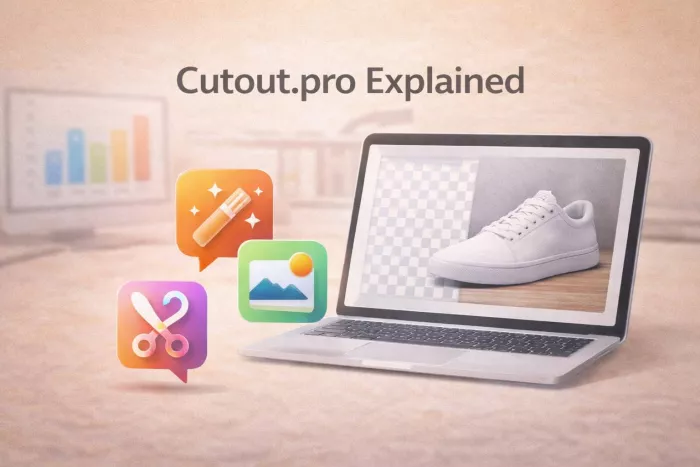
Platform OverviewCutout.pro is an AI-powered image editing platform de...

AI chat platforms designed for roleplay and interactive conversations...
Goth AI is a character-based AI chat platform designed for dark, gothi...

Discussion