AI image generation has moved from a “cool experiment” to a serious creative superpower. In 2026, designers use AI to speed up workflows, marketers generate high-converting visuals in minutes, and creators turn simple text prompts into stunning artwork—without advanced design skills.
Whether you’re building social media posts, ads, website graphics, or digital art, today’s AI image tools make professional-quality visuals faster, cheaper, and more accessible than ever.
Below are the 5 best AI image generation tools in 2026, explained clearly and simply so beginners and writers can understand and choose the right one.
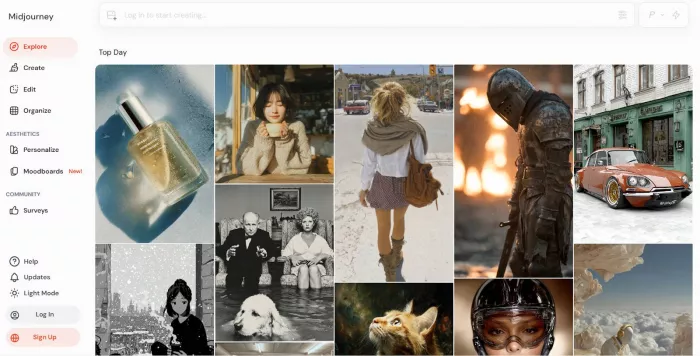
Midjourney is widely known for producing highly artistic and visually striking images. You describe an idea in text, and the AI interprets it into detailed, often cinematic visuals. Midjourney
Instead of focusing purely on realism, Midjourney shines in creative styles, mood, lighting, and composition—making it a favorite among digital artists and designers.
Key features
● Text-to-image with strong artistic interpretation
● Style and mood control (cinematic, fantasy, surreal, minimal)
● High-resolution image outputs
● Prompt-based variations and refinements
Best use cases
● Concept art and illustrations
● YouTube thumbnails and cover images
● Social media visuals with strong visual impact
● Creative branding and posters
Pros
● Exceptional artistic quality
● Consistent, visually pleasing results
● Strong community inspiration
Limitations
● Less control over exact details compared to design tools
● No traditional drag-and-drop editor
Pricing / availability
● Paid plans only
● Access via Discord-based interface
DALL·E focuses on clarity, accuracy, and ease of use. It turns text prompts into images that closely match descriptions, making it ideal for beginners and business users. DALL.E
One of its biggest strengths is prompt understanding—you don’t need to be a prompt expert to get useful results.
Key features
● Text-to-image with strong prompt accuracy
● Image editing and inpainting (modify parts of an image)
● Style control and variations
● Safe, brand-friendly image generation
Best use cases
● Blog images and article visuals
● Marketing creatives and ads
● Website illustrations
● Educational content
Pros
● Very beginner-friendly
● Excellent prompt understanding
● Built-in editing tools
Limitations
● Less artistic flair than Midjourney
● Some creative restrictions for safety
Pricing / availability
● Paid plans (with limited free usage in some regions)
● Accessible via web interface and API
Stable Diffusion stands out because it’s open-source and highly customizable. You can run it locally, customize models, and fine-tune outputs far beyond most closed platforms. Stable Diffusion
It’s powerful—but slightly more technical.
Key features
● Text-to-image and image-to-image generation
● Custom models and styles
● Upscaling and detailed control
● Works offline with local installation
Best use cases
● Developers and advanced creators
● Custom art styles and experimentation
● Commercial projects needing full control
● Long-term creative pipelines
Pros
● Free and open-source
● Maximum control and flexibility
● No platform lock-in
Limitations
● Steeper learning curve
● Requires technical setup for best results
Pricing / availability
● Free (open-source)
● Paid cloud platforms also available
Leonardo AI is designed for game artists, designers, and creators who want consistent styles and asset generation. It balances creative freedom with structured tools. Leonardo AI
It’s especially useful when you need multiple images in the same style.
Key features
● Text-to-image with fine style tuning
● Reference images and style consistency
● Asset generation (characters, items, environments)
● Image enhancement and upscaling
Best use cases
● Game design assets
● Branding visuals
● Digital art collections
● Consistent character or product imagery
Pros
● Strong control over visual consistency
● Creator-focused tools
● Easier than fully open-source options
Limitations
● Limited free credits
● Smaller community than Midjourney
Pricing / availability
● Free tier with credits
● Paid monthly plans
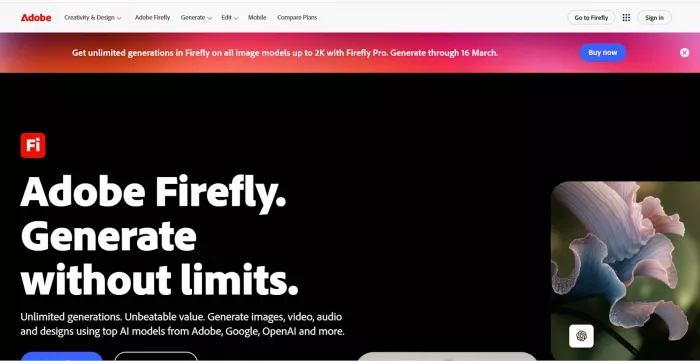
Adobe Firefly is built for commercial safety and professional design workflows. It integrates directly with Adobe tools, making it ideal for designers already using Photoshop or Illustrator. Adobe Firely
A major advantage is its focus on copyright-safe training data, which matters for businesses.
Key features
● Text-to-image generation
● Generative fill and editing
● Style presets and typography-aware designs
● Seamless Adobe ecosystem integration
Best use cases
● Marketing and advertising visuals
● Website and UI design
● Professional graphic design
● Commercial brand assets
Pros
● Business-safe and professional
● Excellent editing capabilities
● Easy integration with Adobe tools
Limitations
● Less experimental than art-focused tools
● Requires Adobe subscription for full access
Pricing / availability
● Included with Adobe Creative Cloud plans
● Limited free credits available
AI image generation is no longer just about creating pictures—it’s about speed, creativity, and scale. From artistic visuals to business-ready designs, these tools are reshaping how images are made.
Quick tips to choose the right tool:
● Want stunning art and creativity? → Go with Midjourney
● Need accurate, easy visuals for content? → DALL·E works best
● Want full control and customization? → Stable Diffusion
● Need consistent styles and assets? → Leonardo AI
● Working in professional design teams? → Adobe Firefly
In 2026, the best tool isn’t the “most powerful” one—it’s the one that fits your quality needs, budget, and use case. AI doesn’t replace creativity; it amplifies it.
AI-powered image editing has moved far beyond simple filters. Today’s...
AI chat platforms built around fictional characters and roleplay conve...
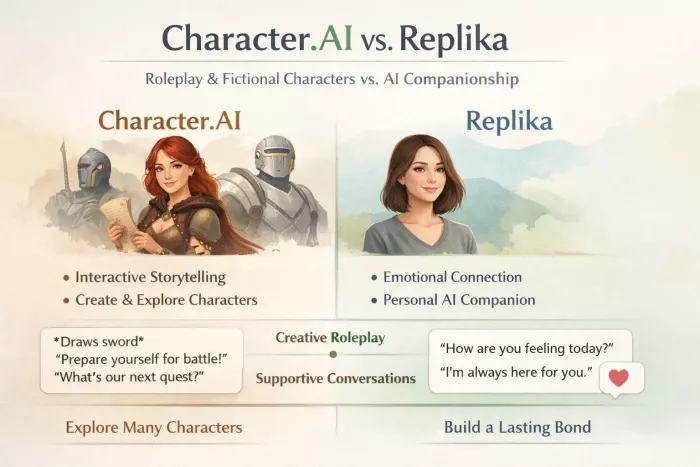
AI chat platforms have evolved far beyond simple question-and-answer b...
Platform OverviewCutout.pro is an AI-powered image editing platform de...
AI chat platforms designed for roleplay and interactive conversations...
Goth AI is a character-based AI chat platform designed for dark, gothi...

Discussion