If you’ve built automations before, you already know the old model: trigger → action → done. It worked for simple tasks like sending a Slack message when a form is submitted. But as teams juggle dozens of apps, AI is reshaping workflow automation into something more adaptive.
Instead of static “if this, then that” chains, modern AI automation tools now:
This shift is why searches for “6 best AI tools for workflow automation” are rising. Businesses are no longer asking “Can I automate this?” They’re asking, “Can the system decide what to do next?”
Below is a practical, experience-driven breakdown of six genuinely relevant AI workflow platforms in 2026. Not marketing summaries. Not feature lists copied from pricing pages. Real-world analysis of how they behave when you try to scale them.
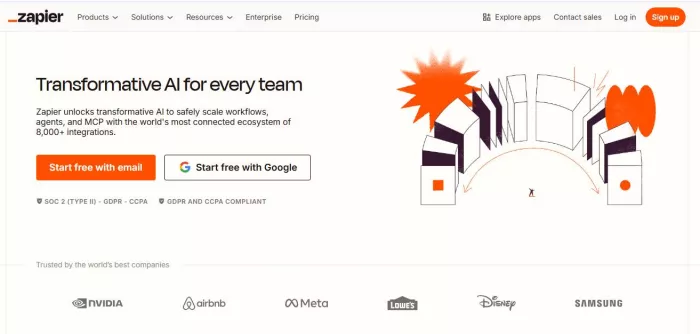
Zapier has been the default automation layer for over a decade. What’s changed recently is its integration of AI-powered workflow creation and intelligent action handling. (Zapier)
1. Marketing automation
2. CRM data syncing
3. Lead routing
4. Basic multi-app orchestration
5. Internal notification workflows
Zapier shines when you need quick, stable, no-code automations between mainstream SaaS apps.
Zapier now allows you to describe workflows in natural language. Instead of manually choosing triggers and mapping fields, you can type:
“When a new Stripe payment comes in, check if the customer exists in HubSpot. If not, create them and notify Slack.”
It auto-generates the flow. It’s not perfect, but it cuts setup time dramatically.
AI features also include:
1. Auto field mapping suggestions
2. AI-powered data formatting
3. AI steps for summarizing or transforming content
1. Beginners: Very approachable
2. Technical users: May feel limiting
Zapier is designed for clarity. The interface is clean, and error logs are readable. But complex branching workflows can get expensive quickly.
1. Pricing scales by task volume
2. Multi-step workflows increase cost
3. Advanced branching requires higher-tier plans
4. Not ideal for heavy backend automation
Freelancers, small businesses, agencies, marketing teams.
If you want stability and speed, Zapier remains one of the safest AI-enhanced automation platforms.

Make feels like Zapier’s more powerful cousin. Instead of simple linear chains, it offers visual flow diagrams with branching logic.(Make)
1. Complex multi-step workflows
2. Conditional routing
3. Ecommerce automation
4. Data transformations
5. API-heavy integrations
If Zapier is Lego blocks, Make is circuit wiring.
Make incorporates:
1. AI content processing modules
2. Dynamic routing based on conditional evaluation
3. AI model integrations (OpenAI, Google, etc.)
4. Automated scenario suggestions
It handles more sophisticated logic than Zapier without needing full coding knowledge.
1. Beginners: Moderate learning curve
2. Technical users: Highly flexible
The visual interface can feel overwhelming at first. But once you understand it, scaling workflows becomes easier.
1. Steeper onboarding
2. Complex flows can become hard to maintain
3. Error debugging sometimes lacks clarity
Pricing is often cheaper than Zapier at scale, but complexity management becomes your responsibility.
Ecommerce brands, SaaS startups, operations teams.
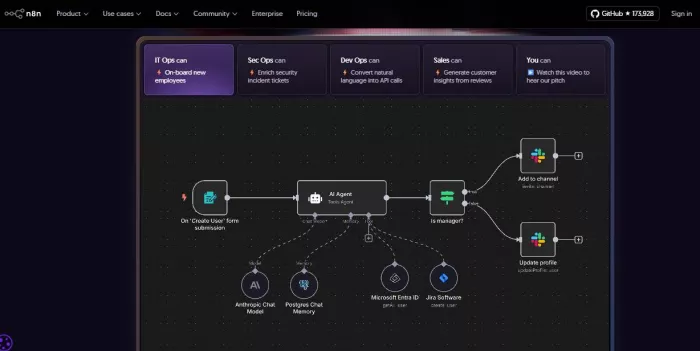
n8n is what happens when automation meets developer freedom.
Unlike most platforms here, n8n is open-source and can be self-hosted. That changes the privacy and scalability equation. (n8n)
1. Backend automation
2. Custom API workflows
3. Developer-centric systems
4. Privacy-sensitive environments
n8n integrates AI models directly and allows advanced data processing within flows. You can:
1. Run LLM-powered decision nodes
2. Process structured/unstructured data
3. Build autonomous workflow branches
Because it’s open-source, you can modify or extend nodes.
1. Beginners: Difficult
2. Technical users: Extremely powerful
This is not plug-and-play. Expect configuration work.
1. Requires technical comfort
2. Hosting setup complexity
3. Less polished UI
Developers, tech startups, teams that need control over data and costs.
If privacy or customization is critical, n8n often outperforms SaaS tools.
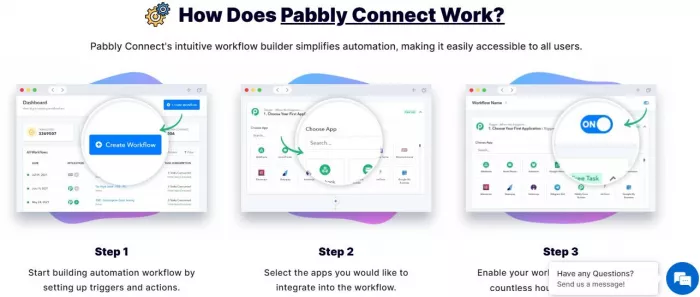
Pabbly Connect is often positioned as a budget alternative to Zapier. (Pabbly Connect)
1. Cost-sensitive automation
2. Mid-level marketing workflows
3. Email and CRM integration
AI features are present but less advanced than Zapier or Make. You get:
1. Basic automation suggestions
2. Data processing nodes
3. API integrations
The strength here is affordability, not AI depth.
1. Beginners: Easy
2. Advanced users: Limited flexibility
1. Fewer app integrations than Zapier
2. AI capabilities are not as refined
3. UI can feel dated
Small businesses on tight budgets.
If pricing is your top priority, Pabbly delivers reasonable automation without premium costs.
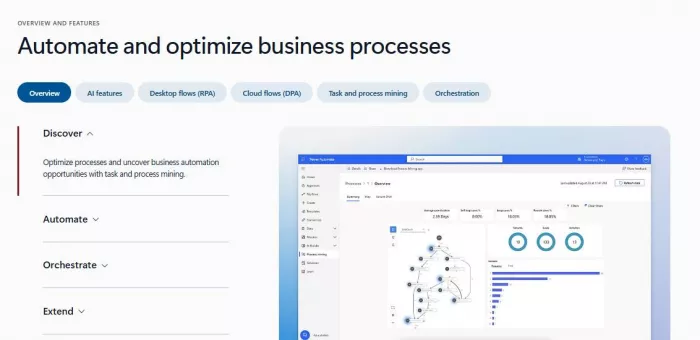
Power Automate is deeply embedded in the Microsoft ecosystem.(Microsoft Power Automate)
1. Enterprise workflows
2. Internal approval systems
3. SharePoint and Teams automation
4. Document processing
Through AI Builder and Copilot features, Power Automate can:
1. Extract data from documents
2. Classify emails
3. Route approvals intelligently
4. Predict workflow triggers
It feels less flashy but highly integrated if you already use Microsoft tools.
1. Beginners: Moderate
2. Enterprise IT teams: Familiar
1. Complex licensing
2. AI add-ons may cost extra
3. Less intuitive outside Microsoft ecosystem
Corporate teams, enterprise environments, compliance-heavy industries.
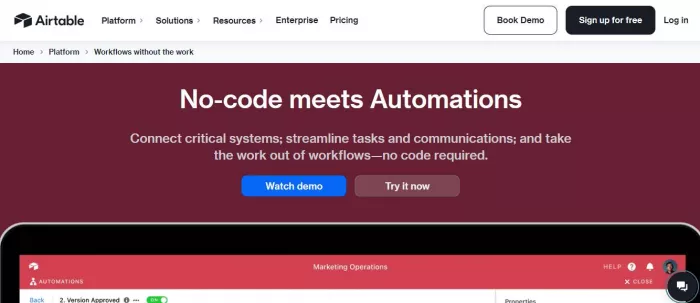
Airtable isn’t traditionally listed as an automation platform, but its AI-powered automation layer has evolved into a serious workflow engine. (Airtable Automations with AI)
1. Content operations
2. Project management
3. Lightweight CRM systems
4. Editorial workflows
Airtable AI can:
1. Categorize records
2. Summarize content
3. Generate responses
4. Trigger conditional actions
Instead of external integrations, AI lives directly inside your data layer.
1. Beginners: Easy
2. Advanced users: Moderate
1. Not designed for heavy backend automation
2. API-heavy integrations require extra setup
3. Scaling costs can increase fast
Agencies, marketing teams, content-driven businesses.
| Tool | Best For | AI Sophistication | Pricing Scalability | Technical Flexibility |
| Zapier | SMB & marketing | Strong | Expensive at scale | Moderate |
| Make | Complex logic | Strong | Cost-effective | High |
| n8n | Developers | Very high | Cheapest if self-hosted | Very high |
| Pabbly | Budget automation | Moderate | Affordable | Low–Moderate |
| Power Automate | Enterprise | Strong | Complex licensing | High within MS ecosystem |
| Airtable | Internal ops | Moderate–Strong | Can scale costly | Moderate |
1. If you want simplicity: Zapier.
2. If you want logic control: Make.
3. If you want full power: n8n.
4. If you want affordability: Pabbly.
5. If you’re in Microsoft land: Power Automate.
6. If your workflows revolve around structured data: Airtable.

There was a time when manual Google Ads management was a competitive a...

Artificial intelligence is no longer a peripheral tool in the justice...

Long-form video is still king for depth, but short-form clips dominate...

San Francisco, February 2026 — Samsung has officially set the sta...

AI video generation is moving fast, and new tools appear almost weekly...

Geek culture has grown massively over the years, spreading from niche...

Discussion