Most students don’t struggle because they’re lazy or “bad at studies.”
They struggle because:
You sit down to study… You open the book.
You read one page… then reread it… and still don’t fully get it.
Or worse, you understand something, but you don’t know if you understood it correctly.
This is where frustration starts. Not because students don’t want to learn but because learning doesn’t always explain itself well.
Most students didn’t wake up one day and say,
“Let me use artificial intelligence today.”
Instead, AI quietly slipped into daily study life.
No big announcement. No technical definitions. Just small help at the right time.
That’s how AI tools for students actually entered education not as a revolution, but as a helper when students were stuck.
Let’s not talk about theory.
Let’s talk about real situations.
It’s late, you have five chapters.
You know you can’t read everything properly.
What students do with AI:
● Ask for short summaries of each chapter
● Request important points likely to be asked
● Generate practice questions to test understanding
AI doesn’t magically give you marks.
But it helps you focus on what matters instead of drowning in pages.
Many textbooks explain things in circles.
Students now:
● Paste a long topic and ask for simplified notes
● Ask for explanations “like I’m in class 8” or “in simple words”
● Convert paragraphs into bullet points for revision
This saves time and more importantly mental energy.
You know the feeling.
Everyone nods in class.
You’re nodding too but inside, you’re lost.
With AI tools:
● Students ask the same question multiple times, differently
● They ask for examples, then simpler examples
● They ask for explanations using daily-life comparisons
No embarrassment. No pressure.
Just learn at your own pace.
PowerPoint assignments scare more students than exams.
AI helps by:
● Structuring the topic slide-by-slide
● Suggesting what to write on each slide
● Rewriting content so it sounds clear, not copied
You still need to understand the topic.
But you don’t start from zero.
Instead of throwing tool names at you, let’s talk purpose first.
These are the tools students use when a topic just isn’t clicking.
Maybe the textbook explanation feels too heavy, teacher moved on too fast.
This is where concept-focused AI tools come in.
What students usually do with them:
Examples students commonly use:
These tools act like a patient tutor. They don’t judge, rush, or get tired of repeated questions.
Writing is where many students feel stuck not because they don’t know the answer, but because they don’t know how to say it properly.
These AI tools don’t replace thinking. They help clean up expressions.
Students use them for:
Examples students recognize:
● Grammarly – grammar correction and sentence improvement
● ChatGPT – rephrasing answers or structuring essays
● AI writing helpers built into Google Docs or Microsoft Word
Good students don’t copy from these tools. They compare, learn, and rewrite in their own words.
When exams are close, students don’t need long explanations. They need practice, revision, and confidence checks.
AI tools help here by:
Examples students often use:
● Quizlet AI – flashcards and quick revision
● ChatGPT – mock questions and answer explanations
● AI-powered test features in exam-prep apps
These tools don’t predict exam papers. They help you practice thinking, which matters more.
Long chapters are exhausting—especially when every line feels important.
Students use AI tools to:
Common examples:
● ChatGPT – summarizing chapters or topics
● Notion AI – organizing notes and study material
● AI note features in apps like Evernote or OneNote
These tools save time, especially during revision weeks.
Some students don’t struggle with studies, they struggle with planning.
AI helps by:
Examples students use:
● Notion AI – task planning and study tracking
● AI planners inside productivity apps
● ChatGPT – creating realistic study timetables
This reduces last-minute panic and helps students stay consistent.
Projects and presentations often feel confusing at the start.
AI helps students:
Examples students commonly use:
● Canva AI – presentations, posters, visuals
● ChatGPT – structuring project content
● AI design helpers inside PowerPoint or Google Slides
You still present your understanding , AI just helps you present it better.
Here’s a simple, honest table—no hype.
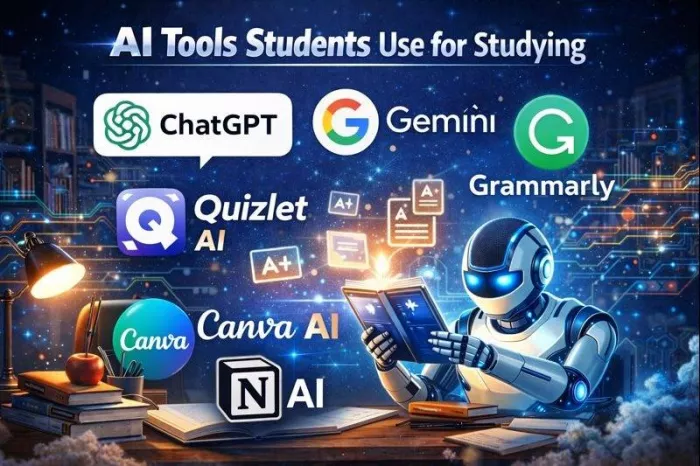
| Tool Name | What Students Use It For | Difficulty Level | Free/Paid |
| ChatGPT | Explanations, summaries, doubts | Easy | Free + Paid |
| Grammarly | Grammar and writing clarity | Very Easy | Free + Paid |
| Google Gemini | Quick answers, summaries | Easy | Free |
| Notion AI | Notes, organization | Medium | Paid |
| Quizlet AI | Flashcards, revision | Easy | Free + Paid |
| Canva AI | Presentations, visuals | Easy | Free + Paid |
No tool here is “mandatory.” Students choose based on comfort and need.
AI can explain.
You still have to learn.
This part matters more than tools.
If you copy AI-generated content directly and submit it, you risk:
● Getting caught
● Losing marks
● Losing trust
● Use AI to understand
● Rewrite in their own words
● Treat AI like a reference, not a shortcut
If you ask AI for everything:
● Your thinking slows down
● Confidence drops
● Exams become harder
Try yourself first. Use AI only when stuck.
Students often paste:
● Personal details
● Exam papers
● College information
That’s risky.
● Don’t share sensitive data
● Don’t log in everywhere blindly
● Use trusted platforms only
No fear, just awareness.
AI hasn’t replaced classrooms.
But it has changed how students learn outside class.
● More self-study
● More personalized pace
● Faster doubt resolution
Students no longer wait days to understand one topic.
They ask, clarify, and move forward. That’s a big shift.
Here’s the simple takeaway.
AI tools for students are support tools not shortcuts.
They work best when:
● You’re curious
● You’re honest about learning
● You use them to improve, not escape effort
The smartest students aren’t the ones who avoid AI.
They’re the ones who use it carefully, thoughtfully, and responsibly.
Think of AI like a senior friend- Helpful, Available.
But not someone who gives exams for you.
If you use it right, it can make studying less stressful and more understandable.
And that’s already a big win.

There was a time when manual Google Ads management was a competitive a...

Artificial intelligence is no longer a peripheral tool in the justice...

Long-form video is still king for depth, but short-form clips dominate...

San Francisco, February 2026 — Samsung has officially set the sta...
AI video generation is moving fast, and new tools appear almost weekly...

Geek culture has grown massively over the years, spreading from niche...

Discussion