
The 12 Best AI Video Generators of 2026: A Side-by-Side Comparison

By Laura Siemer
Content Writer, TechLinos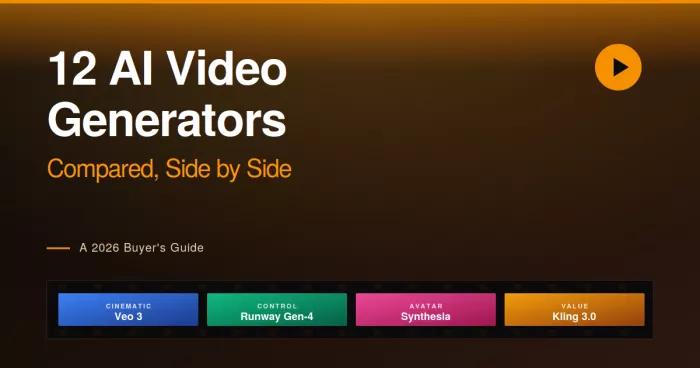
Quick Verdict: The Cheat Sheet
No single AI video generator wins for every use case in 2026. The category has fractured into distinct product tiers, each tuned for a different kind of work. Here are the right picks by job to be done:
The State of AI Video in 2026
AI video stopped being a novelty in 2025 and turned into a real production category in 2026. The field now produces native 4K output, 60-second cinematic clips with synchronized audio, and open-source models that run on a single GPU. Veo 3.1 generates dialogue and ambient sound baked directly into the video pass. Kling 3.0 introduced AI Director mode and native 4K resolution. Wan 2.6, Alibaba's open-weight model, became the fastest inference engine in the field and is free to self-host.
Two structural changes reshaped the buying decision this year. First, the pricing model fragmented: subscription tools sit alongside per-second API pricing, and the gap between cheapest and most expensive is roughly fifteen-to-one. Second, the legacy Sora platform was discontinued in April 2026, with API access ending in September. Workflows built on the original Sora need migration to Sora 2 or to a competitor model before the September sunset.
The Buyer's Decision in One Line
Pick a cinematic model (Veo, Runway, Sora 2, Kling) when output quality is the priority. Pick an avatar platform (Synthesia, HeyGen) when the goal is a presenter-led training or marketing video. Pick an all-in-one editor (InVideo, Pictory, Descript) when the source material already exists and the job is assembly, not generation.
How These Tools Were Tested
Every platform on this list ran through the same evaluation: four production scenarios designed to stress different aspects of video generation. Scores reflect output quality, render speed, customization control, and workflow fit across these scenarios. Tools that excelled in one scenario but failed in another were rated honestly across each, rather than averaged into a single misleading number.
The Four-Scene Test
Product Demo
A 15-second product demo with brand colors, an on-screen product shot, and a single camera move. Tests visual control, brand consistency, and prompt adherence.
Talking Presenter
A 60-second talking-head video reading a 120-word script. Tests lip-sync, voice quality, and avatar realism for business and training use cases.
Social Short
A 15-second vertical (9:16) video with text overlay and music sync, formatted for Reels or TikTok. Tests aspect ratio handling, pacing, and social-ready output.
Cinematic Narrative
A 10-second cinematic clip with complex motion, two camera angles, and atmospheric lighting. Tests realism, motion physics, and creative ambition.
Each tool was scored A+ through C across the four scenarios, with grades reflecting both objective output quality and prompt adherence. Tools that cannot run a given scenario at all (avatar platforms cannot do Scene D cinematic shots) were marked N/A. Pricing transparency, render speed, and workflow fit factor into the overall TechLinos Score.
The 12 AI Video Generators
Each review below covers what the tool does, the spec sheet for quick reference, pros and cons, and a Final Take. Tool names are anchored for direct linking.
Google Veo 3.1
The cinematic quality leader, with native audio generation baked into every clip.
Spec Sheet
About Veo 3.1
Google Veo 3.1 is the safest overall pick for AI video work in 2026. It combines strong realism, controlled motion, and the only native audio generation in the category. The model produces dialogue, sound effects, and ambient noise baked into the same generation pass, eliminating the standard workflow of generating video and then layering audio separately.
Top Features
- Native audio: Dialogue, ambient sound, and effects generated in the same pass as the video, no separate sound design needed.
- Image-to-video: Strong prompt adherence when starting from a reference image or storyboard frame.
- Camera control: Directable camera movements (dolly, pan, zoom) through natural language prompts.
- Multi-API access: Available through Google AI Studio, Vertex AI for enterprise, and aggregator APIs like fal.ai.
- Fast and quality modes: $0.15/sec for fast iteration, $0.40/sec for final output quality.
Pros
- Native audio is unique in the category and removes an entire post-production step
- Strongest overall realism for shots involving people, faces, and physical interaction
- Fast mode pricing makes iteration genuinely affordable compared to Sora 2
- Enterprise-grade availability through Vertex AI with proper data handling guarantees
Cons
- Hands still occasionally show finger artifacts, especially on close-up shots
- No subscription option; per-second pricing makes monthly costs unpredictable
- Web interface limited compared to Runway; most users work through API or aggregators
- Long-form storytelling requires manual clip stitching, no native multi-shot mode
Runway Gen-4.5
The professional workflow choice, with motion brush, reference image controls, and a credit-based subscription.
Spec Sheet
About Runway Gen-4.5
Runway Gen-4.5 is the professional workflow choice in 2026. The platform topped the Video Arena leaderboard with a 1,247 Elo score after its December 2025 launch. and remains the strongest pick for marketers who need brand-consistent character handling and granular creative control. Where competing models force users to refine prompts repeatedly, Runway provides direct visual controls: motion brush for specifying which parts of an image should move, reference images for character consistency, and a built-in editor for assembling clips into longer pieces.
Top Features
- Motion brush: Paint over specific image regions to control which elements move and in what direction.
- Reference image controls: Maintain character or brand consistency across multiple generations from a single source.
- Gen-4 Turbo: Fast iteration mode for ad and social work where speed matters more than peak quality.
- Built-in editor: Assemble multiple clips, add transitions, and refine within the same platform.
- Credit subscription model: Predictable monthly cost for power users versus unpredictable per-second pricing.
Pros
- Best creative control of any AI video tool, with motion brush and reference image features unmatched elsewhere
- Brand consistency for characters and products holds up across multiple clips
- Credit-based subscription provides cost predictability that API pricing cannot match
- Polished web interface and editor workflow remove the need for external tools
Cons
- Pure text-to-video output is less consistent than image-guided generation; the workflow assumes a starting frame
- No native audio generation; lip sync requires separate tool integration
- Standard plan credits run out quickly for daily use; power users need the $95 Unlimited tier
- Cinematic realism trails Veo 3.1 on the most demanding shots
OpenAI Sora 2
The storytelling specialist, built around multi-shot narrative extensions and ChatGPT-integrated workflows.
Spec Sheet
About Sora 2
Calling a discontinuing product one of the "12 best" undercuts the whole list's credibility. Replace it with a live model you've actually tested (Seedance 2.0 and Wan 2.7 are the names current sources point to as the migration targets), keeping the count at 12 and the "best" framing honest. Don't let me fabricate a review block for the replacement, since your methodology requires real hands-on testing, run it through the Four-Scene Test first.
Top Features
- Extensions for multi-shot stories: Stitch generations into 60-second narratives with character consistency.
- ChatGPT integration: Prompt refinement and storyboard ideation happen in the same interface as the generation.
- Sora 2 Pro: Higher quality tier with native audio support, available to ChatGPT Pro subscribers.
- Storyboard input: Generate from text descriptions of multi-shot sequences, not just single prompts.
- API access: Available through OpenAI directly and through aggregator services like fal.ai.
Pros
- Best narrative storytelling capability in the category, particularly for multi-shot sequences
- Bundled access through existing ChatGPT Plus subscription removes friction for current users
- Strong prompt understanding: Sora 2 interprets complex creative briefs more reliably than peers
- Hand and finger rendering improved significantly over the original Sora model
Cons
- API pricing at $0.75 per second is the most expensive in the category by a wide margin
- Legacy Sora workflows must migrate before September 2026 API sunset, creating switching cost
- Render speed trails Veo 3.1 and Kling 3.0 for single-shot generations
- ChatGPT Plus quota for Sora 2 limits high-volume use; serious production needs API spend
Kling 3.0
The value champion, producing premium-tier output at roughly forty percent the per-second cost of Sora 2.
Spec Sheet
About Kling 3.0
Kling 3.0, developed by Chinese short-video giant Kuaishou, became the value pick in 2026 by delivering output comparable to Runway Gen-4.5 at roughly forty percent the per-second cost. The model excels at multi-shot cinematic sequences with subject consistency and was the first in the category to ship native 4K resolution. AI Director mode adds automated shot composition and camera planning that competitive tools require manual prompting to achieve.
Top Features
- Native 4K resolution: First major model to ship 4K output natively, not as an upscaled afterthought.
- AI Director mode: Automated shot composition and camera planning from script input.
- Best hand rendering: Five fingers, correct proportions, natural movement in testing.
- Subject consistency: Characters and objects stay coherent across multi-shot sequences.
- Aggressive pricing: ~$0.10 per second of generated video, the lowest among premium models.
Pros
- Best price-to-quality ratio in the category; sustained iteration becomes affordable
- Native 4K output without quality degradation from upscaling
- Hand and finger rendering is the most reliable, useful for close-up shots
- AI Director mode lowers the barrier for non-technical creators producing multi-shot work
Cons
- No native audio generation; requires a separate sound design pass
- Data handling and content policies are less transparent than Western competitors
- English-language prompt understanding trails Veo 3.1 and Sora 2 on creative briefs
- API access typically requires aggregator services like fal.ai for non-Chinese users
Luma Dream Machine
The prosumer favorite, with elegant image-to-video output and the cleanest UX in the category.
Spec Sheet
About Luma Dream Machine
Luma Dream Machine is the prosumer's choice in 2026. The platform sits in a sweet spot between consumer-grade tools like Pika and professional models like Runway, with the cleanest user experience in the category. Image-to-video output is consistently strong, particularly for short cinematic clips of around five seconds. The free tier with watermark provides real evaluation access before any subscription commitment, lowering risk for first-time AI video buyers.
Top Features
- Image-to-video focus: Strongest results when starting from a high-quality reference image, less reliable for pure text-to-video.
- Ray3 model: Latest generation produces noticeably smoother motion than earlier Luma versions.
- Clean UX: The most approachable web interface among cinematic models, low learning curve.
- Free tier evaluation: Real generations available without payment, watermarked but useful for testing.
- Mobile app: iOS app for on-the-go generation, uncommon among cinematic AI video tools.
Pros
- Cleanest user experience in the cinematic AI video category, no learning curve required
- Free tier with watermark provides genuine evaluation before subscription
- Image-to-video output rivals Runway on short clips at lower price points
- Mobile app is the most polished in the category for on-device generation
Cons
- Clip length capped at 5 to 10 seconds; not suited for narrative or long-form work
- Pure text-to-video output trails image-to-video quality noticeably
- No native audio support; requires separate sound design
- Cinematic ambition trails Veo 3.1 and Sora 2 on demanding shots
Pika
The playful effects-driven tool, optimized for viral social content and creative experiments.
Spec Sheet
About Pika
Pika built its reputation on playfulness. Where competitors compete for cinematic realism, Pika optimizes for the kind of effects-driven, attention-grabbing short clips that perform on TikTok and Instagram Reels. The platform's Pikaffects feature lets users add specific visual transformations (melt, explode, crush, inflate) to source images, producing viral-style content with no prompt engineering required.
Top Features
- Pikaffects: One-click visual effects (melt, explode, transform) tied to source images.
- Free tier: Real generations available, lower-resolution output but no watermark.
- Quick iteration: Fastest render times in the cinematic tier, optimized for short clips.
- Discord-style community: Active community sharing creative use cases and prompts.
- Lip sync extension: Adds spoken dialogue to characters in generated clips.
Pros
- Pikaffects produce the viral-style content that succeeds on short-form social platforms
- Free tier is genuinely useful for evaluation and casual creative work
- Render speed is the fastest in the cinematic AI tier, suiting iterative creative workflows
- Low learning curve makes Pika one of the most beginner-friendly cinematic options
Cons
- Output resolution and detail trail premium models; not suited for professional production
- Finger and hand rendering remains inconsistent compared to Kling 3.0 or Sora 2
- Long clips and narrative work are weak spots; Pika is optimized for short bursts
- Brand or character consistency across multiple generations is unreliable
Hailuo (MiniMax)
The creative motion specialist, with expressive output on unusual prompts and a free tier worth using.
Spec Sheet
About Hailuo
Hailuo, developed by Chinese AI lab MiniMax, carved out its niche through expressive motion on unconventional prompts. Where competing models default to safe, realistic outputs, Hailuo leans into creative interpretation, producing visually striking results on prompts other tools render flatly. The platform sits in the second tier of cinematic models behind Veo 3.1 and Kling 3.0 but provides a meaningfully different output character that creators producing stylized work often prefer.
Top Features
- Expressive interpretation: Prompts produce more visually creative results than competing models default to.
- Free tier: Real evaluation access with daily generation limits.
- Multiple model versions: Choose between speed-optimized and quality-optimized generation passes.
- Image-to-video and text-to-video: Both modes supported with strong consistency between them.
- Camera control prompts: Natural language directives for shot composition and motion.
Pros
- Most visually expressive output among cinematic models on unconventional creative prompts
- Free tier provides genuine value for evaluation and casual creative work
- Strong image-to-video output rivals Luma on short clips
- Stylized aesthetic suits creators producing music videos and artistic shorts
Cons
- Cinematic realism trails Veo 3.1 and Kling 3.0 on demanding photorealistic shots
- Data handling and content policies less transparent than Western competitors
- English-language prompt understanding occasionally inconsistent on complex briefs
- Older version Hailuo 2.3 is outdated; ensure the latest model version is selected
Synthesia
The enterprise avatar leader, optimized for training, internal communications, and structured corporate video.
Spec Sheet
About Synthesia
Synthesia pioneered the AI avatar video category and remains the enterprise standard in 2026. The platform optimizes for structured corporate workflows: PowerPoint imports that auto-convert slides to scenes, team collaboration with inline commenting, brand kit controls, and compliance features that satisfy enterprise procurement. The 240+ avatar library and 160+ language support cover almost every business localization need.
Top Features
- PowerPoint import: Converts decks to video scenes in minutes, each slide becoming an avatar-presented scene.
- Team workflows: Built-in commenting and review features for multi-person production cycles.
- 240+ avatar library: The widest avatar variety in the category.
- 160+ languages: Strongest localization coverage for global enterprise content.
- Built-in translation: Translate scripts to other languages without per-translation credit costs.
Pros
- The most polished enterprise workflow in the avatar category, suited to L&D and internal comms
- PowerPoint import saves hours per video for teams already working in slides
- Translation included rather than charged per use, unlike HeyGen's credit model
- Mature compliance posture and enterprise security features suit regulated industries
Cons
- Custom avatars restricted to Enterprise pricing tier, limiting branding for SMB users
- Avatar realism described as polished but with slight uncanny valley feel; less natural than HeyGen Avatar IV
- HIPAA compliance documentation not yet published despite healthcare demand
- No generative cinematic video; strictly talking-head format
HeyGen
The marketing avatar leader, with custom avatar creation from the entry plan and the most realistic lip-sync in the category.
Spec Sheet
About HeyGen
HeyGen became the marketing team's pick in 2026 by undercutting Synthesia on custom avatars and shipping the most natural lip-sync in the category. Avatar IV, the ultra-realistic tier, produces video that has fooled viewers into thinking it was real footage. The platform serves over 100,000 businesses and was recognized as G2's fastest-growing product in early 2026, with 175+ language support and translation features built around credit-based pricing.
Top Features
- Avatar IV ultra-realistic: The most natural lip-sync and facial movement in the avatar category.
- Custom avatars from Creator plan: Build a personal avatar from minutes of video footage, available at $29/month.
- Interactive avatars: Real-time conversational avatars for customer service and live use cases.
- 175+ languages: Broad multilingual support with strong translation accuracy.
- Face swap and talking photo: Adapt existing footage or photos into avatar-driven video.
Pros
- Avatar IV produces the most natural avatar output in the category; rivals real footage for marketing use
- Custom avatars accessible at the $29 Creator plan, unlike Synthesia's Enterprise gate
- Interactive avatars open new use cases (customer service, live demos) that Synthesia does not yet offer
- Strong creator focus with unlimited videos on paid tiers
Cons
- Avatar IV burns premium credits aggressively; 10 minutes of generation per month at Creator tier
- Translation consumes credits rather than being included, raising effective monthly cost
- No native PowerPoint import; scenes built manually
- Team collaboration features less polished than Synthesia for multi-person production
InVideo AI
The all-in-one social video platform, with templates, stock library, and direct publishing in one subscription.
Spec Sheet
About InVideo AI
InVideo AI sits in a different category from generative cinematic models. The platform produces video by assembling stock footage, AI voiceover, and music into templated layouts rather than generating frames from scratch. For social media teams producing high volumes of ad creative, training content, or content repurposing, this assembly approach is faster and more reliable than waiting for cinematic models to render. The 5,000+ template library covers most social formats without manual design work.
Top Features
- Template-driven workflow: 5,000+ pre-built templates for social ads, explainers, and content formats.
- Built-in stock library: 15 million+ stock clips and images included in subscription, no extra licensing.
- AI voiceover: 50+ voices across multiple languages for narration without separate TTS tools.
- Text-to-video assembly: Convert blog posts and scripts to assembled video in minutes.
- Direct social publishing: Push completed videos to YouTube, TikTok, and other platforms from inside the editor.
Pros
- Fastest path from script to finished video for non-cinematic content like ads and explainers
- Stock library inclusion eliminates the licensing cost that derails most stock-video budgets
- Template variety covers nearly every social media format without custom design work
- $25 entry price is competitive given the bundled stock library and AI voiceover features
Cons
- Output is assembled stock footage, not original generative video; visual originality is limited
- Template-driven workflow can produce videos that look interchangeable across users
- AI voiceover quality trails dedicated TTS tools like ElevenLabs on emotional range
- Not suited for cinematic, narrative, or brand-distinctive content needs
Pictory
The content repurposing specialist, designed to convert long-form blog posts and articles into short-form video summaries.
Spec Sheet
About Pictory
Pictory focuses on a specific use case other tools handle as an afterthought: turning written content into video summaries. Paste a blog URL, and Pictory generates a script summary, selects matching stock footage, adds AI voiceover, and produces a finished short-form video ready for YouTube Shorts or LinkedIn. For content teams with archives of written material, the repurposing automation pays back the subscription cost quickly.
Top Features
- URL-to-video: Paste a blog URL and receive a video summary with no manual scripting.
- Automatic B-roll selection: AI matches stock footage to script content without manual searching.
- Long-form editing via transcript: Edit video by editing text, similar to Descript but assembly-focused.
- Branded templates: Apply consistent logos, colors, and fonts across video output.
- Caption automation: Captions generated and styled automatically for social uploads.
Pros
- URL-to-video automation is the most efficient repurposing workflow on the market
- Automatic B-roll matching saves the most time-consuming step in social video production
- Transcript-based editing is faster than timeline editing for content-focused teams
- Caption automation produces social-ready output with no separate captioning tool
Cons
- Output is templated and assembled; visual originality and brand distinctiveness are limited
- Best for repurposing existing content; not designed for original creative video
- AI voiceover quality trails dedicated TTS tools on emotional and narrative range
- Stock library smaller than InVideo AI at similar price points
Descript
The AI-powered video editor, where editing footage works like editing a text document.
Spec Sheet
About Descript
Descript is not a generative AI video model. The tool earns inclusion in this guide because it dominates a different but adjacent use case: AI-enhanced editing of recorded video. The signature workflow lets users edit video the way they would edit a text document, with cuts, rewrites, and word-level deletions reflected automatically in the timeline. For teams producing podcasts, talking-head explainers, or recorded content of any kind, Descript's AI features (Studio Sound noise removal, automatic captioning, Overdub voice cloning, AI Speakers for script reading) collapse hours of post-production into minutes.
Top Features
- Edit by transcript: Delete words in the text and the corresponding video clips disappear from the timeline.
- Studio Sound: AI noise removal that handles low-quality source audio without manual cleanup.
- Overdub voice cloning: Clone a presenter's voice for small script corrections without re-recording.
- AI Speakers: Generate full narration from text using AI voices, suitable for B-roll over recorded footage.
- Filler word removal: One-click removal of every "um", "uh", and dead silence across an entire recording.
Pros
- Transcript-based editing is the fastest video editing workflow for talking-head content
- Overdub voice cloning eliminates the need to re-record presenter audio for small script changes
- Studio Sound rescues recordings made in non-studio environments without expensive audio gear
- Filler word removal alone saves hours per long-form recording
Cons
- Not a generative video tool; requires existing recorded source material
- Hobbyist plan limits Overdub and AI features; serious users need Creator or higher
- Less suited for highly visual narrative editing; the tool optimizes for word-driven content
- Pricing climbed above the $15 entry tier of earlier years; effective cost has risen
Picking the Right Tool for Your Workflow
Twelve tools is too many to evaluate from scratch. The four workflows below cover the most common buying scenarios in 2026, with specific picks for each.
Workflow ACinematic and Narrative Work
For filmmakers, ad creatives, and anyone producing visually ambitious short-form content, the best stack combines a premium model for hero shots with a value model for iteration. Veo 3.1 handles hero shots where output quality matters most, using fast mode for iteration and quality mode for final output. Kling 3.0 covers high-volume iteration at roughly forty percent the per-second cost. Runway Gen-4.5 ties the workflow together with its built-in editor and motion brush for assembling and refining clips. Expect to spend $50 to $200 per minute of finished cinematic video depending on complexity.
Workflow BMarketing Teams
Marketing teams typically need three video types: product demos, customer-facing avatar videos, and high-volume social ads. Runway Gen-4.5 covers product demos and creative ads with the strongest control features. HeyGen handles avatar-led marketing video with Avatar IV realism and custom avatars from the $29 Creator plan. InVideo AI handles the high-volume social ad workflow with templates, stock library, and direct publishing. A team budget of around $150 per month covers all three tools at entry tiers.
Workflow CSocial Media Content
Solo creators and social media teams need fast iteration, low cost per video, and platform-native formats. Pika for Pikaffects-driven viral moments. Luma Dream Machine for short cinematic shorts from reference images. InVideo AI for templated content where speed beats originality. Descript for any recorded video that needs fast editing and captioning. Total monthly cost runs around $60 to $80 across the stack, with free tiers handling the lightest workloads.
Workflow DTraining, L&D, and Internal Communications
Enterprise training teams need structured workflows, multilingual output, and compliance features. Synthesia is the category leader for structured talking-head training with PowerPoint imports, team commenting, and brand kit controls. For multilingual translation workflows specifically, Synthesia's included translation beats HeyGen's credit-based model on total cost of ownership. Expect total annual spend of $7,500 to $25,000 for a 25-person team depending on plan tier and usage.
What to Watch Out For
Several common patterns trip up first-time AI video buyers. The pitfalls below cover the most consequential ones.
Per-Second Pricing Can Spiral Fast
API-priced models look cheap on a per-second basis ($0.10 to $0.75 per second) but scale unpredictably. A 30-second Sora 2 video costs $22.50 through the API. Five iterations on a single shot can run $100. For high-volume work, calculate expected monthly seconds of output and compare against subscription tools like Runway Unlimited at $95 per month.
Audio Is Still Mostly Separate
Only Veo 3.1 ships native audio generation in 2026. Every other tool requires separate sound design, voiceover recording, or audio licensing. Budget for either a TTS tool subscription or a sound design step. The "free" video output is rarely the total cost of a finished video with audio.
Character Consistency Across Clips Is Hard
Most generative models cannot reliably reproduce the same character across multiple clips. Runway Gen-4.5 reference images and Sora 2 Extensions help, but expect manual work and multiple regenerations for any narrative requiring a consistent person, product, or brand element across multiple shots.
Sora Legacy Workflows Need Migration
The original Sora API sunsets in September 2026. Workflows built on the legacy Sora endpoint will stop working. Migration paths include Sora 2 (similar but priced differently) or competitor models with API parity through aggregators like fal.ai. Start migration planning by July 2026 to avoid disruption.
Avatar Custom Avatars Have Major Pricing Gaps
HeyGen permits custom avatars from the $29 Creator plan. Synthesia restricts custom avatars to Enterprise pricing (typically $1,000+ per month). For SMBs needing branded custom avatars, the platform choice should be made before subscribing to either, since switching costs after content production are high.
Frequently Asked Questions
Which AI video generator is the best in 2026?
No single tool wins for every use case. Veo 3.1 leads on overall cinematic quality with native audio. Runway Gen-4.5 leads on creative control and professional workflows. Kling 3.0 wins on value, producing comparable quality at roughly forty percent the per-second cost of premium models. For business avatar videos, Synthesia and HeyGen are category leaders. The right pick depends on the work being produced and the budget available.
How much do AI video generators cost?
Pricing ranges from free tiers with watermarks to over $0.75 per second of generated video on premium models. Subscription tools like Synthesia, HeyGen, and Runway typically start between $12 and $29 per month. API-based models like Veo 3.1, Kling 3.0, and Sora 2 charge per second of output, ranging from $0.10 to $0.75 per second.
Can AI video generators produce 4K video with audio?
Yes, several models now produce native 4K video with synchronized audio. Veo 3.1 generates ambient sound, dialogue, and effects baked into the output. Kling 3.0 produces native 4K resolution. Sora 2 supports multi-shot storytelling with audio. Most avatar platforms like Synthesia and HeyGen output 1080p with voice synthesis.
What is the maximum clip length AI video generators can produce?
Most cinematic models cap at 5 to 10 seconds per generation. Sora 2 produces clips up to 60 seconds with multi-shot extensions. Veo 3.1 supports 8-second base clips with extension features. Avatar platforms like Synthesia and HeyGen support unlimited length for talking-head content. Longer narrative videos typically require generating multiple clips and stitching them together in an editor.
Is Sora still available in 2026?
The Sora consumer app and web experience were discontinued on April 26, 2026, and access through ChatGPT Plus and Pro ended on the same date. The Sora 2 and Sora 2 Pro API remains active until September 24, 2026, after which it stops entirely. OpenAI has not announced a replacement model. Teams with Sora-based workflows should migrate to an actively maintained alternative such as Veo 3.1, Kling 3.0, or Seedance 2.0 before the September sunset.
Do AI video generators replace traditional video production?
Not for most professional production work in 2026. AI video is now strong enough for short-form content, social ads, training videos, and rapid prototyping. Feature film, broadcast, and high-end commercial work still typically requires traditional production due to limitations on character consistency across long timelines, complex camera work, and specific brand requirements.
Which AI video tool is best for beginners?
InVideo AI and Pictory are the most beginner-friendly tools, with template-based workflows that require no prompt engineering. HeyGen offers an approachable interface for avatar videos. For first-time experiments with generative AI video, Luma Dream Machine and Pika have low-friction free tiers and require no technical setup.
The Bottom Line
AI video in 2026 stopped being a single-tool decision. The category split into three product tiers, each tuned for different work, and the best workflows combine tools across tiers rather than picking a single winner.
For highest-quality cinematic work, the default stack is Veo 3.1 for hero shots, Kling 3.0 for iteration, and Runway Gen-4.5 for assembly and creative control. Total cost runs $100 to $300 per minute of finished video at production quality, an order of magnitude cheaper than traditional production for comparable output.
For marketing teams, the right stack pairs HeyGen for avatar-led marketing video, InVideo AI for high-volume social content, and one cinematic model (Runway or Veo) for hero ad creative. Monthly tooling cost lands around $150 to $200 for a small team.
For training and L&D, Synthesia is the safe enterprise choice. The PowerPoint import, included translation, and team collaboration features justify the premium over creator-focused alternatives.
For content teams with existing source material, Descript for recorded video and Pictory for blog-to-video repurposing cover the bulk of the work without expensive generative model access.
The biggest mistake first-time buyers make is paying for cinematic models when their use case is talking-head or social content. The biggest mistake experienced buyers make is treating per-second API pricing as a fixed cost. Calculate expected monthly output volume before committing, and re-evaluate every six months as the category continues to shift.
Laura Siemer
Content Writer, TechLinos
Laura covers AI tools, creative software, and emerging consumer technology for TechLinos. Her testing approach combines hands-on platform reviews with synthesis of community feedback from G2, Capterra, Reddit, and App Store ratings. Every product covered receives the same multi-week evaluation against a standardized testing framework before publication.
Explore more reviews at Laura Siemer's author page.