
15 Best AI Tools for Writing Content in 2026: Tested and Ranked

By Laura Siemer
Content Writer, TechLinos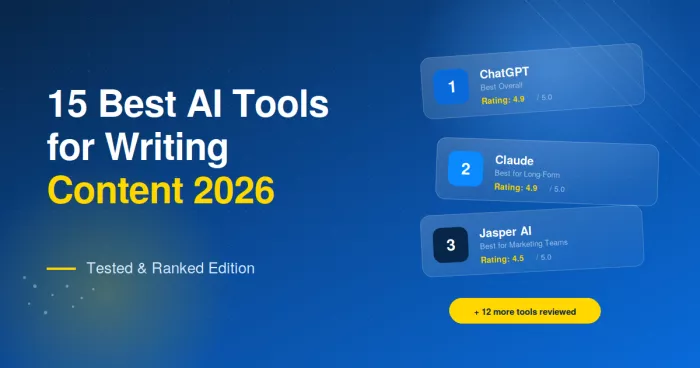
Table of Contents
The AI writing landscape has shifted dramatically over the past two years. What started as a wave of GPT-powered apps has consolidated into a smaller set of genuinely useful tools, each carving out a specific role in modern content workflows. Some have evolved into full enterprise marketing platforms. Others have leaned hard into a single specialty: SEO, fiction, paraphrasing, or grammar. Many of the early entrants have shut down, pivoted, or been quietly absorbed by larger players.
This guide cuts through the noise. Each of the 15 tools below was selected based on output quality, reliability, pricing transparency, and verified user feedback. Every tool was put through a standard battery of writing tasks: a 1,500-word blog post, a product description, a cold sales email, a social caption, and a long-form report section. Outputs were compared side by side, scored across six dimensions, and cross-checked against thousands of community reviews.
The goal is straightforward: help writers, marketers, founders, and content teams pick the right tool for the job, without wading through marketing copy or affiliate-driven rankings.
How These Tools Were Tested
Every tool on this list was scored against the same framework. The framework weights output quality most heavily, because no amount of features can compensate for AI that writes poorly. The breakdown:
The Six-Factor Testing Framework
- Writing quality (30%): Coherence, factual accuracy, originality, and how much editing the output requires before publishing.
- Features and integrations (20%): Brand voice training, SEO support, team collaboration, and connections to other software.
- Ease of use (15%): Setup time, learning curve, and interface clarity.
- Reliability (15%): Hallucination rate, consistency across runs, and uptime.
- Pricing and value (10%): Cost per word, plan flexibility, and free tier strength.
- User trust (10%): Verified ratings on G2, Capterra, and Trustpilot, plus support quality.
Each tool received a numerical score from 1 to 10 in each category. Scores were then combined into an overall rating out of 5. The TechLinos Rating reflects this testing score. The Worldwide Rating aggregates verified ratings from G2 and Capterra as of May 2026.
Comparison Table: All 15 Tools
The table below summarizes pricing, best-fit use case, and ratings for every tool covered in this guide.
| # | Tool | Best For | Starting Price | Free Plan | TechLinos | Worldwide |
|---|---|---|---|---|---|---|
| 1 | ChatGPT | Overall versatile writing | $20/month | Yes | 4.9 / 5 | 4.7 / 5 |
| 2 | Claude | Long-form prose and reports | $20/month | Yes | 4.9 / 5 | 4.7 / 5 |
| 3 | Jasper AI | Enterprise marketing teams | $39/month | No (7-day trial) | 4.5 / 5 | 4.7 / 5 |
| 4 | Grammarly | Grammar, clarity, and tone | $12/month | Yes | 4.7 / 5 | 4.6 / 5 |
| 5 | Copy.ai | GTM and sales content | $36/month | Yes | 4.4 / 5 | 4.7 / 5 |
| 6 | Writesonic | AI search visibility and SEO | $39/month | Yes | 4.4 / 5 | 4.7 / 5 |
| 7 | Rytr | Budget-friendly writing | $7.50/month | Yes | 4.5 / 5 | 4.7 / 5 |
| 8 | Surfer SEO | SEO content optimization | $69/month | No (trial) | 4.7 / 5 | 4.8 / 5 |
| 9 | Notion AI | Workspace-integrated writing | $10/month add-on | Limited | 4.6 / 5 | 4.7 / 5 |
| 10 | Sudowrite | Fiction and creative writing | $19/month | No (trial) | 4.6 / 5 | 4.6 / 5 |
| 11 | QuillBot | Paraphrasing and rewriting | $9.95/month | Yes | 4.5 / 5 | 4.5 / 5 |
| 12 | Anyword | Predictive copy performance | $49/month | No (7-day trial) | 4.5 / 5 | 4.7 / 5 |
| 13 | Wordtune | Sentence-level rewriting | $9.99/month | Yes | 4.6 / 5 | 4.6 / 5 |
| 14 | Frase | SEO briefs and research | $15/month | No (5-day trial) | 4.6 / 5 | 4.8 / 5 |
| 15 | Hypotenuse AI | Ecommerce product content | $29/month | Yes (trial) | 4.5 / 5 | 4.7 / 5 |
Detailed Reviews of All 15 Tools
Each review below covers the testing score breakdown, who the tool fits, what makes it stand out, key features, integrations, and a clear pros and cons list. Tool names in each heading are anchor links, so they can be shared directly.
ChatGPT — Best Overall AI Writing Tool
The default choice for general-purpose writing across nearly every format.
TechLinos Testing Score
ChatGPT, built by OpenAI on the GPT-5.5 model, remains the default choice for most writers in 2026. It handles everything from short captions to long-form articles, with Canvas offering a side-by-side editor for targeted rewrites. The Projects feature keeps related conversations organized, and Custom GPTs allow teams to build repeatable workflows for recurring writing tasks.
Who Is ChatGPT Best For?
ChatGPT fits writers and small teams who need a flexible, all-purpose AI assistant rather than a specialized marketing platform. It works for bloggers, freelancers, marketers, students, and anyone producing written content across multiple formats.
What Makes ChatGPT Stand Out
The combination of model quality, ecosystem maturity, and ease of access is unmatched. The free tier alone covers the needs of casual users, while Plus at $20/month is the practical entry point for daily writers. Canvas mode is the standout addition for content work, letting users edit specific sections of a draft without regenerating the whole piece.
Key Features
- Canvas editor: Side-panel document view for collaborative editing and targeted revisions.
- Custom GPTs: Reusable assistants trained on specific instructions, files, or brand voice.
- Memory: Persistent context across conversations, useful for long projects.
- Voice and image input: Multimodal capabilities for brainstorming and reference-based writing.
- Plugin ecosystem: Web search, code interpreter, and image generation built in.
Integrations
Native integrations are limited, but ChatGPT connects with Zapier, Make, and most major productivity platforms through API access. Browser extensions are available for Chrome and Edge.
Pros and Cons
Pros
- G2 reviewers cite versatile task execution (157+ mentions) across writing, brainstorming, and problem-solving
- Reviewers consistently call out ease of use and intuitive flow (144+ mentions) as the standout feature
- Plus users praise faster responses during peak hours and DALL-E image generation built in
- 4.7/5 across 1,929+ G2 reviews, the strongest verified social proof in the AI writing category
Cons
- Inconsistent answers and hallucinations on factual queries (the most cited complaint on G2)
- Default tone often described as too generic or formal, requiring rephrasing for brand voice
- Free tier users hit prompt limits, chat caps, and occasional outdated information
- Context understanding falls short on complex queries; multiple prompts often needed to reach a usable answer
Claude — Best for Long-Form Prose
The writer's AI. Prose that reads like a human wrote it, with persistent context for long projects.
TechLinos Testing Score
Claude is built by Anthropic and has earned a strong reputation among writers for the quality of its prose. Claude Opus 4.6 is the current flagship, with Sonnet 4.6 and Haiku 4.5 covering faster and lighter use cases. The Projects feature holds documents, reference material, and instructions in persistent context, which matters for long-running content work like books, white papers, and ongoing editorial calendars.
Who Is Claude Best For?
Claude suits long-form writers, content strategists, technical writers, and anyone producing pieces longer than 2,000 words. It also works well for teams that prioritize prose quality over speed.
What Makes Claude Stand Out
The default writing style is noticeably more natural than other large language models. Outputs require less editing to reach a publishable standard, especially for journalism, essay-style content, and long technical explanations. Artifacts allow live previews of documents, charts, and code, which is useful when drafting content that includes structured elements.
Key Features
- Projects: Persistent workspaces with custom instructions, file uploads, and shared context.
- Artifacts: Live document, chart, and code previews alongside the chat.
- Strong instruction-following: Reliable at adhering to style guides, word counts, and structural requirements.
- Large context window: Handles full books, reports, and codebases in one session.
- Claude Code and computer use: Beyond writing, Claude can browse, edit files, and run code.
Integrations
Claude integrates with Google Drive, Slack, GitHub, Notion, Asana, Linear, and many other services through MCP (Model Context Protocol). Claude in Chrome, Claude in Excel, and Claude in Slack expand the workflow surface.
Pros and Cons
Pros
- G2 reviewers describe responses as natural and human-like, with one citing "doesn't seem to hallucinate like ChatGPT does"
- Capterra users praise the privacy stance: Anthropic does not use conversation history to train models
- Strong on coding, debugging, and long-context analysis according to power users on Product Hunt and Reddit
- Reviewers consistently rank Claude as the strongest output quality for writing-heavy professional work
Cons
- Strict and unpredictable usage limits is the #1 complaint; Pro users report being locked out after a handful of messages with a 5-hour cooldown
- Capterra reviewers note Claude requires Gmail login and applies a daily cap on the advanced model that ChatGPT does not
- Trustpilot scores tilt negative (1.9/5 in recent months) due to billing complaints, double-charges, and slow support
- New features and reasoning models roll out less frequently than ChatGPT; no integrated image generation
Jasper AI — Best for Enterprise Marketing Teams
A full marketing platform built around brand voice, team workflows, and campaign-level content.
TechLinos Testing Score
Jasper has evolved from a copywriting tool into a full marketing platform built around brand voice, team workflows, and campaign-level content production. Jasper IQ learns a brand's voice, style guide, and key product facts, then enforces that guidance across every output. The 2026 version includes specialized AI agents for tasks like blog drafting, ad copy, and social campaigns.
Who Is Jasper Best For?
Jasper makes sense for marketing teams of five or more producing content across multiple channels under tight brand guidelines. Solo writers and casual users will find ChatGPT or Claude better value.
What Makes Jasper Stand Out
Brand Voice training is the single feature that justifies the price for the right buyer. Jasper IQ ingests existing content and produces drafts that match brand guidelines without heavy editing. Content Pipelines automate the path from idea to draft to review, which mid-sized marketing teams find valuable.
Key Features
- Jasper IQ: Brand intelligence layer trained on existing content and style guides.
- Marketing Lab templates: Pre-built workflows for blogs, ads, emails, and social.
- Content Pipelines: Automated multi-step content workflows.
- Team collaboration: Shared workspaces, roles, and approval flows.
- Multi-language support: Content generation across 30+ languages.
Integrations
Integrations include Google Docs, Microsoft Word, HubSpot, Surfer SEO, Webflow, WordPress, Chrome extension, and Zapier for custom connections.
Pros and Cons
Pros
- G2 reviewers cite "automates content creation, improves SEO, enhances efficiency" (22+ mentions) as the standout benefit
- Time-saving for copywriting workflows (18+ mentions); users report cutting outline and drafting time when working with external writers
- Picks up tone, style, and format automatically once set up; brand voice consistency praised by marketing teams
- 4.7/5 across 1,268+ G2 reviews; multi-user workflows and team collaboration features called out by mid-market reviewers
Cons
- Expensive especially with the upgrades needed to use it fully; pricing is the most-cited complaint (16+ mentions)
- Capterra reviewers warn about a frustrating cancellation process; users report being given only two options: close account or suspend for one month
- AI limitations on complex queries; some users describe outputs as repetitive and lacking narrative creativity
- No built-in plagiarism detector or grammar checker; UI takes time to learn for non-marketers
Grammarly — Best for Editing, Grammar, and Tone
Sits alongside existing writing tools rather than replacing them. Now with generative AI.
TechLinos Testing Score
Grammarly sits alongside existing writing tools rather than replacing them. The browser extension and native apps cover Gmail, Google Docs, Microsoft Word, Slack, LinkedIn, and most platforms where writing happens. Beyond grammar and clarity checks, the generative AI layer added in recent years can rewrite paragraphs, adjust tone, and draft short pieces directly inside any text field.
Who Is Grammarly Best For?
Grammarly works for any writer who wants in-context editing across multiple apps. It is particularly valuable for non-native English speakers, students, and professionals who write a high volume of emails and short documents.
What Makes Grammarly Stand Out
The integration depth is unmatched. Grammarly works inside every major writing surface, catching errors and suggesting improvements as text is typed. The 2026 generative features add the ability to rewrite full paragraphs and adjust voice without leaving the document.
Key Features
- Real-time grammar and clarity checks: Suggestions appear as text is typed.
- Tone detection: Flags emails or messages that sound off-tone.
- Generative rewrites: Paragraph-level rewriting and tone adjustment.
- Plagiarism checker: Available on Premium plans.
- Style guide enforcement: Business plans support custom style rules.
Integrations
Native integrations span Google Docs, Microsoft Word, Gmail, Outlook, Slack, LinkedIn, X, Facebook, and the Chrome, Edge, Safari, and Firefox browsers.
Pros and Cons
Pros
- Capterra reviewers single out the ability to catch subtle errors that traditional spell-checkers miss
- Real-time feedback that lets users fix mistakes as they type, across emails, essays, and documents
- Works across one million-plus apps and websites via the browser extension; integration breadth is the top differentiator in G2 reviews
- 4.7/5 across 11,462+ G2 reviews; tone detection feature called out as useful for marketing and internal email
Cons
- Suggestions can overcorrect and flatten voice, especially for creative or technical writers who intentionally bend rules
- AI-generated rewrites described by reviewers as "sounding like a machine wrote it" because the model lacks specific business context
- Plagiarism checker misses content behind paywalls and academic journals; reviewers caution against using it as the only check
- Monthly subscription fee a recurring concern for students and casual users; pop-up suggestions can clutter the workspace
Copy.ai — Best for GTM and Sales Content
Repositioned as a go-to-market AI platform with multi-step workflows tied to CRM data.
TechLinos Testing Score
Copy.ai has repositioned itself as a go-to-market AI platform rather than a general writing tool. The product now focuses on sales and marketing workflows: account research, prospect summaries, outbound email sequences, and pipeline content. Traditional writing features remain, but the strongest use case is for revenue teams running structured GTM motions.
Who Is Copy.ai Best For?
Copy.ai fits sales and revenue operations teams that need AI-generated content tied to CRM data. It also works for small businesses producing high volumes of short-form marketing copy.
What Makes Copy.ai Stand Out
Workflows are the differentiator. Copy.ai chains multiple AI steps with data inputs from CRM systems, websites, and uploaded files. A single workflow can research an account, write a personalized email, draft a follow-up cadence, and log the entire output back to Salesforce or HubSpot.
Key Features
- GTM workflows: Multi-step AI processes combining research, writing, and data lookup.
- Brand voice: Captures and applies brand tone across all generated content.
- Template library: 90+ templates for short-form marketing content.
- Chat interface: Conversational AI assistant for ad hoc tasks.
- Multi-language support: Content generation across 25+ languages.
Integrations
Integrations include Salesforce, HubSpot, Outreach, Salesloft, Slack, Microsoft Teams, Google Sheets, and Zapier. API access is included on higher-tier plans.
Pros and Cons
Pros
- Reviewers across G2 and Reddit praise the fast generation and easy-to-use chat-based interface
- The 90+ template library is the most-cited strength, particularly for sales copy and cold outreach
- Real free plan (2,000 words per month, no credit card) called out by reviewers as a genuine differentiator
- Workflow automation feature praised by GTM teams for chaining research, writing, and CRM updates
Cons
- Output quality described by reviewers as generic; one called the default style "a strong North American software company foundation that is difficult to remove"
- Trustpilot rating drops to 1.9/5 (195 reviews), driven by difficult cancellation, a strict 5-day refund window, and slow email-only support
- Reviewers report fabricated facts and citations that require line-by-line fact-checking
- GTM pivot has cluttered the interface with enterprise workflow features that overwhelm solo writers
Writesonic — Best for AI Search Visibility and SEO
Now an AI Search Visibility platform with GEO tracking for ChatGPT, Perplexity, and Google AI Overviews.
TechLinos Testing Score
Writesonic has shifted positioning to focus on AI search visibility, with Generative Engine Optimization (GEO) as the headline feature. The platform tracks how a brand appears in answers from ChatGPT, Perplexity, and Google AI Overviews, then uses an SEO AI Agent to generate content designed to influence those AI-generated answers. Traditional article writing, ad copy, and chatbot features remain in the product.
Who Is Writesonic Best For?
Writesonic fits content marketing teams that need both AI-generated articles and visibility tracking across AI search engines. It also works for agencies managing multiple client websites.
What Makes Writesonic Stand Out
GEO tracking is unique among writing tools. Most SEO platforms still focus on traditional Google rankings, but Writesonic monitors brand mentions inside AI-generated answers and recommends content updates to improve presence. The SEO AI Agent connects to Google Search Console and runs ongoing content optimization without manual prompts.
Key Features
- SEO AI Agent: Autonomous optimization connected to Search Console and keyword data.
- GEO tracking: Monitors brand visibility in ChatGPT, Perplexity, and AI Overviews.
- AI Article Writer: Long-form articles up to 5,000 words with built-in SEO scoring.
- Chatsonic: Conversational AI with web search and image generation.
- Brand voice and templates: 100+ writing templates across formats.
Integrations
Integrations include WordPress, Webflow, Shopify, Google Docs, Google Search Console, Surfer SEO, Semrush, Ahrefs, and Zapier.
Pros and Cons
Pros
- G2 reviewers cite ease of content creation (43+ mentions) and intuitive workflow (32+ mentions) as the top strengths
- Time-saving for blog writing called out by 19+ reviewers; Capterra users report generating 30+ SEO articles in an afternoon
- AI Article Writer praised for producing well-structured, SEO-friendly long-form drafts in minutes
- Surfer SEO integration highlighted by Capterra reviewers as a meaningful boost to ranking optimization
Cons
- Pricing changes are the most-cited frustration (17+ G2 mentions); reviewers point to the shift from lifetime deals to subscription
- Credit system called unfair by 13+ reviewers; users prefer a word-count-based subscription and report 5-7 credits wasted on unusable copy
- Content depth and robotic outputs flagged by 10+ reviewers, especially for nuanced or technical topics
- Limited for local SEO content; users wish for main keyword and variation controls similar to Rytr
Rytr — Best Budget-Friendly Option
The budget-friendly answer for writers who want a dedicated AI tool without enterprise pricing.
TechLinos Testing Score
Rytr is the budget-friendly answer for writers who want a dedicated AI tool without enterprise pricing. The interface is simple, the templates cover the most common short-form needs, and the output is genuinely usable for blog drafts, social posts, and email copy. It will not match Jasper for team workflows or Claude for prose quality, but for under $10 per month it delivers solid value.
Who Is Rytr Best For?
Rytr fits solo bloggers, freelancers, students, and small business owners who need an affordable AI writing assistant. It also works as a secondary tool alongside ChatGPT for users who want a dedicated template-based interface.
What Makes Rytr Stand Out
Price-to-value is the strongest argument for Rytr. The Saver plan at $7.50 per month delivers most of what a single user needs, including 100,000 characters monthly, access to 40+ use cases, and the AI writing assistant. The interface is one of the cleanest in the category.
Key Features
- 40+ use cases: Templates for blogs, emails, social, ads, and product descriptions.
- Tone selection: 20+ tones from formal to humorous.
- 30+ languages: Multi-language content generation.
- Browser extension: Use Rytr inside any web app.
- Plagiarism checker: Built into Premium plan.
Integrations
Integrations include WordPress, Google Docs (via Chrome extension), Shopify, and basic Zapier support.
Pros and Cons
Pros
- Capterra reviewers call it easy to use and practical, with multiple content variations helping them pick the best fit
- Flexibility in use cases and tones is the most-cited strength; reviewers say it beats other writing assistants on tone variety
- Customer service consistently described as responsive across multi-year users on Capterra
- 4.7/5 across 819+ G2 reviews; affordability called out as a clear advantage over Jasper and Writesonic
Cons
- Repetition is a common complaint, especially in longer pieces; G2 reviewers note this drops content quality past 1,500 words
- Factual accuracy issues, as reviewers note is common with most AI tools; outputs still need human verification
- Reviewers wish for more integrations beyond the Chrome extension; Zapier, PDF download, and a WordPress plugin are top requests
- Limited customization in templates frustrates advanced users who want finer control over outputs
Surfer SEO — Best for SEO Content Optimization
Live SERP data guides writers toward higher rankings, with real-time content scoring.
TechLinos Testing Score
Surfer SEO is not a primary AI writer in the traditional sense. It is a content optimization platform that uses live SERP data to guide writers toward higher rankings. The Content Editor analyzes top-ranking articles for any target keyword, then provides a real-time checklist of keywords, headings, word counts, and structural elements to match or beat the competition.
Who Is Surfer SEO Best For?
Surfer fits SEO-focused content teams, agencies, and individual marketers who need a data-driven approach to ranking content. It pairs well with ChatGPT, Claude, or Jasper for drafting.
What Makes Surfer SEO Stand Out
The Content Score and live SERP analysis remove guesswork from on-page SEO. Writers can see in real time how their draft compares to the top 10 ranking results for a target keyword. The 2026 AI Article generator can produce a full SEO-optimized draft, though most teams use it as a starting point rather than a finished piece.
Key Features
- Content Editor: Real-time SEO scoring based on top-ranking competitors.
- Keyword research: AI-powered keyword discovery with intent analysis.
- AI Article: Full article generation with built-in SEO optimization.
- Content Audit: Analyzes existing pages and recommends improvements.
- Topical maps: Helps plan content clusters around core topics.
Integrations
Integrations include Google Docs, WordPress, Semrush, Jasper, Contentful, and an open API.
Pros and Cons
Pros
- Content Editor consistently called the standout feature across G2 and Capterra reviews; reviewers cite measurable ranking improvements
- Google Docs integration praised for surfacing live Content Score next to the manuscript as it's written
- 4.8/5 across 537+ G2 reviews and 4.9/5 across 417+ Capterra reviews; customer support rated 9/10 by reviewers
- Reviewers highlight the "insert term" feature for speeding up keyword inclusion during drafting
Cons
- Pricing is the most-cited objection; reviewers describe Surfer AI as nearly five times the cost of comparable tools without enough unique value
- Capterra reviewers warn that any attempt to humanize Surfer AI's output undoes the SEO optimization
- Reddit discussions are significantly more critical than G2/Capterra; over-optimization risk if recommendations are followed literally
- Lacks robust backlink analysis and keyword research compared to Semrush or Ahrefs; difficulty scoring less reliable
Notion AI — Best for Workspace-Integrated Writing
Lives inside the Notion workspace with direct access to existing notes, projects, and documents.
TechLinos Testing Score
Notion AI lives inside the Notion workspace, which means the AI has direct access to existing notes, projects, databases, and documents. For teams already using Notion for content planning, knowledge management, or project tracking, this context-awareness is a significant advantage. The AI can summarize meeting notes, draft new pages from existing content, and answer questions about any workspace document.
Who Is Notion AI Best For?
Notion AI fits teams that already use Notion as their workspace. It is less compelling as a standalone writing tool for users without an established Notion habit.
What Makes Notion AI Stand Out
Context is the differentiator. Notion AI can answer questions like "summarize this quarter's customer feedback" or "draft a blog post based on our product roadmap" because it has direct access to the underlying data. No copying, pasting, or re-prompting required.
Key Features
- Workspace search: AI-powered answers grounded in workspace content.
- Page generation: Drafts new documents from prompts or existing pages.
- Summarization: Condenses long pages, meeting notes, or transcripts.
- Translation: Translates pages across 15+ languages.
- Connected to Notion databases: Pulls from structured workspace data.
Integrations
Notion AI works natively inside Notion. Notion itself integrates with Slack, Google Drive, GitHub, Figma, Jira, and most major productivity tools.
Pros and Cons
Pros
- 4.7/5 across 4,000+ G2 reviews; reviewers consistently praise the platform's versatility for editorial calendars, project management, and wikis
- AI for summarizing notes and rewriting docs called out as the strongest use case across G2 and Capterra
- Reviewers describe the block-based UI as intuitive once learned; pre-built templates help new users get started fast
- Free version called "actually useful" by G2 reviewers; reasonably priced for the workspace functionality
Cons
- Performance lags on large databases and complex pages, a recurring G2 complaint at scale
- AI features are locked behind higher-tier plans; free and Plus users hit a wall after a short trial
- Customer support called "pretty terrible" by reviewers, with long wait times and no real resolution on blockers
- Learning curve takes time; AI quality on long articles trails dedicated tools like ChatGPT or Claude
Sudowrite — Best for Fiction and Creative Writing
The only mainstream tool built specifically for novelists, screenwriters, and creative writers.
TechLinos Testing Score
Sudowrite is the only mainstream tool built specifically for fiction writers. The features map directly to how novelists work: the Story Bible holds characters, locations, plot threads, and worldbuilding rules in persistent context. The Describe tool generates five sensory variations of any scene. Brainstorm produces plot options. Rewrite gives alternate versions of any paragraph in different tones.
Who Is Sudowrite Best For?
Sudowrite fits novelists, screenwriters, short story writers, and anyone working on creative fiction. It is not the right tool for marketing content, blog posts, or business writing.
What Makes Sudowrite Stand Out
The Story Bible is the killer feature. Defining characters, settings, and rules once means the AI keeps them consistent across 60,000-word manuscripts without losing track. No general-purpose AI tool handles long fiction with this level of internal consistency.
Key Features
- Story Bible: Persistent context for characters, settings, and plot rules.
- Describe: Five sensory variations of any scene description.
- Brainstorm: Generates plot, character, or worldbuilding options.
- Rewrite: Alternative versions of any paragraph in different tones.
- Canvas: Visual board for organizing story elements.
Integrations
Sudowrite works as a standalone web application. Manuscripts can be exported to DOCX, EPUB, and PDF.
Pros and Cons
Pros
- G2 reviewers say the creators "clearly understand the nuances of writing"; no other AI tool matches it for fiction
- Story Bible called out as the standout feature; reviewers note it prevents needing multiple tools for character and plot tracking
- Story feature praised for developing full novels with arcs and beats; AI works in both manuscript and Story Bible simultaneously
- 4.4/5 across 186 App Store ratings; described as a writing companion that helps with the perfect word and writer's block
Cons
- G2 reviewers note Sudowrite is more expensive than other AI writing tools, with no cheap entry tier
- UI needs more customization options; reviewers cite oversized text and panel sizes that make searching tedious
- Single-user focus; no collaboration features called out by reviewers managing co-authored projects
- Useful only inside fiction work; reviewers say it offers no benefit for blogs, marketing, or non-fiction
QuillBot — Best for Paraphrasing and Rewriting
Seven paraphrasing modes that go beyond synonym swaps, plus grammar, summarizer, and citation tools.
TechLinos Testing Score
QuillBot focuses on paraphrasing as its primary use case. The tool offers multiple rewriting modes including Fluency, Standard, Formal, Simple, Creative, Expand, and Shorten. Writers, students, and ESL users rely on it to rework existing text without changing meaning. Beyond paraphrasing, QuillBot includes a grammar checker, summarizer, citation tool, and AI detector.
Who Is QuillBot Best For?
QuillBot fits students, academic researchers, ESL writers, and content editors who need precise sentence-level rewriting. It is also useful for writers adapting content across formats or audiences.
What Makes QuillBot Stand Out
Paraphrasing modes give writers granular control over how rewrites read. Selecting Formal versus Creative versus Simple changes the output in meaningful ways, not just synonym swaps. The grammar and citation tools round out a complete academic writing toolkit at a low price.
Key Features
- Seven paraphrasing modes: Different rewriting styles for different needs.
- Grammar checker: Built-in proofreading across English variants.
- Summarizer: Condenses articles, papers, and long documents.
- Citation generator: APA, MLA, Chicago, and other styles.
- Browser extension: Use QuillBot inside any text field.
Integrations
Integrations include Microsoft Word, Google Docs (via Chrome extension), and macOS native app support.
Pros and Cons
Pros
- G2 reviewers cite ease of use that "enhances efficiency and improves the writing process effortlessly" (12+ mentions)
- Combined grammar checker and paraphrasing called out by 10+ reviewers; accuracy praised for legal and professional documents
- Trustpilot rating of 4.9/5 across 5,633+ reviews; users describe it as easy to use and effective for paraphrasing
- Reviewers say it helps non-native English speakers find natural phrasing and overcome writer's block
Cons
- Robotic tone at high synonym settings flagged by reviewers; output flow suffers when sliders are pushed too far
- Inaccuracy issues where QuillBot misinterprets context and generates unrelated words (4+ G2 mentions)
- Free version limited to 125 words per paraphrase, which Capterra reviewers say forces an upgrade
- Reviewers warn QuillBot can completely change the original message; support team described as slow
Anyword — Best for Predictive Copy Performance
Predictive scoring engine that estimates how well each piece of copy will perform with a target audience.
TechLinos Testing Score
Anyword differentiates itself with a predictive scoring engine. Every piece of copy the tool generates receives a Predictive Performance Score that estimates how well it will perform with a target audience, trained on a database of marketing copy across industries. For paid advertising and conversion-focused content, this scoring helps teams pick higher-performing variants without running expensive tests.
Who Is Anyword Best For?
Anyword fits performance marketing teams, growth marketers, and advertising agencies producing high volumes of ad copy, landing pages, and email subject lines. It is less compelling for general content writing.
What Makes Anyword Stand Out
Predictive scoring is genuinely useful for conversion-focused copy. Combined with Customer Personas (audience profiles that influence tone and angle) and a brand voice engine, Anyword produces variations tailored to specific audiences and ranks them by expected performance.
Key Features
- Predictive Performance Score: Scoring engine for every output.
- Customer Personas: Audience profiles that shape generation.
- Brand voice: Trained on existing brand content.
- Channel-specific templates: Google Ads, Facebook, LinkedIn, email subject lines.
- Continuous Optimization: Recommends rewrites based on performance data.
Integrations
Integrations include Google Ads, Facebook Ads, HubSpot, Marketo, Salesforce, Webflow, WordPress, Shopify, and Zapier.
Pros and Cons
Pros
- G2 reviewers consistently praise the intuitive interface that simplifies marketing copy creation and boosts productivity
- Reviewers report generating multiple ad variants in ten minutes that would have taken hours; creativity of ads called "amazing"
- Predictive performance scoring is the most-cited differentiator on G2; users save time previously spent on A/B testing
- Brand voice training and data-backed recommendations highlighted as a strong fit for performance marketing teams
Cons
- Reviewers note content can feel repetitive and still needs editing to match brand style
- Expensive for individuals according to G2 reviewers; entry pricing higher than competitors with comparable templates
- Steeper learning curve called out; reviewers describe it as overkill for simple projects
- Starter plan limits use to a single brand; agencies and multi-brand teams need much higher tier
Wordtune — Best for Sentence-Level Rewriting
Lightweight rewriting assistant with sentence-level tone control that feels more natural than competitors.
TechLinos Testing Score
Wordtune sits in a similar category to QuillBot but with a stronger focus on tone and clarity at the sentence level. The interface highlights a sentence and offers rewrite suggestions in different tones: casual, formal, shorter, longer. Wordtune AI also adds a generative layer for drafting full paragraphs, summarizing articles, and writing emails with a single click.
Who Is Wordtune Best For?
Wordtune fits writers and professionals who want a lightweight rewriting assistant. It works well for emails, reports, and any context where clarity matters more than raw content generation.
What Makes Wordtune Stand Out
The sentence-level rewrite suggestions feel more natural than competitors. The tone options (casual, formal, shorter, longer) produce noticeably different results, not just minor word swaps. The browser extension integrates cleanly with Gmail, Google Docs, Slack, and Microsoft Word.
Key Features
- Sentence rewriting: Multiple suggestions in different tones.
- Wordtune Read: Summarizes articles, PDFs, and long documents.
- Spices: Adds examples, statistics, or counterarguments to writing.
- AI writing assistant: Generates emails and short content.
- Multi-language support: Available across major languages.
Integrations
Integrations include Gmail, Google Docs, Microsoft Word, Slack, LinkedIn, X, Facebook, and most major browsers.
Pros and Cons
Pros
- 4.6/5 across 194+ G2 reviews; reviewers describe Wordtune as excellent at creative rewriting with more nuanced suggestions than QuillBot
- Reviewers cite speed and clarity for everyday emails, reports, and documents
- Sentence-level rephrasing works in real time inside Gmail, Google Docs, and most browser apps
- Free version available; lower entry price than Grammarly with better generative depth in reviewer comparisons
Cons
- Reviewers note Wordtune cannot generate full articles; capped at paragraph-level work
- Free plan allows only a small number of rewrites per day; daily limits force upgrades for regular users
- Less useful for SEO or marketing copy than dedicated tools like Surfer or Anyword according to reviewers
- Not a full replacement for human creativity on complex tasks; better as a polish layer than a draft generator
Frase — Best for SEO Briefs and Content Research
Combines SEO research, content briefs, and AI writing in a single workflow.
TechLinos Testing Score
Frase combines SEO research, content briefs, and AI writing in a single workflow. The tool analyzes top-ranking pages for any keyword, generates a structured content brief with recommended headings and questions, and provides an AI writer to draft sections. For writers who plan content based on SERP data, Frase compresses the research and outline stages into one place.
Who Is Frase Best For?
Frase fits content strategists, SEO writers, and editorial teams who build content from briefs. It also works for freelancers managing multiple client projects.
What Makes Frase Stand Out
The brief generation is what makes Frase distinctive. With a target keyword, the tool produces a complete content brief covering top-ranking pages, common headings, related questions from People Also Ask, and word count targets. The AI writer then drafts against that brief, keeping content focused on what actually ranks.
Key Features
- SEO content briefs: SERP-based briefs with headings and question data.
- AI writer: Section-by-section drafting against the brief.
- Content optimization: Real-time topic scoring for ranking signals.
- Topic research: Identifies content gaps and related topics.
- Team workspaces: Shared briefs and collaborative editing.
Integrations
Integrations include Google Docs, WordPress, Google Search Console, HubSpot, and Zapier.
Pros and Cons
Pros
- G2 reviewers consistently praise ease of use and time-saving features for SEO research and brief creation
- Excels at gathering content for research and citation; reviewers highlight competitor analysis and outline creation as standout features
- Reviewers say the Frase team is actively improving the product based on user feedback
- Affordable SEO features compared to Surfer; useful for strategy development, SEO optimization, and structured content creation
Cons
- AI writing feature occasionally produces irrelevant content according to G2 reviewers
- Reviewers report subscription, payment, and layout issues; editing inside the platform also flagged
- Interface feels dated compared to newer SEO tools; reviewers note it's missing templates like meta descriptions and social posts
- Limited compared to premium SEO tools; AI writing quality average versus Surfer or Clearscope
Hypotenuse AI — Best for Ecommerce Product Content
Bulk product descriptions, category pages, and meta tags for ecommerce catalogs.
TechLinos Testing Score
Hypotenuse AI specializes in product content for ecommerce. The platform generates product descriptions, category pages, and meta tags at scale, with bulk processing for catalogs of hundreds or thousands of SKUs. For ecommerce teams launching new products or managing large catalogs, Hypotenuse compresses what was previously days of copywriting into hours.
Who Is Hypotenuse AI Best For?
Hypotenuse fits ecommerce brands, online retailers, and agencies managing product catalogs. It also works for Amazon sellers needing product descriptions optimized for the platform.
What Makes Hypotenuse AI Stand Out
Bulk product description generation is the headline use case. Upload a CSV of products, configure the brand voice, and the tool generates descriptions for the entire catalog. The output includes meta titles, descriptions, and category content, all consistent in tone.
Key Features
- Bulk product descriptions: Generate copy for entire product catalogs from CSV.
- Brand voice training: Captures and applies brand tone.
- SEO optimization: Built-in meta tag and keyword integration.
- Image generation: AI product imagery alongside copy.
- Multi-language output: Support for global ecommerce catalogs.
Integrations
Integrations include Shopify, BigCommerce, WooCommerce, Magento, Amazon Seller Central, Google Sheets, and Zapier.
Pros and Cons
Pros
- G2 reviewers say it saves significant time on research-based content, freeing them to focus on multiple projects in parallel
- Reviewers describe the output as articulating words well and making the user sound more professional in business writing
- Praised for ease of use and breadth of functions; Fortune 500 ecommerce brands cited in G2 listings as users
- SERP and People Also Asked research baked into the workflow help identify topic gaps and keyword opportunities
Cons
- G2 reviewers flag that the tool occasionally repeats similar sentences within the same blog, disrupting the flow
- User interface called "a little clunky" by reviewers; users report poking around to find features
- Reviewers note long-form blog output trails dedicated tools on prose quality for non-product content
- Product description outputs occasionally invent specifications not present in the source data; manual review needed before publishing
How to Choose the Right AI Writing Tool
The best tool depends on what kind of content is being produced, who is producing it, and where it ends up. The following four questions help narrow the choice.
1. What Type of Content Is the Priority?
Long-form blog posts and reports favor Claude or ChatGPT. SEO-focused articles benefit from Surfer or Frase paired with a general AI writer. Short marketing copy and ad creative align with Jasper, Anyword, or Copy.ai. Fiction belongs to Sudowrite. Product descriptions point to Hypotenuse.
2. Who Is Writing?
Solo writers and freelancers typically get the most value from ChatGPT Plus, Claude Pro, or Rytr. Marketing teams of three or more benefit from Jasper's team workflows. Enterprise content operations need the brand voice enforcement and governance features in Jasper or Anyword Business.
3. What Is the Budget?
Under $10 per month points to Rytr, QuillBot, or Wordtune. $20 per month covers ChatGPT Plus or Claude Pro for individual use. $50 to $100 per month opens up Jasper, Surfer, and Anyword. Beyond that, enterprise plans for large content teams.
4. What Tools Are Already in Place?
Existing Notion users should try Notion AI before standalone tools. WordPress-heavy teams gain from Writesonic, Frase, or Surfer's native integrations. Salesforce or HubSpot users may find Copy.ai's GTM workflows useful.
Trends Shaping AI Writing in 2026
Several shifts are reshaping the AI writing category this year. Buyers selecting a tool today should pay attention to where the market is moving.
Generative Engine Optimization (GEO)
Search behavior is splitting between traditional Google results and AI-generated answers from ChatGPT, Perplexity, and Google AI Overviews. Tools like Writesonic and newer entrants are building tracking and optimization specifically for AI search visibility, separate from classic SEO. This is the most significant shift in content strategy since the rise of mobile search.
Brand Voice as a Baseline Feature
What was once a Jasper differentiator is now expected across the category. Copy.ai, Anyword, Writesonic, and Hypotenuse all include brand voice training. Tools without this capability struggle to win team accounts.
Consolidation Around Foundation Models
Most AI writing tools now run on top of GPT, Claude, or Gemini. The differentiation has shifted from raw model quality to workflow, templates, and integrations. Standalone tools that compete only on writing output increasingly lose to ChatGPT and Claude.
Multi-Step Workflows and Agents
Single-prompt writing is giving way to multi-step agent workflows. Copy.ai chains research, writing, and CRM updates. Jasper runs Content Pipelines. Writesonic deploys a 24/7 SEO agent. The shift is from AI as a writing assistant to AI as a content operations engine.
Pricing Bifurcation
The middle of the market is collapsing. Tools priced between $30 and $100 per month are losing share to either base LLMs at $20 per month or full enterprise platforms at $200 or more per month. Mid-tier specialty tools need a clear, defensible differentiator to survive.
What Are AI Writing Tools?
AI writing tools are software platforms that use large language models to generate, edit, or optimize written content. The underlying technology, transformer-based language models trained on vast text corpora, predicts the most likely next words in a sequence based on a prompt or context.
In practice, these tools take one of three forms:
- Generators: Produce new content from a prompt or template (ChatGPT, Claude, Jasper).
- Editors: Improve, rewrite, or rephrase existing text (Grammarly, QuillBot, Wordtune).
- Optimizers: Score and enhance content for specific goals like SEO or conversion (Surfer, Frase, Anyword).
Most modern tools blur these categories. Jasper generates and optimizes. Grammarly edits and now generates. ChatGPT does all three. The boundaries continue to soften as the underlying models grow more capable.
Key Features to Look For
Buyers evaluating AI writing tools should compare the following capabilities. Not every tool needs all of them, but the right tool will handle the ones that matter most for the buyer's use case.
- Output quality: Coherence, factual reliability, and natural prose.
- Brand voice training: Ability to learn and apply a custom voice.
- Context handling: How well the tool manages long documents and reference material.
- Template library: Pre-built workflows for common content types.
- SEO integration: Built-in keyword research, scoring, and on-page guidance.
- Team collaboration: Shared workspaces, roles, approvals, and content libraries.
- Integration ecosystem: Native connections to CMS, CRM, and productivity tools.
- Multi-language support: Quality of output across languages beyond English.
- Plagiarism and AI detection: Built-in checks for originality and AI-generated content.
- Analytics and reporting: Performance tracking for generated content.
Benefits for Content Teams
The right AI writing tool delivers measurable benefits when paired with experienced editorial judgment. The most consistent outcomes reported by content teams in 2026:
Faster Drafting Cycles
AI-generated first drafts compress what was previously hours of writing into minutes. The savings are largest for repetitive formats: product descriptions, ad copy, social posts, and SEO articles built from briefs. Editorial time shifts from blank-page drafting to refinement and fact-checking.
Consistent Brand Voice at Scale
Brand voice training ensures that content produced by different writers, agencies, or freelancers reads with a single coherent voice. For brands publishing dozens of pieces per month across multiple channels, this consistency is difficult to maintain manually.
Lower Cost Per Piece
Replacing or supplementing freelance writing budgets with AI tools reduces the cost of producing baseline content. The savings are most significant in high-volume use cases like ecommerce product copy or paid media variants. High-stakes content, like thought leadership or investigative reporting, still requires human-led work.
Expanded Content Coverage
Small teams can cover more topics and channels than would otherwise be possible. SEO programs that previously published one or two articles per week can run a full editorial calendar with the same headcount, freeing strategists to focus on planning and editorial direction.
Better Iteration on Performance Copy
Predictive scoring tools like Anyword and conversion-focused workflows in Copy.ai make it easier to generate and test multiple copy variants. Performance marketers can test more ideas with less production overhead.
Cost and Pricing Overview
AI writing tools span a wide pricing range, from free tiers to enterprise contracts running into thousands of dollars per month. The table below maps the major pricing tiers in the category.
| Tier | Price Range | Typical Features | Best Fit |
|---|---|---|---|
| Free | $0 | Limited word count, basic templates, no team features | Trial users, students, casual writers |
| Entry-level | $5 to $20/month | Generous word count, core templates, single-user access | Solo writers, freelancers, students |
| Professional | $20 to $50/month | Brand voice, advanced templates, basic team features | Small businesses, marketing freelancers |
| Team | $50 to $200/month | Multi-user workspaces, approvals, advanced brand voice | Marketing teams of 3 to 20 people |
| Enterprise | $200+/month or custom | SSO, governance, dedicated support, custom integrations | Large content operations, regulated industries |
Annual billing typically reduces costs by 20 to 40 percent. Most vendors offer free trials between 5 and 14 days. Enterprise plans almost always require a sales conversation, but quotes can often be requested through self-serve forms.
Frequently Asked Questions
Are AI writing tools worth paying for in 2026?
Yes, for users producing content regularly. The free tiers of ChatGPT and Claude cover casual use, but daily writers and teams benefit from paid plans that unlock higher message limits, advanced features, and persistent context. Specialized tools like Jasper, Surfer, or Anyword are worth their price for buyers whose primary metric matches the tool's strength.
Can AI-generated content rank on Google?
Yes, when the content is genuinely useful and meets quality guidelines. Google has stated that AI-assisted content can rank as long as it follows the same standards as human-written content. The risk is publishing low-effort, generic AI output at scale, which both Google and readers recognize and discount.
Do AI writing tools replace human writers?
Not for high-stakes content. AI tools accelerate drafting and reduce repetitive work, but they still require human editorial judgment for accuracy, voice, originality, and strategic alignment. Most successful content teams use AI as an accelerator, not a replacement.
How do these tools handle factual accuracy?
All AI writing tools can hallucinate, meaning they generate plausible but incorrect information. Tools with built-in web search (ChatGPT, Claude, Writesonic) reduce this risk for current information. For technical or regulated content, every claim should be fact-checked against primary sources before publishing.
Which AI writing tool has the best free tier?
ChatGPT Free is the most capable, with access to GPT-5.5 Instant and Canvas mode within rate limits. Claude Free offers limited access to Sonnet and Haiku models. Grammarly Free covers basic grammar and clarity checks. Rytr Free provides 10,000 characters per month for short writing tasks.
What about data privacy and content ownership?
Most reputable AI writing tools retain user ownership of generated content. Data handling policies vary, with enterprise plans typically offering stronger guarantees against using inputs to train models. For sensitive or regulated content, buyers should confirm policies directly with the vendor before signing up.
Should a team use multiple AI writing tools?
Often, yes. A common stack pairs a general writer (ChatGPT or Claude) with a specialized tool (Surfer for SEO, Grammarly for editing, Sudowrite for fiction). Mid-sized marketing teams may add a brand voice platform like Jasper. The right combination depends on output volume and content variety.
Final Verdict
The AI writing category has matured. For most writers, the best starting point in 2026 is ChatGPT or Claude at $20 per month. Those two tools cover the majority of writing needs, from short emails to long-form articles, with output quality that requires less editing than mid-tier specialty platforms.
Specialized tools earn their place when they solve a specific problem the base models cannot: brand voice enforcement at scale (Jasper), SEO content optimization (Surfer or Frase), conversion-focused copy testing (Anyword), fiction with persistent context (Sudowrite), or ecommerce product copy at volume (Hypotenuse).
The wrong question is "which AI writing tool is best?" The right question is "which AI writing tool fits the content this team produces, the budget available, and the workflow already in place?" The 15 tools reviewed above cover the major answers to that question for 2026.
For continued coverage of AI tools and content technology, follow the TechLinos newsletter and check back for updated reviews as the category evolves.
About the Author: Laura Siemer
Content Writer, TechLinos
Laura Siemer is a technical content writer covering artificial intelligence, software platforms, and emerging technologies. Her work focuses on analyzing products, testing tools, and reporting on innovations shaping the tech landscape. She writes across AI developments, platform ecosystems, and digital trends, with an emphasis on how technologies perform and evolve in real-world use.
With a background in technical writing, Laura brings a structured and detail-oriented approach to breaking down complex systems into clear, accessible insights.